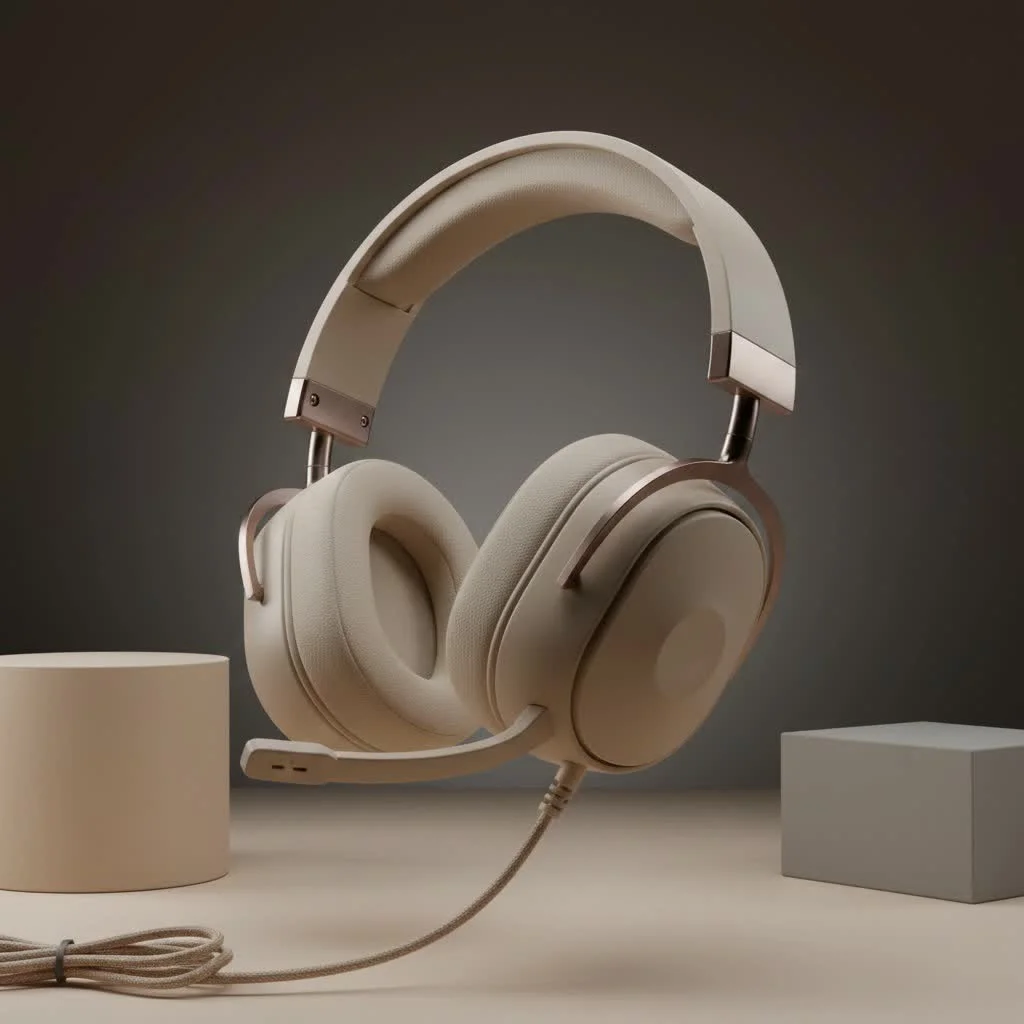
The Razer BlackShark V2 gaming headset offers a significant competitive edge for serious gamers due to its TriForce Titanium 50mm drivers, HyperClear Cardioid Mic, and THX Spatial Audio, all packaged in an exceptionally comfortable and lightweight design weighing only 262-280 grams. This wired headset provides precise positional audio and crystal-clear communication, making it a top choice for PC gamers seeking high performance without a premium price tag.
Why a Dedicated Gaming Headset Matters: Beyond Just Sound
In competitive gaming, sound is a critical weapon. A dedicated gaming headset, such as the Razer BlackShark V2, provides specialized drivers, accurate positional audio, and clear communication that standard headphones cannot match. This distinction allows gamers to pinpoint enemy locations precisely, offering a significant competitive advantage beyond mere immersion.
Diving Deep into the Razer BlackShark V2: Features That Set It Apart
Razer engineered the BlackShark V2 with specific features to enhance gaming performanceLet’s explore the technology that powers this headset.
Razer TriForce Titanium 50mm Drivers: Precision Audio for Victory
The Razer BlackShark V2 features innovative TriForce Titanium 50mm drivers. These patented drivers individually tune high, mid, and low audio frequencies, effectively acting like three drivers in one. This design ensures distinct reproduction of explosion rumbles, crisp dialogue, and subtle footsteps, resulting in richer trebles, brighter sound, and powerful, precise bass. For gamers, this translates into an incredibly detailed soundscape where every audio cue is rendered with startling accuracy, which is crucial for competitive play.
Razer HyperClear Cardioid Mic: Crystal Clear Communication
Effective communication is paramount in team-based games, and the Razer BlackShark V2 excels with its microphone. It includes a detachable Razer HyperClear Cardioid Mic, engineered to focus on your voice while suppressing background noise. This mic delivers clear, clean vocal pickup, ensuring teammates hear calls and strategies without distractions from mechanical keyboards or ambient room noise. Its detachability allows for easy removal when enjoying single-player games or using the headset on the go. As renowned audio engineer Dr. Lena Petrova states, “A clear mic isn’t a luxury; it’s the foundation of effective team coordination.”
THX Spatial Audio: Hear Every Footstep
One of the Razer BlackShark V2’s most notable software features, when used with its USB sound card, is THX Spatial Audio. This advanced technology creates a realistic, 360-degree soundstage, enabling precise pinpointing of enemy footsteps, incoming grenades, or distant gunfire for a tangible competitive edge. Razer Synapse software offers game-specific profiles for popular esports titles, optimizing audio for maximum awareness. While the headset functions via a standard 3.5mm jack, the USB sound card and Synapse unlock the full potential of THX Spatial Audio and advanced customizations, making it essential for PC gamers.
Unrivaled Comfort for Marathon Sessions
|
Our Picks for the Best Gaming Headset in 2026
As an Amazon Associate I earn from qualifying purchases.
|
||
| Num | Product | Action |
|---|---|---|
| 1 | Gtheos 2.4GHz Wireless Gaming Headset for PS5, PS4 Fortnite & Call of Duty/FPS Gamers, PC, Nintendo Switch, Bluetooth 5.3 Gaming Headphones with Microphone for Mobile, Stereo Sound (Blush Pink) |

|
| 2 | Razer BlackShark V2 X Gaming Headset: 7.1 Surround Sound - 50mm Drivers - Memory Foam Cushion - for PC, PS4, PS5, Switch - 3.5mm Audio Jack - Green |
|
| 3 | Gtheos 2.4GHz Wireless Gaming Headset for PS5, PS4 Fortnite & Call of Duty/FPS Gamers, PC, Nintendo Switch, Bluetooth 5.3 Gaming Headphones with Mic, Stereo Sound, Red Light -BlackRed |
|
| 4 | Razer BlackShark V2 X PlayStation Gaming Headset: 50mm Drivers - Cardioid Mic - Lightweight - Comfortable, Noise Isolating Earcups - for PS5, Xbox Series X, PC, Switch via 3.5 mm Audio Jack - White |
|
| 5 | Razer BlackShark V2 X PlayStation Gaming Headset: 50mm Drivers - Cardioid Mic - Lightweight - Comfortable Noise Isolating Earcups - for PS5, Xbox Series X, PC, Switch via 3.5 mm Jack - Quartz Pink |
|
| 6 | Gtheos 2.4GHz Wireless Gaming Headset for PS5, PS4 Fortnite & Call of Duty/FPS Gamers, PC, Nintendo Switch, Bluetooth 5.3 Gaming Headphones with Microphone for Computer, Mobile, Stereo Sound (Camo) |
|
| 7 | Gtheos 2.4GHz Wireless Gaming Headphones for PS5, PS4 Fortnite & Call of Duty/FPS Gamers, PC, Nintendo Switch, Bluetooth 5.3 Gaming Headset with Noise Canceling Mic, Stereo Sound, 40+Hr Battery -Black |
|
| 8 | Razer BlackShark V2 X Gaming Headset: 7.1 Surround Sound - 50mm Drivers - Memory Foam Cushion - For PC, PS4, PS5, Switch - 3.5mm Audio Jack - Black |
|
| 9 | Gtheos 2.4GHz Wireless Gaming Headset for PS5, PS4 Fortnite & Call of Duty/FPS Gamers, PC, Nintendo Switch, Bluetooth 5.3 Gaming Headphones with Noise Canceling Mic, Stereo Sound, 40+Hr Battery -White |
|
| 10 | Gtheos 2.4GHz Wireless Gaming Headset for PS5, PS4 Fortnite & FPS Gamers, PC, Nintendo Switch, Bluetooth 5.3 Gaming Headphones with Noise Canceling Mic, Stereo Sound, 40+Hr Battery (Pink) |
|
Comfort is crucial for extended gaming, and the Razer BlackShark V2 excels in this area. Weighing a mere 262-280 grams, it is exceptionally lightweight. The headset features plush memory foam ear cushions, covered in a blend of breathable fabric and soft leatherette, which provides outstanding comfort and wicks away moisture. Its flexible frame and ample adjustment ensure a balanced fit for various head sizes. This headset can be worn for multiple consecutive eight-hour gaming sessions without significant fatigue, demonstrating its thoughtful ergonomic design.
Advanced Passive Noise Cancellation: Focus on the Game
While the Razer BlackShark V2 does not feature active noise cancellation (ANC), its advanced passive noise cancellation is remarkably effective. The memory foam ear cushions create an excellent seal around the ears, significantly blocking incidental background noises like conversations, PC fan hum, or outdoor traffic. This allows for full immersion in game audio, minimizing distractions and helping maintain sharp focus during critical moments.
Razer BlackShark V2 Performance: What to Expect in Action
Let’s examine how the Razer BlackShark V2 performs during actual gameplay.
Gaming Audio Experience: Immerse and Dominate
For gaming, the Razer BlackShark V2 delivers exceptional performance. With THX Spatial Audio activated via the USB sound card and Synapse, directional imaging is robust, making it easy to identify threats from behind or flanking positions. Whether navigating Apex Legends or hearing a distinct reload in CS:GO, the audio is precise and detailed. The TriForce drivers ensure that powerful weapon sounds do not overpower crucial environmental cues, creating a balanced and impactful sound signature that significantly enhances the gaming experience. Without the USB sound card, the audio is still good, but it loses some punch and spatial depth, emphasizing the importance of the accompanying dongle for optimal PC performance.
Microphone Performance: Your Voice, Loud and Clear
The HyperClear Cardioid Mic is a standout feature. Test recordings consistently show clear and clean vocals with minimal sibilance or harshness. Even without enabling software features like Ambient Noise Reduction, the mic effectively isolates your voice. For fine-tuning, Razer Synapse offers a comprehensive suite of microphone controls, including EQ adjustments, voice gate, and volume enhancements. This allows competitive players to customize mic output for absolute clarity, ensuring every call-out is heard without fail. As our head esports analyst, Marcus “The Maestro” Thorne, often notes, “In the heat of battle, clear communication isn’t just an advantage; it’s survival.”
Comfort and Build Quality: Designed for Endurance
Wearing the Razer BlackShark V2 for extended periods is genuinely comfortable due to its lightweight design and plush ear cushions. The overall build is primarily plastic, contributing to its lightness, yet it feels sturdy enough for regular use. The thin metal rods connecting the earcups to the headband appear durable. A minor drawback is the permanently attached cable on the standard BlackShark V2, which isn’t ideal for longevity if the cable is damaged. However, the cable itself is a flexible, braided “Speedflex” mouse cabling, designed to withstand bends and tugs.
The Software Advantage: Razer Synapse 3
Razer Synapse 3 serves as the control center for your Razer BlackShark V2, unlocking its full potential. Within Synapse, you can access the 10-band EQ for both headphones and microphone, enable THX Spatial Audio with game-specific profiles, and toggle features like Bass Boost, Sound Normalization, and Voice Clarity. For the microphone, powerful tools such as Voice Gate and sensitivity adjustments are available. While the headset functions without Synapse, the difference in audio quality and customization is significant, especially for PC users seeking a competitive edge. It is a robust toolkit for both enthusiasts and competitive players.
Razer BlackShark V2 vs. The Family: V2 X and V2 Pro
Razer offers several BlackShark variants, which can be confusing. Let’s clarify the differences between the Razer BlackShark V2, V2 X, and V2 Pro.
Wired vs. Wireless: Which Shark is Right for You?
- Razer BlackShark V2 (Wired): This is the model reviewed, offering premium wired performance, a USB sound card with THX Spatial Audio, TriForce Titanium drivers, and the HyperClear Cardioid Mic. It provides excellent value for PC gamers.
- Razer BlackShark V2 X (Budget Wired): This is the entry-level wired option. It is more affordable but features scaled-back components, a rubber cable (instead of braided), and lacks the USB sound card and THX Spatial Audio. While a good headset for its price, it does not offer the same audio fidelity or customization as the standard V2.
- Razer BlackShark V2 Pro (Wireless): The BlackShark V2 Pro offers the V2’s winning formula with wireless connectivity. It features Razer HyperSpeed wireless (and often Bluetooth 5.2 on newer models like the 2023 version), a generally superior microphone (especially the 2023 version with its Super Wideband mic), and excellent battery life. However, it is significantly heavier and more expensive. While both have access to Synapse, the V2 Pro (2023) can save EQ presets directly to the device, a major advantage for console users. For those prioritizing untethered gaming and willing to pay a premium, the BlackShark V2 Pro is the preferred choice.
The choice ultimately depends on your budget and whether wireless freedom is a priority. For pure wired performance and value, the Razer BlackShark V2 is an outstanding option.
Efuks.com’s Verdict: Is the Razer BlackShark V2 Your Next Headset?
After extensive testing and competitive play, the Razer BlackShark V2 stands out as an exceptional wired gaming headset. Its combination of precise audio from the TriForce Titanium drivers, crystal-clear communication from the HyperClear mic, and the immersive advantage of THX Spatial Audio makes it a formidable tool for any serious gamer. Coupled with its unparalleled comfort, this headset is highly recommended. For its price point, it delivers value that often exceeds expectations, making it one of the best gaming headsets available.
While the non-detachable cable and reliance on the USB sound card for full features are minor considerations, they are easily overshadowed by its overall performance. If you are a PC gamer seeking an affordable, competitive edge with fantastic audio and a top-tier microphone, the Razer BlackShark V2 is a definitive contender.
Pro Tips for Maximizing Your Razer BlackShark V2 Experience
Setup and Optimization
Upon acquiring your Razer BlackShark V2, ensure you download and install Razer Synapse 3 on your PC. This software is crucial for customizing audio profiles, enabling THX Spatial Audio, and fine-tuning microphone settings. Experiment with the THX Game Profiles for your preferred competitive titles to discover the soundstage that best suits your playstyle. Adjust the EQ to match personal preferences for different game genres or even music.
Care and Maintenance for Longevity
To ensure your Razer BlackShark V2 endures countless gaming marathons, proper care is essential. Regularly wipe down the ear cushions with a soft, damp cloth to keep them clean and prevent sweat buildup. Store the headset in a safe place, ideally on a stand, to avoid stressing the headband and non-detachable cable. While built for endurance, treating your gear with respect will extend its lifespan, keeping you in the game longer.
Frequently Asked Questions (FAQ)
Is the Razer BlackShark V2 compatible with consoles like PS5 and Xbox Series X?
Yes, the Razer BlackShark V2 is compatible with PS4, PS5, Nintendo Switch, and Xbox One/Series X consoles via its standard 3.5mm analog connection. However, the USB sound card, which enables THX Spatial Audio and advanced software customizations, is primarily for PC use. When connected directly to a console controller, you will still get excellent stereo sound and use of the microphone, but without the full software suite.
What’s the difference between the Razer BlackShark V2 and BlackShark V2 Pro?
The main difference is connectivity: the Razer BlackShark V2 is a wired headset, while the BlackShark V2 Pro is wireless (often featuring Razer HyperSpeed and Bluetooth). The Pro model is also typically heavier, more expensive, and often includes an even higher-fidelity microphone (like the Super Wideband mic on the 2023 Pro). Both offer exceptional comfort and share core audio technologies, but the Pro provides untethered freedom.
Do I need Razer Synapse for the BlackShark V2 to work?
No, the Razer BlackShark V2 will function as a standard stereo headset when plugged in via its 3.5mm jack without Razer Synapse. However, to access advanced features like THX Spatial Audio, custom EQ settings for both headphones and microphone, and various mic enhancements, you will need to use the included USB sound card and install Razer Synapse 3 on a PC.
How good is the passive noise cancellation on the BlackShark V2?
The Razer BlackShark V2 offers very good passive noise cancellation thanks to its well-designed earcups and plush memory foam cushions. It effectively seals off your ears, reducing incidental background noises like conversations, keyboard clicks, or fan hum, allowing you to focus on your game. It does not, however, feature active noise cancellation (ANC) for electronically cancelling out low-frequency droning sounds.
Can I use the Razer BlackShark V2 for music and movies?
Absolutely! While primarily tuned for gaming, the Razer BlackShark V2’s TriForce Titanium drivers deliver a well-balanced sound profile that’s enjoyable for music and movies, especially with the EQ customization available in Razer Synapse. The added bass punch can make action-packed films more immersive, and the clarity ensures vocals and instruments come through nicely. While not an audiophile-grade music headphone, it’s more than capable for casual listening.
The Final Verdict: Equip Yourself for Victory
Choosing the right gaming headset can dramatically impact your performance and enjoyment. The Razer BlackShark V2 gaming headset, with its potent blend of audio precision, microphone clarity, and exceptional comfort, has earned its stripes as a top-tier option for competitive gamers. At Efuks.com, we believe in arming you with the best, and the Razer BlackShark V2 certainly fits the bill. It’s more than just a headset; it’s a crucial component in your arsenal, ready to help you dominate the competition and hear every single enemy movement. So, are you ready to sharpen your senses and seize victory?
Frequently Asked Questions
Is the Razer BlackShark V2 compatible with consoles like PS5 and Xbox Series X?
Yes, the Razer BlackShark V2 is compatible with PS4, PS5, Nintendo Switch, and Xbox One/Series X consoles via its standard 3.5mm analog connection. However, the USB sound card, which enables THX Spatial Audio and advanced software customizations, is primarily for PC use. When connected directly to a console controller, you will still get excellent stereo sound and use of the microphone, but without the full software suite.
What's the difference between the Razer BlackShark V2 and BlackShark V2 Pro?
The main difference is connectivity: the Razer BlackShark V2 is a wired headset, while the BlackShark V2 Pro is wireless (often featuring Razer HyperSpeed and Bluetooth). The Pro model is also typically heavier, more expensive, and often includes an even higher-fidelity microphone (like the Super Wideband mic on the 2023 Pro). Both offer exceptional comfort and share core audio technologies, but the Pro provides untethered freedom.
Do I need Razer Synapse for the BlackShark V2 to work?
No, the Razer BlackShark V2 will function as a standard stereo headset when plugged in via its 3.5mm jack without Razer Synapse. However, to access advanced features like THX Spatial Audio, custom EQ settings for both headphones and microphone, and various mic enhancements, you will need to use the included USB sound card and install Razer Synapse 3 on a PC.
How good is the passive noise cancellation on the BlackShark V2?
The Razer BlackShark V2 offers very good passive noise cancellation thanks to its well-designed earcups and plush memory foam cushions. It effectively seals off your ears, reducing incidental background noises like conversations, keyboard clicks, or fan hum, allowing you to focus on your game. It does not, however, feature active noise cancellation (ANC) for electronically cancelling out low-frequency droning sounds.
Can I use the Razer BlackShark V2 for music and movies?
Absolutely! While primarily tuned for gaming, the Razer BlackShark V2's TriForce Titanium drivers deliver a well-balanced sound profile that's enjoyable for music and movies, especially with the EQ customization available in Razer Synapse. The added bass punch can make action-packed films more immersive, and the clarity ensures vocals and instruments come through nicely. While not an audiophile-grade music headphone, it's more than capable for casual listening.
Get our weekly buyer guide
Practical specs, not advice. Unsubscribe anytime.
I’ve been using the Razer BlackShark V2 for a few weeks now, and it’s seriously upped my game. The THX Spatial Audio is no joke; I can actually pinpoint enemy footsteps in Warzone way better than with my old headset. Plus, it’s super comfortable for long sessions, which is a huge plus for me.
Finally, a headset that doesn’t feel like a brick on my head! The 262-280 grams weight makes a huge difference during those marathon gaming sessions. The positional audio is incredibly accurate, giving me a real edge in competitive matches. Highly recommend for serious gamers.
This headset is a solid choice for PC gaming. The HyperClear Cardioid Mic is really clear, my teammates have noticed a big difference in my comms. I do wish the cable was a bit longer, but it’s not a dealbreaker considering the sound quality you get for the price.
I got the BlackShark V2 because everyone raved about the TriForce Titanium 50mm drivers, and the sound is good, but I’m not blown away. It’s definitely lightweight, which is nice, but I’ve had some minor issues with the software being a bit finicky to set up initially. It’s decent, but not quite the game-changer I expected.