As a seasoned audiophile and a professional gamer with over a decade in the trenches, I’ve seen countless gaming headsets come and go. Many promise the moon, but few deliver where it truly matters: immersing you in the game without breaking the bank. Today, we’re putting a classic under the microscope—a headset that, despite its age, still sparks conversations and garners attention in the gaming community: the Logitech G430 gaming headset. At Efuks.com, we pride ourselves on delivering honest, no-nonsense reviews, and trust me, this one has a story to tell.
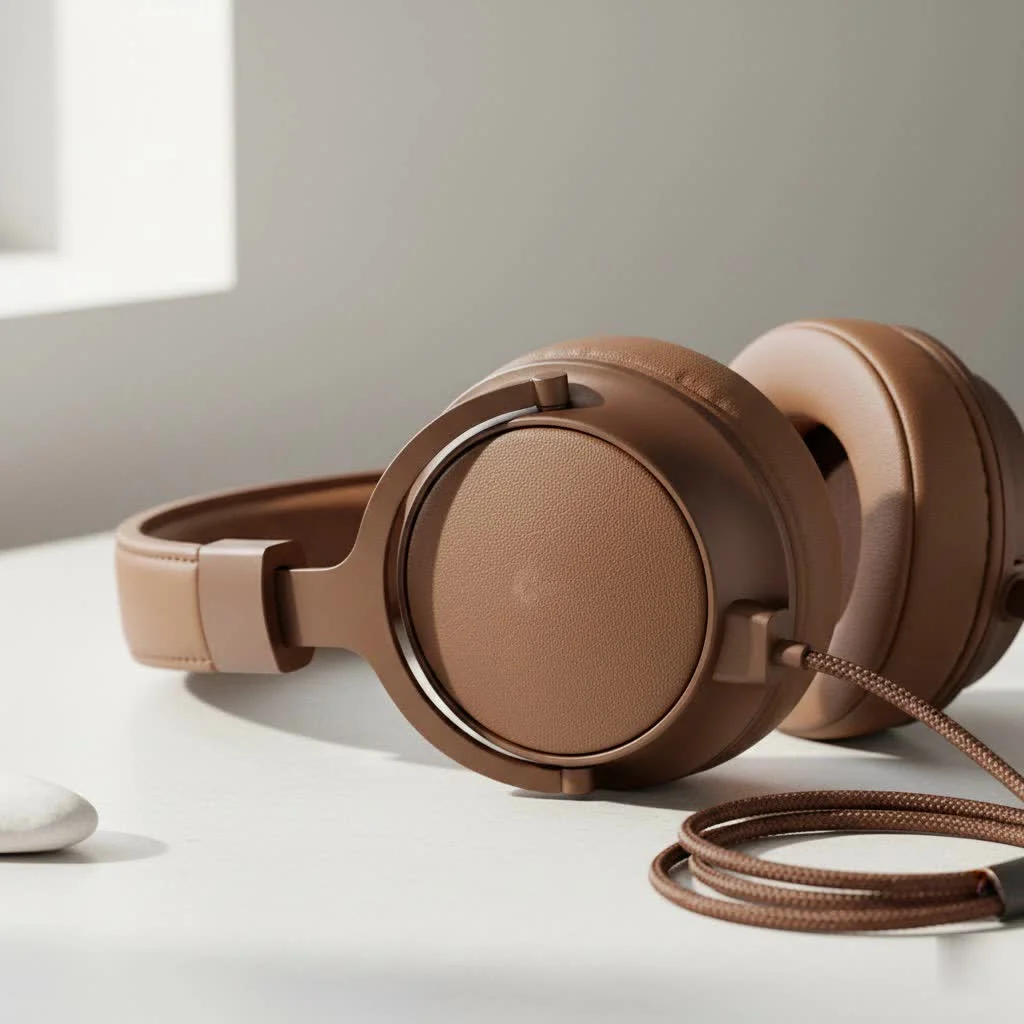
The G430, for many, was an entry point into the world of virtual surround sound gaming. It arrived at a time when premium audio experiences were often reserved for top-tier budgets. Logitech aimed to change that, offering a compelling package of features and comfort. But how does it hold up in today’s fast-paced, graphically stunning, and aurally demanding gaming landscape? Let’s break it down. For expert reviews reviews on this site.
The Heart of the Game: Audio Performance that Still Delivers
When you strap on a gaming headset, you’re not just listening; you’re experiencing. And the Logitech G430 gaming headset was designed with this principle in mind, primarily boasting 7.1 Dolby Headphone and DTS Headphone:X virtual surround sound. This isn’t just a marketing gimmick; it’s a game-changer for competitive players.
Why Virtual Surround Sound Matters
Imagine being in a clutch situation in your favorite FPS. Every footstep, every distant gunshot, every enemy reload can mean the difference between victory and defeat. The G430’s virtual 7.1 surround sound creates a 360-degree soundscape, allowing you to perceptually pinpoint the origin of sounds. This means you can hear opponents before you see them, giving you a tactical edge. It effectively takes the sounds that game developers meticulously craft and places them accurately around you, making the battlefield feel incredibly real.
While it won’t replace a true multi-speaker setup, for a headset in its class, the G430’s positional audio is remarkably effective. Explosions have a satisfying rumble, and environmental sounds draw you deeper into the game world.
Stereo Sound: Beyond the Battlefield
Beyond the immersive gaming experience, the Logitech G430 also functions perfectly as a standard stereo headset. Driven by 40mm neodymium drivers, it offers a frequency response from 20Hz to 20KHz, an impedance of 32 ohms, and a sensitivity of 90 dB SPL/mW. For everyday music listening or movie watching, the audio is balanced, with decent mids and highs. While it might not satisfy the most discerning audiophiles seeking flat, analytical sound, it certainly holds its own for casual listening. The bass is present without being overwhelmingly boomy, and vocals generally come through clearly.
Crystal Clear Comms: The Microphone That Gets You Heard
Communication is paramount in team-based games. A brilliant headset with a terrible mic is like having a Ferrari with a broken steering wheel—it just won’t cut it. The Logitech G430 gaming headset features a cardioid (unidirectional) condenser boom microphone designed to pick up your voice clearly while minimizing background distractions.
Noise-Canceling in Action
|
Our Picks for the Best Gaming Headset in 2026
As an Amazon Associate I earn from qualifying purchases.
|
||
| Num | Product | Action |
|---|---|---|
| 1 | Razer BlackShark V2 X PlayStation Gaming Headset: 50mm Drivers - Cardioid Mic - Lightweight - Comfortable, Noise Isolating Earcups - for PS5, Xbox Series X, PC, Switch via 3.5 mm Audio Jack - White |

|
| 2 | Razer BlackShark V2 X Gaming Headset: 7.1 Surround Sound - 50mm Drivers - Memory Foam Cushion - For PC, PS4, PS5, Switch - 3.5mm Audio Jack - Black |
|
| 3 | Gtheos 2.4GHz Wireless Gaming Headset for PS5, PS4 Fortnite & Call of Duty/FPS Gamers, PC, Nintendo Switch, Bluetooth 5.3 Gaming Headphones with Mic, Stereo Sound, Red Light -BlackRed |
|
| 4 | Gtheos 2.4GHz Wireless Gaming Headset for PS5, PS4 Fortnite & FPS Gamers, PC, Nintendo Switch, Bluetooth 5.3 Gaming Headphones with Noise Canceling Mic, Stereo Sound, 40+Hr Battery (Pink) |
|
| 5 | Gtheos 2.4GHz Wireless Gaming Headphones for PS5, PS4 Fortnite & Call of Duty/FPS Gamers, PC, Nintendo Switch, Bluetooth 5.3 Gaming Headset with Noise Canceling Mic, Stereo Sound, 40+Hr Battery -Black |
|
| 6 | Gtheos 2.4GHz Wireless Gaming Headset for PS5, PS4 Fortnite & Call of Duty/FPS Gamers, PC, Nintendo Switch, Bluetooth 5.3 Gaming Headphones with Microphone for Mobile, Stereo Sound (Blush Pink) |
|
| 7 | Razer BlackShark V2 X Gaming Headset: 7.1 Surround Sound - 50mm Drivers - Memory Foam Cushion - for PC, PS4, PS5, Switch - 3.5mm Audio Jack - Green |
|
| 8 | Razer BlackShark V2 X PlayStation Gaming Headset: 50mm Drivers - Cardioid Mic - Lightweight - Comfortable Noise Isolating Earcups - for PS5, Xbox Series X, PC, Switch via 3.5 mm Jack - Quartz Pink |
|
| 9 | Gtheos 2.4GHz Wireless Gaming Headset for PS5, PS4 Fortnite & Call of Duty/FPS Gamers, PC, Nintendo Switch, Bluetooth 5.3 Gaming Headphones with Microphone for Computer, Mobile, Stereo Sound (Camo) |
|
| 10 | Gtheos 2.4GHz Wireless Gaming Headset for PS5, PS4 Fortnite & Call of Duty/FPS Gamers, PC, Nintendo Switch, Bluetooth 5.3 Gaming Headphones with Noise Canceling Mic, Stereo Sound, 40+Hr Battery -White |
|
The noise-canceling capabilities of the G430’s microphone are a standout feature, especially considering its price point. It does a commendable job of filtering out common ambient noises like keyboard clicks, fan hums, or even the distant chatter of family members. Your teammates will appreciate not having to listen to the symphony of your gaming den. The flexible boom arm allows for precise positioning, ensuring your voice is front and center. Plus, when you need a moment of silence, the mic easily folds up and out of the way, and there’s a convenient mute switch on the in-line controls.
“A good microphone in a gaming headset isn’t just about sounding clear; it’s about being understood without effort, letting your strategic calls cut through the chaos of battle,” remarks Julian Vance, Lead Esports Analyst at Efuks.com.
Comfort for Marathon Sessions: Designed for the Long Haul
Let’s be real: comfort is king when you’re settling in for an epic gaming session. A headset can have the best audio in the world, but if it feels like a vice grip on your head after an hour, it’s a non-starter. The Logitech G430 gaming headset largely excels in this department.
Lightweight Design and Breathable Materials
Logitech made smart choices here. The headset features a lightweight design that helps prevent fatigue during extended use. The earcups and headband are covered with a soft, sports-performance cloth—the same kind of breathable material you might find in athletic wear. This material is a godsend, particularly during intense, sweat-inducing moments, as it promotes airflow and helps prevent that clammy feeling. The earcups themselves swivel up to 90 degrees, allowing for a personalized fit and making it comfortable to rest around your neck during breaks. Many users have praised how easily they can forget they’re even wearing the headset.
A Nod to Durability (and a Word of Caution)
While generally comfortable, the G430’s build quality is where some users have reported mixed experiences. The overall construction is predominantly plastic, which contributes to its lightweight nature but can feel a bit less robust than higher-end models. Some long-term users have noted that the hinges or headband can be points of weakness over time. However, the earcups are designed to be easily removable and washable, which is a fantastic feature for maintaining hygiene and extending the life of the soft padding.
Seamless Integration: Connectivity and Software at Your Fingertips
A great gaming headset should integrate effortlessly into your setup. The Logitech G430 gaming headset offers versatile connectivity and robust software to fine-tune your audio experience.
Wired Versatility
The G430 is a wired headset, offering a stable, lag-free connection crucial for competitive gaming. It comes with dual 3.5mm jacks (one for audio, one for the mic), which can be plugged directly into your PC’s sound card for stereo sound. However, the magic of 7.1 surround sound comes alive when you use the included USB adapter. This adapter acts as an external sound card, processing the audio for that immersive surround experience. The cable itself is generously long (around 2.3 meters or 10.5 feet) and braided, providing ample slack and reducing tangles.
Logitech Gaming Software: Your Audio Command Center
To unlock the full potential of the G430, you’ll need the Logitech Gaming Software (LGS). This software allows you to:
- Activate and customize 7.1 surround sound: Adjust individual channel volumes to create your perfect soundstage.
- Equalizer settings: Fine-tune bass, treble, and other frequency bands to match your preferences or specific game genres.
- Microphone settings: Adjust mic volume and fine-tune noise reduction.
While some users have occasionally reported minor software glitches or detection issues, a simple driver reinstallation or trying different USB ports often resolves these. LGS empowers you to make the G430 truly yours, tailoring the audio to your unique gaming style.
Logitech G430 vs. The Competition: A Classic Value Proposition
In the crowded gaming headset market, the G430 carved out a niche as a phenomenal budget-friendly option. It’s often compared to its sibling, the Logitech G230, which shares a similar design but offers stereo sound without the USB adapter and surround sound capabilities. For the small price difference, the G430’s inclusion of virtual 7.1 surround sound via the USB adapter made it a compelling upgrade for many.
Against newer, more expensive headsets, the G430 still holds its own in terms of basic functionality and comfort. While it lacks some of the bells and whistles of modern options (like wireless connectivity, advanced RGB, or premium materials), its core performance for gaming audio and communication remains solid. It truly offers significant performance for its price, making it a benchmark for affordable gaming audio.
Getting the Most Out of Your G430: Tips and Maintenance
To ensure your Logitech G430 gaming headset continues to serve you well, here are a few pro tips:
- Software Installation is Key: Always install the Logitech Gaming Software to get the 7.1 surround sound and full customization options. Without it, you’re only getting stereo via the 3.5mm jacks.
- USB Port Matters: If you experience sound cutting out or the headset not being detected, try a different USB port. Sometimes, front panel ports can be less stable than those directly on your motherboard.
- Keep Drivers Updated (or Reinstall): Outdated or corrupted drivers are common culprits for audio issues. Regularly check for updates, and if problems persist, a clean reinstallation of the headset drivers and LGS can work wonders.
- Clean Those Earcups: The sports-performance cloth is great for breathability but can accumulate grime. The earcups are designed to slip off for easy washing, which is fantastic for hygiene and longevity. A gentle hand wash and air dry will keep them fresh.
- Mind the Cable: While braided, the cable is not detachable. Be mindful of pulling or snagging it, as cable damage can be a common point of failure for wired headsets.
The Efuks Verdict: Is the Logitech G430 Right for You?
So, after years in the game, does the Logitech G430 gaming headset still stand up to scrutiny? Absolutely. While it’s no longer the newest kid on the block, its fundamental strengths remain highly relevant.
Pros:
- Immersive 7.1 Virtual Surround Sound: Excellent positional audio for gaming.
- Comfortable Design: Lightweight and breathable sports-performance cloth earcups are great for long sessions.
- Clear Noise-Canceling Microphone: Your comms will be understood.
- Affordable Price Point: Offers tremendous value for its feature set.
- Versatile Connectivity: Both 3.5mm and USB options.
- Washable Earcups: A practical feature for long-term hygiene.
Cons:
- Durability Concerns: Some users report fragility in hinges and headband over extended use.
- Wired Only: No wireless option for those who prefer freedom of movement.
- Sound Leakage: Earcups, while breathable, don’t offer perfect noise isolation.
The Logitech G430 gaming headset is an outstanding choice for gamers on a budget who prioritize immersive sound and clear communication. If you’re looking for a solid performer that delivers a great virtual surround sound experience without breaking the bank, and you don’t mind a wired connection, the G430 remains a tried-and-true recommendation from us at Efuks.com. It’s a testament to Logitech’s ability to deliver core gaming performance at an accessible price.
Frequently Asked Questions (FAQ)
Is the Logitech G430 still good for gaming in 2025?
Yes, the Logitech G430 can still be a good gaming headset in 2025, especially for budget-conscious gamers. Its 7.1 virtual surround sound and clear microphone remain effective for competitive play, though newer headsets offer advancements in comfort, build quality, and features like wireless connectivity.
What are the most common issues with the Logitech G430?
Common issues reported by users often include the headband or hinges breaking over time, microphone not being detected or working intermittently, surround sound not functioning correctly, and general connectivity problems with the USB adapter. Many of these can be resolved with driver troubleshooting or by trying different USB ports.
How do I set up 7.1 surround sound on my Logitech G430?
To activate 7.1 surround sound, you must connect the Logitech G430 via its included USB adapter and install the Logitech Gaming Software (LGS) on your Windows PC. Within the LGS, you can enable and customize the virtual surround sound settings, including individual channel volumes.
Can I use the Logitech G430 gaming headset on PS4 or Xbox?
The Logitech G430 is compatible with PS4 via the USB adapter, providing stereo audio and microphone functionality. For Xbox, you can use the 3.5mm jack with the controller’s headset port, but it will only provide stereo sound and may require an Xbox One Stereo Headset Adapter for older controllers. Full 7.1 surround sound is typically limited to PC.
How do I clean the earcups of my Logitech G430?
The sports-performance cloth earcups of the Logitech G430 are designed to be removable and washable. Gently detach them from the headset, hand wash them with mild soap and water, rinse thoroughly, and then allow them to air dry completely before reattaching them. This helps maintain hygiene and extends the life of the padding.
Ready to dive into the action with enhanced audio? The Logitech G430 gaming headset might just be the reliable companion you need. Share your own G430 experiences with us—we love hearing from the Efuks community!
Get our weekly buyer guide
Practical specs, not advice. Unsubscribe anytime.