Choosing the right Razer gaming headset significantly enhances immersion and competitive edge, with options like the BlackShark V2 Pro (2023) offering 70 hours of battery life and THX Spatial Audio for pinpoint accuracy, while the Barracuda Pro Wireless provides versatile dual-wireless connectivity and hybrid Active Noise Cancellation for both gaming and lifestyle use.
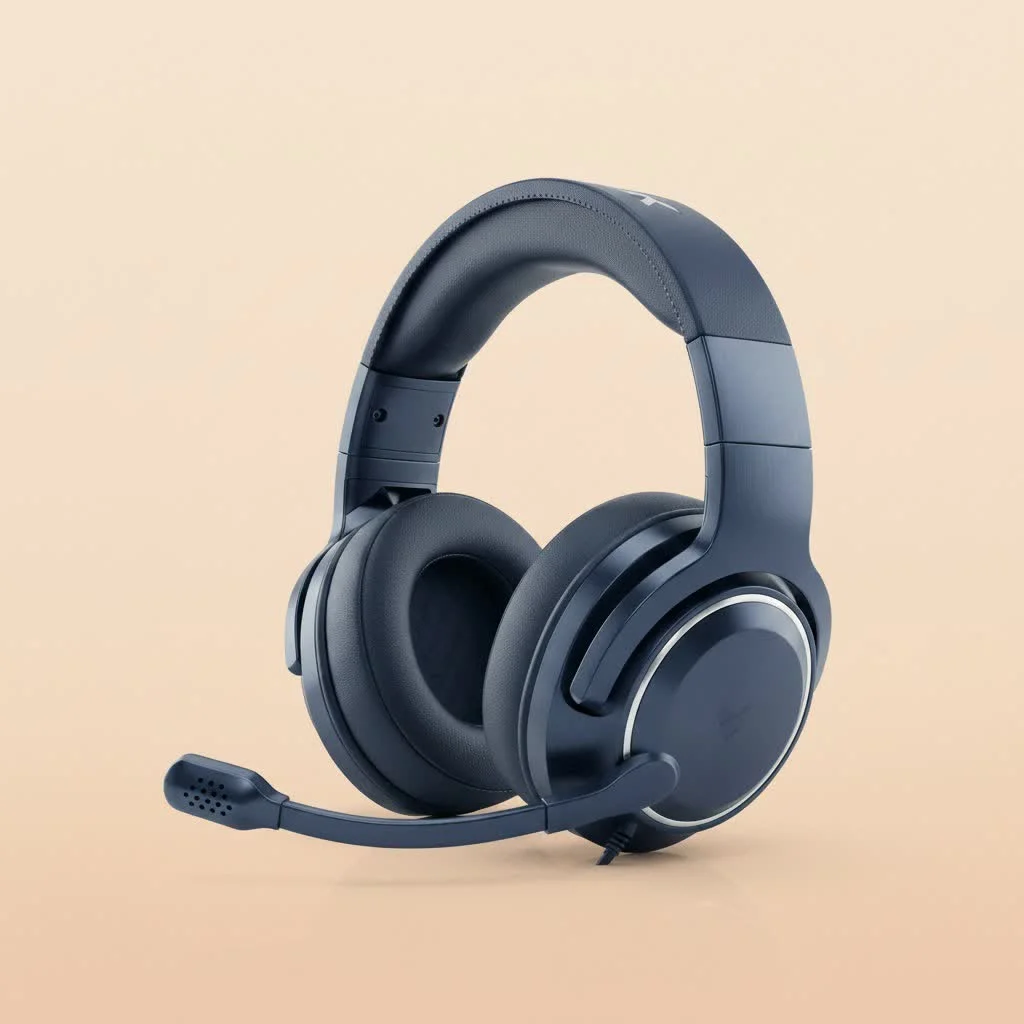
For over a decade, I’ve been deep in the trenches, testing countless headsets, and I can tell you, Razer has consistently pushed the boundaries of what a gaming audio experience can be. Their iconic black and neon green aesthetic is just the tip of the iceberg; beneath that sleek exterior lies a powerhouse of innovation designed to give you a competitive advantage and pull you deeper into your favorite titles. But with so many fantastic options, how do you pick the perfect Razer companion for your gaming setupLet’s dive in.
Unpacking the Razer Headset Universe: Wired, Wireless, and True Wireless
Razer doesn’t believe in a one-size-fits-all approach, and that’s a good thing for us. They offer a diverse lineup, each catering to different preferences and playstyles. Whether you’re chained to your desk, roaming free, or gaming on the go, there’s a Razer gaming headset built for you.
Wired Wonders: The Zero-Latency Champions
Wired headsets are the stalwarts of gaming audio, offering unparalleled reliability and zero-latency performance. If you’re a competitive player where every millisecond counts, a wired connection can be your best friend. Models like the Razer Kraken V4 X are fantastic examples, providing crisp audio and clear communication without any potential for wireless interference. While wired options might limit your movement, they guarantee a stable, high-fidelity sound experience.
Wireless Freedom: Cut the Cord, Keep the Edge
Ah, the sweet liberation of wireless gaming! Razer’s wireless offerings, often powered by their HyperSpeed Wireless technology, deliver near-wired levels of low-latency audio, making them perfect for those who like to stretch out or wander to the fridge between matches. The Razer BlackShark V2 Pro (2023) and Razer Barracuda Pro Wireless are prime examples, offering robust wireless connectivity, impressive battery life, and the freedom to game without entanglement. Many wireless Razer headsets also feature dual connectivity, allowing you to seamlessly switch between your gaming rig and a mobile device via Bluetooth.
True Wireless Earbuds: Gaming on the Go
Who says serious gaming can’t be portable? Razer’s true wireless earbuds, like the Razer Hammerhead Pro HyperSpeed, bring low-latency gaming to your mobile devices with the convenience of a compact, cable-free design. They’re perfect for mobile esports or simply enjoying immersive audio while commuting. Don’t underestimate these tiny titans; they pack a punch with features like Active Noise Cancellation (ANC) and dedicated gaming modes.
The Pillars of a Great Gaming Headset: What Really Matters
Choosing a Razer gaming headset isn’t just about the model name; it’s about understanding the core features that improve your experience. As an expert, I’ve identified several key areas that every gamer should consider.
Crystal-Clear Sound Quality: Hearing Every Pin Drop
|
Our Picks for the Best Gaming Headset in 2026
As an Amazon Associate I earn from qualifying purchases.
|
||
| Num | Product | Action |
|---|---|---|
| 1 | Razer BlackShark V2 X PlayStation Gaming Headset: 50mm Drivers - Cardioid Mic - Lightweight - Comfortable Noise Isolating Earcups - for PS5, Xbox Series X, PC, Switch via 3.5 mm Jack - Quartz Pink |

|
| 2 | Gtheos 2.4GHz Wireless Gaming Headphones for PS5, PS4 Fortnite & Call of Duty/FPS Gamers, PC, Nintendo Switch, Bluetooth 5.3 Gaming Headset with Noise Canceling Mic, Stereo Sound, 40+Hr Battery -Black |
|
| 3 | Razer BlackShark V2 X Gaming Headset: 7.1 Surround Sound - 50mm Drivers - Memory Foam Cushion - For PC, PS4, PS5, Switch - 3.5mm Audio Jack - Black |
|
| 4 | Razer BlackShark V2 X Gaming Headset: 7.1 Surround Sound - 50mm Drivers - Memory Foam Cushion - for PC, PS4, PS5, Switch - 3.5mm Audio Jack - Green |
|
| 5 | Gtheos 2.4GHz Wireless Gaming Headset for PS5, PS4 Fortnite & Call of Duty/FPS Gamers, PC, Nintendo Switch, Bluetooth 5.3 Gaming Headphones with Microphone for Computer, Mobile, Stereo Sound (Camo) |
|
| 6 | Gtheos 2.4GHz Wireless Gaming Headset for PS5, PS4 Fortnite & Call of Duty/FPS Gamers, PC, Nintendo Switch, Bluetooth 5.3 Gaming Headphones with Mic, Stereo Sound, Red Light -BlackRed |
|
| 7 | Gtheos 2.4GHz Wireless Gaming Headset for PS5, PS4 Fortnite & FPS Gamers, PC, Nintendo Switch, Bluetooth 5.3 Gaming Headphones with Noise Canceling Mic, Stereo Sound, 40+Hr Battery (Pink) |
|
| 8 | Razer BlackShark V2 X PlayStation Gaming Headset: 50mm Drivers - Cardioid Mic - Lightweight - Comfortable, Noise Isolating Earcups - for PS5, Xbox Series X, PC, Switch via 3.5 mm Audio Jack - White |
|
| 9 | Gtheos 2.4GHz Wireless Gaming Headset for PS5, PS4 Fortnite & Call of Duty/FPS Gamers, PC, Nintendo Switch, Bluetooth 5.3 Gaming Headphones with Noise Canceling Mic, Stereo Sound, 40+Hr Battery -White |
|
| 10 | Gtheos 2.4GHz Wireless Gaming Headset for PS5, PS4 Fortnite & Call of Duty/FPS Gamers, PC, Nintendo Switch, Bluetooth 5.3 Gaming Headphones with Microphone for Mobile, Stereo Sound (Blush Pink) |
|
This is, arguably, the most critical aspect. Razer’s TriForce Drivers are a major upgrade here, segmenting audio into distinct highs, mids, and lows. What does that mean for you? It means you’ll hear the delicate rustle of leaves that signals an enemy’s approach, the precise crack of a distant sniper shot, and the booming explosions that immerse you fully in the chaos. This clear separation prevents muddy audio, ensuring you catch every crucial sound cue.
“A truly great gaming headset doesn’t just play sound; it paints an auditory picture, allowing players to navigate their virtual worlds with an almost sixth sense,” says Dr. Anya Sharma, a renowned spatial audio expert at Sonic Innovations Lab.
The Mic That Matters: Your Voice, Loud and Clear
Effective communication is the backbone of team-based gaming. Razer’s HyperClear Microphones are designed for precisely this, focusing on vocal clarity while actively suppressing background noise. Whether it’s a cardioid mic, which prioritizes your voice, or an omnidirectional one for broader sound capture, Razer ensures your teammates hear your call-outs with exceptional clarity. No more shouting over keyboard clicks or background chatter!
Comfort is King: Marathon Gaming Sessions
Let’s be real: comfort is non-negotiable for those epic gaming sessions that stretch into the early hours. Razer headsets often feature plush ear cushions, lightweight designs, and adjustable headbands. Many, like the Kraken line, even include cooling gel-infused earcups to combat heat buildup, keeping you comfortable for hours on end. A headset might sound amazing, but if it clamps your head like a vise after 30 minutes, it’s not the right fit.
Built to Last: Durability That Stands the Test
Gaming gear takes a beating, so durability is key. Razer constructs its headsets with robust materials, ensuring they can withstand the rigors of competitive play and daily use. From sturdy frames to quality cabling, investing in a durable Razer gaming headset means it will be your trusty companion for many battles to come.
Connectivity Choices: Versatility for Your Ecosystem
Razer offers a spectrum of connectivity options:
- 3.5mm Jack: The universal connector, offering broad compatibility across PCs, consoles, and mobile devices. Simple and reliable.
- USB-C/USB-A: Common for PC and PlayStation, often enabling additional features via Razer Synapse.
- 2.4GHz Wireless Dongle: Provides low-latency wireless performance for PC and many consoles.
- Bluetooth: Essential for mobile gaming and seamless switching to other devices for music or calls.
- Xbox Wireless: Specific models, like those in the Kaira line, integrate directly with Xbox consoles for a dongle-free wireless experience.
Many advanced Razer headsets, such as the Barracuda Pro Wireless, offer “dual wireless connectivity,” allowing simultaneous connections to a 2.4GHz dongle and Bluetooth. Imagine gaming on your PC and seamlessly taking a call on your phone without missing a beat—it’s that kind of convenience.
Deep Dive: Top Razer Gaming Headset Models
Now, let’s get down to the brass tacks and look at some standout Razer gaming headset models that have earned their stripes in my testing lab at Efuks.com.
Razer BlackShark V2 Pro (2023): The Competitive Edge
If esports is your arena, the BlackShark V2 Pro (2023) is a serious contender. This headset is a fantastic mid-range option that significantly improves on its predecessor. It boasts an excellent HyperClear Super Wideband microphone that delivers studio-quality voice chat, making your team communications crystal clear. With a phenomenal 70-hour battery life and dual USB-C & Bluetooth connectivity, it’s a lightweight champion designed for long, intense gaming sessions and even professional online meetings. The THX Spatial Audio, accessible via Razer Synapse on PC, offers a tactical advantage by providing pinpoint positional accuracy.
Razer Barracuda Pro Wireless: The Versatility King
Need a headset that’s as good for grinding quests as it is for commuting to work? The Barracuda Pro Wireless is your answer. It’s Razer’s most versatile offering, seamlessly blending gaming prowess with lifestyle functionality. Featuring hybrid Active Noise Cancellation (ANC) and THX Spatial Audio, it blocks out distractions while delivering premium sound. Its dual-wireless connectivity (Bluetooth and low-latency dongle) means you can stay connected to your PC and smartphone simultaneously. Plus, its sleek, built-in microphone gives it a more discreet look for on-the-go use, making it truly an all-in-one marvel.
Razer Kraken V3 Pro Wireless: Feel the Game
For those who crave deeper immersion, the Kraken V3 Pro Wireless brings the unique HyperSense haptic feedback technology to the forefront. This isn’t just audio; it’s tactile. Explosions, gunshots, or even the rumble of an engine are converted into dynamic vibrations within the earcups, allowing you to feel the in-game action. Beyond the haptics, it offers robust sound, low-latency wireless via a USB dongle, customizable RGB lighting, and a clear detachable boom mic, making it an excellent choice for competitive gamers who want that extra layer of sensory engagement.
Razer Kaira X: The Budget-Friendly Contender
Starting your gaming journey or just looking for solid performance without breaking the bank? The Razer Kaira X is a wired gem. This budget-friendly headset delivers impressive audio performance and a surprisingly clear boom mic for its price point. While it’s a wired-only option, its comfortable design and compatibility with Xbox and PlayStation consoles make it a fantastic entry point into quality gaming audio. It proves that you don’t need to spend a fortune to get reliable sound and clear communication.
Razer Kraken V4 X: The Wired Immersion Master
If wired is your preference and immersion is your goal, the Kraken V4 X is an excellent choice. It features 7.1 surround sound, powered by Razer TriForce 40mm Drivers, which provides exceptional clarity and positional audio—perfect for tracking subtle in-game cues like enemy footsteps. Its HyperClear Cardioid microphone ensures your voice cuts through the noise, and for those who love to show off their setup, the Razer Chroma RGB lighting adds a customizable aesthetic flair. It’s lightweight and comfortable, ensuring your focus remains solely on the game.
Maximizing Your Razer Headset: Tips and Tricks
Getting the right headset is only half the battle; knowing how to use and maintain it makes all the difference.
The Power of Razer Synapse
For PC gamers, Razer Synapse software is your command center. It unlocks a suite of customization options, from precise EQ profiles tailored for specific game genres (think FPS mode to boost footsteps) to fine-tuning your microphone settings and personalizing Chroma RGB lighting. While not available on consoles, it’s a powerful tool to optimize your Razer gaming headset experience on PC.
Proper Care for Lasting Performance
Just like any high-performance gear, your headset needs a little TLC. Regularly clean the earcups and headband, especially if they feature cooling gel or fabric. Store it on a stand to prevent cable tangles (for wired models) and to maintain its shape. For wireless headsets, keeping the firmware updated ensures optimal performance and battery longevity.
Comparing with the Giants: Razer vs. The Rest
Razer isn’t alone in the gaming headset arena. Brands like Logitech, SteelSeries, and HyperX also offer compelling options.
- Razer typically excels in immersive features (HyperSense, THX Spatial Audio), distinctive gamer aesthetics, and robust software integration with Synapse.
- Logitech often provides a more balanced approach, appealing to both gamers and professionals with reliable, comfortable designs.
- SteelSeries is renowned for exceptional comfort, balanced audio profiles, and excellent software.
- HyperX is often praised for its “set it and forget it” comfort and solid microphone quality across its range.
The choice often comes down to personal preference, specific features you prioritize, and your gaming ecosystem. However, Razer’s consistent innovation and focus on gamer-centric features keep it at the forefront.
Frequently Asked Questions About Razer Gaming Headsets
What makes a Razer gaming headset good for competitive play?
Razer gaming headsets excel in competitive play due to features like THX Spatial Audio for pinpoint enemy location, HyperClear Microphones for clear team communication, and low-latency wireless technologies that ensure real-time audio response. Models like the BlackShark V2 Pro are specifically designed with esports in mind.
Can I use a Razer gaming headset with my PlayStation or Xbox?
Absolutely! Many Razer gaming headsets offer multi-platform compatibility via 3.5mm jacks, USB, or dedicated Xbox Wireless technology (for Kaira line headsets). Be sure to check the specific model’s connectivity options, as some are optimized for certain consoles.
Is Razer Synapse necessary for my Razer headset?
While not strictly “necessary” for basic functionality, Razer Synapse software is highly recommended for PC users. It unlocks advanced features like custom EQ profiles, mic enhancements, and THX Spatial Audio, allowing you to fully customize and optimize your Razer gaming headset experience.
What is Razer HyperSense haptic feedback?
Razer HyperSense haptic feedback is a unique technology that converts in-game audio signals into dynamic vibrations within the earcups. This allows you to physically “feel” impactful sounds like explosions or engine rumbles, adding an extra layer of immersion to your gaming experience.
How important is Active Noise Cancellation (ANC) in a gaming headset?
ANC can be incredibly important if you game in a noisy environment. It actively blocks out distracting background sounds, allowing you to focus entirely on your game audio and team communications. Headsets like the Razer Barracuda Pro Wireless feature hybrid ANC for superior immersion.
Are Razer true wireless earbuds good for gaming?
Yes, Razer true wireless earbuds, such as the Hammerhead Pro HyperSpeed, are designed for mobile gaming with features like low-latency Gaming Mode and Active Noise Cancellation. They offer a compact, portable gaming audio solution, especially for competitive mobile players.
How do I maintain the battery life of my wireless Razer headset?
To maximize battery life, ensure you fully charge your headset before long sessions. Turning off features like RGB lighting when not needed can significantly extend usage time. Keeping the headset’s firmware updated often includes battery optimization improvements.
Final Thoughts: Your Perfect Razer Companion Awaits
Choosing the right Razer gaming headset is a personal journey, but with the insights we’ve shared, you’re now armed with the knowledge to make an informed decision. Razer’s commitment to innovation, quality, and gamer-centric features means there’s a perfect fit for every player, whether you’re a casual adventurer, a competitive esports enthusiast, or someone who demands versatility.
the goal is to enhance your immersion, sharpen your senses, and improve your overall gaming experience. So, take these recommendations, consider your needs, and confidently step into the world of Razer audio. Trust me, once you experience gaming with the right headset, you’ll wonder how you ever played without it. Now go forth, conquer virtual worlds, and may your comms always be clear and your soundscapes epic!
Choose the Best Razer Gaming Headset
Selecting the ideal Razer gaming headset involves evaluating connectivity, sound quality, microphone performance, comfort, and durability to match your gaming style and platform.
First, decide between wired, wireless (2.4GHz or Bluetooth), or true wireless earbuds based on your gaming setup and mobility requirements. Wired options like the Kraken V4 X offer zero latency, while wireless models such as the BlackShark V2 Pro provide freedom with low latency.
Focus on headsets with clear sound, often featuring Razer TriForce Drivers for distinct highs, mids, and lows, and HyperClear Microphones for vocal clarity. This ensures you hear crucial in-game cues and your teammates hear you clearly without background noise.
Consider headsets with plush ear cushions, lightweight designs, and adjustable headbands for marathon gaming sessions. Look for robust construction to ensure the headset can withstand daily use and competitive play, providing long-lasting performance.
Explore additional features like THX Spatial Audio for positional accuracy, HyperSense haptic feedback for immersion, or Active Noise Cancellation (ANC) for noisy environments. These enhancements can significantly elevate your gaming experience and competitive edge.
For PC gamers, leverage Razer Synapse software to customize EQ profiles, fine-tune microphone settings, and personalize RGB lighting. This software is a powerful tool to optimize your headset's performance and tailor it to specific game genres.
Get our weekly buyer guide
Practical specs, not advice. Unsubscribe anytime.

I’ve always been a fan of Razer’s aesthetic, and my new headset looks great with my setup. The audio is crisp, and I appreciate the comfort during extended play. I was a bit hesitant about the price range, but the build quality feels solid, and it seems like it will last. Happy with my purchase overall.
I’ve been using Razer headsets for years, and they really do deliver a competitive edge. The immersion factor is incredible, especially in story-driven games. I’m always impressed with how they push the boundaries of audio technology. You really can’t go wrong with their products if you’re looking to enhance your gaming experience.
I finally upgraded to the BlackShark V2 Pro (2023) after my old headset died, and wow, what a difference! The THX Spatial Audio is no joke; I can actually hear footsteps much clearer in Warzone now. Plus, that 70-hour battery life means I barely ever have to charge it, which is a huge convenience for long gaming sessions. Definitely worth the investment for serious gamers.
I picked up the Barracuda Pro Wireless because I liked the idea of using it for both gaming and my daily commute. The sound quality is pretty good, and the hybrid ANC works decently for blocking out bus noise. My only real complaint is that the microphone isn’t as clear as I’d hoped for in-game comms; my friends sometimes say I sound a bit muffled. It’s fine, but not amazing.