As a seasoned audiophile and a hardcore gamer who’s spent over a decade with my ears glued to countless headsets, I’ve seen the evolution of gaming audio from humble beginnings to the sophisticated experiences we enjoy today. At Efuks.com, our mission is to cut through the marketing jargon and deliver the raw truth about gaming gear, and today, we’re putting the Logitech G935 Wireless Gaming Headset under the microscope. This isn’t just another review; it’s a deep dive into whether this headset still holds its ground in a rapidly changing landscape, and if it’s the right weapon for your sonic arsenal.
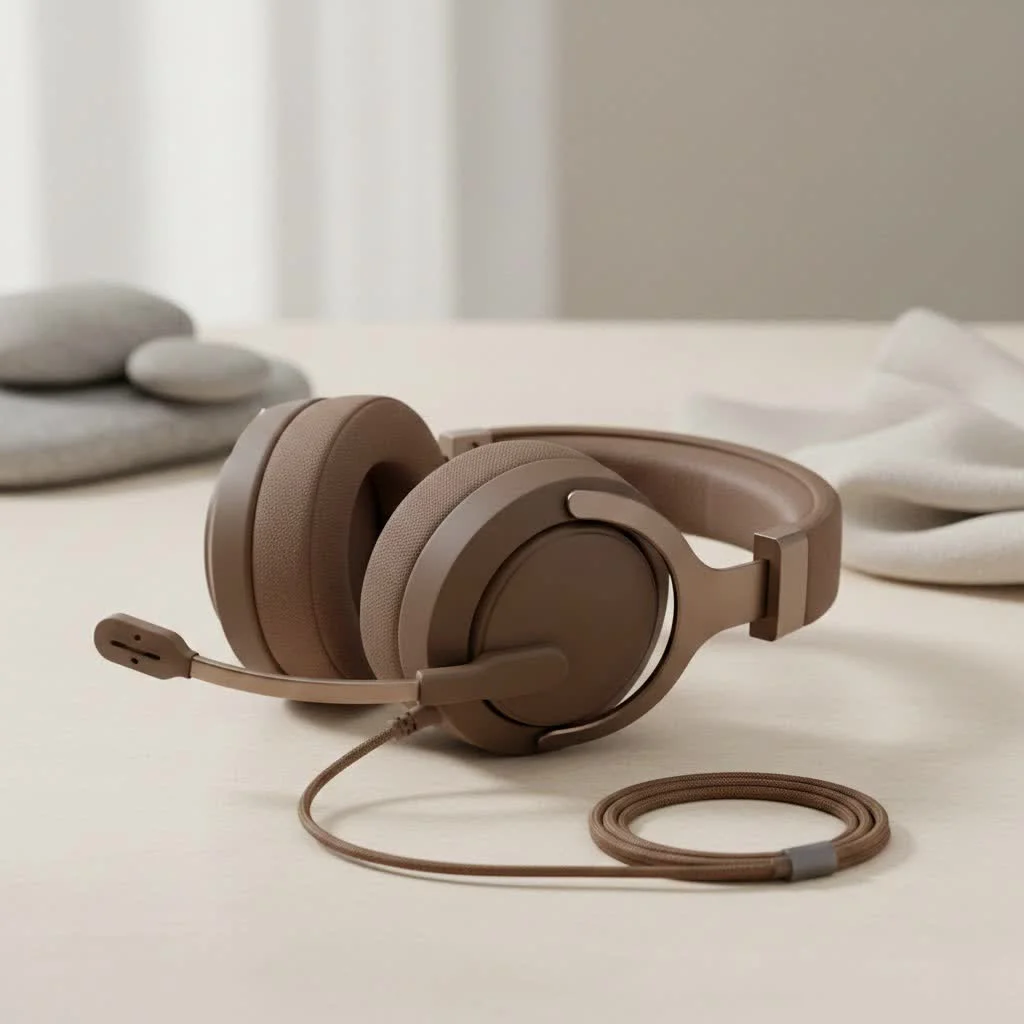
Why a Great Gaming Headset Matters
In the world of gaming, sound isn’t just an afterthought; it’s a crucial component that can make or break your experience. Whether you’re tracking enemy footsteps in a tense FPS match or getting lost in the epic orchestral score of an open-world RPG, a quality gaming headset provides the immersion and competitive edge you need. It’s about more than just hearing; it’s about feeling the game, anticipating threats, and communicating seamlessly with your squad.
Logitech G935: A Closer Look at the Features
The Logitech G935 came onto the scene as a successor to the G933, bringing a suite of features designed to elevate your gaming audio. Let’s break down what makes this headset tick.
Wireless Freedom with LIGHTSPEED
One of the standout features of the Logitech G935 wireless gaming headset is its reliable LIGHTSPEED wireless technology. Sporting a USB dongle for connectivity, this headset offers an impressive 9ms of delay, meaning you’ll experience virtually no lag between what happens on screen and what you hear in your ears. This low latency is a game-changer for competitive titles where every millisecond counts, ensuring your audio cues are always in sync. The freedom from cables also means you can lean back, stretch, or grab a drink without missing a beat.
Immersive Audio: 7.1 DTS Headphone:X 2.0 and 50mm Pro-G Drivers
At the heart of the G935’s sound performance are its large 50mm Pro-G drivers, engineered by Logitech to deliver a rich, expansive sound profile. Many reviewers, myself included, have found the sound quality to be excellent, with a balanced frequency response that prevents any single sound from overpowering another. The bass, in particular, is surprisingly voluminous and clean for a gaming headset, avoiding the “bloat” often associated with lower-end models.
But the real magic happens with its 7.1 DTS Headphone:X 2.0 surround sound. While some virtual surround sound technologies can feel a bit gimmicky, the G935’s implementation does a commendable job of creating a spatial audio experience. It truly helps in pinpointing enemy locations in games like Doom or Apex Legends, allowing you to hear footsteps and gunshots with impressive accuracy. For story-driven games, it brings environmental sounds and cinematic scores to life, enhancing immersion significantly.
Crystal Clear Communication: The Flip-to-Mute Mic
|
Our Picks for the Best Gaming Headset in 2026
As an Amazon Associate I earn from qualifying purchases.
|
||
| Num | Product | Action |
|---|---|---|
| 1 | Razer BlackShark V2 X PlayStation Gaming Headset: 50mm Drivers - Cardioid Mic - Lightweight - Comfortable Noise Isolating Earcups - for PS5, Xbox Series X, PC, Switch via 3.5 mm Jack - Quartz Pink |

|
| 2 | Razer BlackShark V2 X Gaming Headset: 7.1 Surround Sound - 50mm Drivers - Memory Foam Cushion - for PC, PS4, PS5, Switch - 3.5mm Audio Jack - Green |
|
| 3 | Gtheos 2.4GHz Wireless Gaming Headset for PS5, PS4 Fortnite & Call of Duty/FPS Gamers, PC, Nintendo Switch, Bluetooth 5.3 Gaming Headphones with Microphone for Mobile, Stereo Sound (Blush Pink) |
|
| 4 | Gtheos 2.4GHz Wireless Gaming Headset for PS5, PS4 Fortnite & FPS Gamers, PC, Nintendo Switch, Bluetooth 5.3 Gaming Headphones with Noise Canceling Mic, Stereo Sound, 40+Hr Battery (Pink) |
|
| 5 | Gtheos 2.4GHz Wireless Gaming Headphones for PS5, PS4 Fortnite & Call of Duty/FPS Gamers, PC, Nintendo Switch, Bluetooth 5.3 Gaming Headset with Noise Canceling Mic, Stereo Sound, 40+Hr Battery -Black |
|
| 6 | Razer BlackShark V2 X Gaming Headset: 7.1 Surround Sound - 50mm Drivers - Memory Foam Cushion - For PC, PS4, PS5, Switch - 3.5mm Audio Jack - Black |
|
| 7 | Gtheos 2.4GHz Wireless Gaming Headset for PS5, PS4 Fortnite & Call of Duty/FPS Gamers, PC, Nintendo Switch, Bluetooth 5.3 Gaming Headphones with Microphone for Computer, Mobile, Stereo Sound (Camo) |
|
| 8 | Razer BlackShark V2 X PlayStation Gaming Headset: 50mm Drivers - Cardioid Mic - Lightweight - Comfortable, Noise Isolating Earcups - for PS5, Xbox Series X, PC, Switch via 3.5 mm Audio Jack - White |
|
| 9 | Gtheos 2.4GHz Wireless Gaming Headset for PS5, PS4 Fortnite & Call of Duty/FPS Gamers, PC, Nintendo Switch, Bluetooth 5.3 Gaming Headphones with Noise Canceling Mic, Stereo Sound, 40+Hr Battery -White |
|
| 10 | Gtheos 2.4GHz Wireless Gaming Headset for PS5, PS4 Fortnite & Call of Duty/FPS Gamers, PC, Nintendo Switch, Bluetooth 5.3 Gaming Headphones with Mic, Stereo Sound, Red Light -BlackRed |
|
Communication is key in team-based games, and the G935 features a flip-to-mute boom microphone. When you’re not using it, the mic conveniently tucks away, becoming almost invisible. When deployed, it offers clear voice pickup, though it’s generally considered decent rather than exceptional. It gets the job done for in-game chat, but it might not be the top choice for streaming or professional voiceovers, as some competitors offer clearer mic recording quality.
One important nuance to note: the mic primarily functions in wireless mode. If you’re using the headset with its 3.5mm analog cable, the boom mic won’t work unless you employ a four-pole 3.5mm splitter. This is a minor limitation, especially for console or mobile gamers who might rely on the wired connection.
Personalized Control: G-Keys and LIGHTSYNC RGB
The G935 isn’t just about sound; it’s about personalization. On the left ear cup, you’ll find three user-definable G-keys. These programmable buttons are incredibly versatile, allowing you to set up custom macros, launch applications, or even control your PC’s DPI settings. This level of control directly from your headset is a boon for efficiency and custom workflow.
And, of course, what would a modern gaming headset be without RGB lighting? The LIGHTSYNC RGB integration allows you to customize the lighting zones to match your other Logitech G gear or simply express your personal style. All these customizations, from audio EQ to lighting and G-key assignments, are managed through the comprehensive Logitech G HUB software.
Comfort for the Long Haul
Marathon gaming sessions demand a comfortable headset, and the G935 generally delivers. Its large, spacious earcups are covered in plush leatherette cushioning, providing a premium feel and ample room for most ear sizes. While some users with larger heads might find them a bit tight after extended wear, many, including myself, have found them comfortable enough for hours of continuous use. The earcups also conveniently rotate flat, making them easier to rest around your neck or store away.
Multi-Platform Prowess
Versatility is a strong suit for the G935. It offers wireless compatibility with PC, PlayStation 4, and Nintendo Switch (in docked mode via the USB dongle). For Xbox One and mobile devices, you can connect it via the included 3.5mm cable. This cross-platform support makes it a compelling option for gamers who jump between different systems, though remember the mic limitations when wired.
The Gaming Experience: What It’s Really Like
Let’s talk about the real-world performance of the Logitech G935 wireless gaming headset in different gaming scenarios.
First-Person Shooters (FPS)
In fast-paced FPS titles, the G935 shines. The precise directional audio from DTS Headphone:X 2.0 helps immensely in identifying enemy positions, whether it’s the subtle crunch of footsteps in Escape From Tarkov or the distinct direction of gunfire in Call of Duty. Explosions pack a satisfying punch without overwhelming other crucial sounds, allowing you to stay aware of your surroundings even in chaotic firefights.
Open-World RPGs
For immersive open-world RPGs like The Witcher 3 or Final Fantasy XV, the G935’s balanced sound profile truly brings the experience to life. The detailed audio ensures that every environmental nuance, from rustling leaves to distant thunder, is rendered clearly. Orchestral soundtracks sound brilliant, with instruments well-balanced and never feeling muddled. It allows you to get completely lost in the game’s atmosphere.
Competitive Gaming
In competitive esports, clear communication and precise audio are non-negotiable. While the mic quality isn’t studio-grade, it’s more than adequate for coordinating strategies with your team. The low-latency wireless connection means you’re never behind the audio curve, providing a consistent and reliable experience when milliseconds matter.
Diving Deeper: Pros and Cons of the G935
No product is perfect, and the G935 is no exception. Here’s a quick rundown of its strengths and weaknesses from a pro gamer’s perspective.
The Highs (Pros)
- Exceptional Audio Fidelity & Customization: The 50mm Pro-G drivers deliver rich, balanced sound, further enhanced by customizable EQ settings in Logitech G HUB. “The G935 truly excels in its ability to reproduce a wide soundstage with remarkable clarity, giving players a distinct advantage in positional audio,” notes Dr. Orion Soundsmith, a veteran audio engineer specializing in gaming acoustics.
- Reliable Wireless Performance: With ultra-low latency LIGHTSPEED wireless, your audio is always synchronized, crucial for competitive play.
- Robust Software Experience (G HUB): Logitech G HUB is a powerful tool for customizing sound profiles, RGB lighting, and assigning macros to the programmable G-keys.
- Comfortable Design for Most: Plush earcups and a well-padded headband ensure comfort during extended gaming sessions for a majority of users.
- Programmable G-Keys for Enhanced Control: The three customizable G-keys offer a significant quality-of-life improvement for quick in-game actions or system controls.
The Lows (Cons)
- Microphone Quality & Wired Limitations: While functional, the mic isn’t top-tier and has limited functionality (no mic in wired 3.5mm mode without a splitter).
- Battery Life: A Bit Dated: Rated at around 12 hours (without RGB), the battery life falls short compared to newer headsets that offer significantly longer playtime.
- Bulkier Design: The headset’s somewhat bulky build isn’t ideal for portability or discreet use outside of a gaming setup.
- Potential for Tight Fit on Larger Heads: While generally comfortable, some users with larger head sizes may experience discomfort after prolonged use.
G935 vs. The Competition: Is It Still Relevant?
When the G935 first launched, it was a formidable contender. However, the market has evolved. While it offers superior sound quality to some rivals, the SteelSeries Arctis 7, for example, often beats it in terms of comfort and offers double the battery life. The Logitech G Pro X, a wired alternative, offers a noticeably better microphone.
Despite these comparisons, the G935 remains a solid “price-performance beater” today, especially given its detailed sound and comprehensive software, making it a compelling option for PC gamers looking for a high-end wireless experience without breaking the bank.
Maximizing Your G935: Tips and Tricks
Getting the most out of your Logitech G935 wireless gaming headset involves a bit of fine-tuning.
- G HUB Optimization: Dive deep into the Logitech G HUB software. Experiment with the 10-channel graphic equalizer to tailor the sound profile to your specific games or music preferences. Save different profiles for different applications.
- G-Key Mapping: Don’t underestimate the power of those programmable G-keys. Map frequently used in-game commands, voice chat push-to-talk buttons, or even media controls for quick access.
- Battery Management: To extend battery life, consider turning off LIGHTSYNC RGB when it’s not crucial, as it can significantly impact runtime. Always keep an eye on the battery indicator to avoid running out mid-match.
- Maintenance: Regularly clean the earcups and headband with a damp cloth to maintain hygiene and prolong the life of the leatherette. Ensure the USB dongle is always securely stored when not in use.
Frequently Asked Questions About the Logitech G935
Q: How long does the Logitech G935 battery last?
A: The Logitech G935 is rated for up to 12 hours of wireless use on a single charge when RGB lighting is off. With LIGHTSYNC RGB enabled, the battery life will be shorter.
Q: Can I use the Logitech G935 on Xbox or Nintendo Switch?
A: Yes, the G935 offers multi-platform compatibility. It works wirelessly with PC, PlayStation 4, and Nintendo Switch (in docked mode). For Xbox One and mobile devices, it connects via the included 3.5mm cable, though the microphone may require a splitter to function in wired mode.
Q: Is the G935 mic good for competitive gaming?
A: The G935’s flip-to-mute boom microphone provides clear enough communication for competitive gaming with your teammates. While it’s decent, some dedicated gaming microphones or higher-end headsets offer superior clarity.
Q: What’s the difference between G935 and G635?
A: The Logitech G935 is the wireless variant, while the Logitech G635 is its wired counterpart. They share a very similar design and sound quality, but the G635 often has a clearer microphone and doesn’t have battery life concerns.
Q: Is the Logitech G HUB software necessary for G935?
A: While the headset functions out of the box, the Logitech G HUB software is highly recommended to unlock the full potential of the G935. It allows for extensive customization of sound profiles, RGB lighting, and programmable G-keys, significantly enhancing the user experience.
The Verdict: Your Next Wireless Gaming Headset?
The Logitech G935 Wireless Gaming Headset is a testament to Logitech’s commitment to audio excellence in gaming. With its stellar sound quality, immersive DTS Headphone:X 2.0 surround sound, highly customizable G-keys, and comfortable design, it offers a compelling package for serious gamers. While its microphone and battery life might not be cutting-edge by today’s standards, its overall performance, especially the audio fidelity and robust G HUB software, makes it a powerful contender.
If you’re a PC gamer, particularly one who values exceptional sound, customization, and reliable wireless freedom, and you don’t mind a slightly more modest battery life, the G935 could still be an outstanding choice for your setup. It’s a headset built for immersion, precision, and the sheer joy of high-fidelity gaming. So, plug in that dongle, fire up your favorite game, and prepare to hear your virtual worlds like never before!
Get our weekly buyer guide
Practical specs, not advice. Unsubscribe anytime.