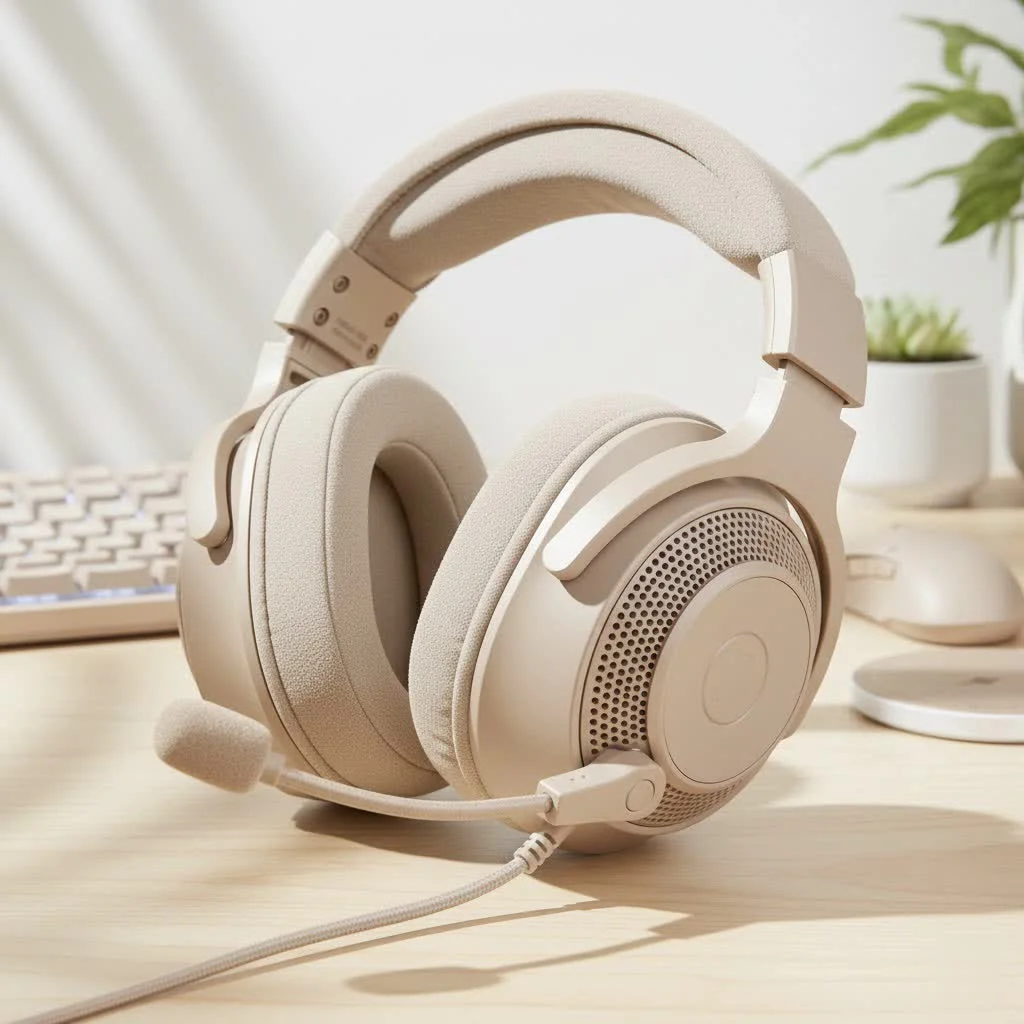
A top-notch gaming headset with a mic is essential for competitive play, offering superior immersion and communication. It allows for precise enemy tracking, clear team coordination, and an overall enhanced gaming experience. This guide from Efuks.com will help you navigate the features and specifications to find a headset that provides crystal-clear audio and reliable voice communication, making it a critical component for any serious gamer.
Why a Top-Tier Gaming Headset with Mic is Your Secret Weapon
You might wonder, with all the fancy peripherals out there, why put such a strong emphasis on a gaming headset with a mic? The answer is simple: immersion and communication. These two elements are paramount, whether you’re climbing ranked ladders, streaming to an audience, or just kicking back with friends in a co-op adventure. For browse all reviews articles on this site.
Why is a good microphone crucial for gaming?
A clear, reliable microphone is non-negotiable for competitive gaming. It allows you to relay critical callouts, coordinate strategies, and celebrate victories with your squad without being misunderstood or fading into background static. For streamers, it’s the direct line to your audience, ensuring your voice is crisp and engaging. Without it, you’re not just hampered; you’re at a significant disadvantage, turning what should be fluid teamwork into a frustrating game of charades.
Wired vs. Wireless: Unplugging the Debate
This is one of the oldest debates in gaming audio, and frankly, both sides have compelling arguments. As someone who’s swapped between dozens of each, I can tell you it often boils down to personal preference and playstyle.
What are the advantages of a wired gaming headset?
Wired gaming headsets typically offer a few distinct benefits. First, they’re often more affordable for comparable sound and mic quality. Because they don’t require internal batteries or complex wireless transmitters, manufacturers can focus resources on core audio components. Second, and perhaps most critically for competitive players, wired connections provide virtually zero latency and a rock-solid, uninterrupted connection. There’s no signal drop-out, no battery anxiety, and no perceptible delay between an in-game sound and when you hear it, which can be a major upgrade in fast-paced titles. Their universal 3.5mm jack also tends to offer broader compatibility across various platforms.
What are the benefits of a wireless gaming headset?
The freedom of movement that a wireless gaming headset offers is undeniably liberating. No more getting tangled in cables, accidentally yanking your headset off, or feeling tethered to your desk. Wireless setups inherently lead to a cleaner, more aesthetic gaming space. Modern wireless technology, especially those utilizing 2.4GHz connections, has come incredibly far in minimizing latency, often achieving imperceptible delays that are perfectly fine for most gamers. Plus, with battery lives often extending beyond 40-70 hours on a single charge, the “battery anxiety” of old is largely a thing of the past for many premium models.
Decoding the Specs: What Truly Matters in a Gaming Headset with Mic
Beyond the “wired or wireless” question, a few core pillars define an excellent gaming headset. These are the aspects we meticulously scrutinize at Efuks.com.
Sound Quality: Hearing Every Footstep
|
Our Picks for the Best Gaming Headset in 2026
As an Amazon Associate I earn from qualifying purchases.
|
||
| Num | Product | Action |
|---|---|---|
| 1 | Gtheos 2.4GHz Wireless Gaming Headset for PS5, PS4 Fortnite & Call of Duty/FPS Gamers, PC, Nintendo Switch, Bluetooth 5.3 Gaming Headphones with Mic, Stereo Sound, Red Light -BlackRed |

|
| 2 | Razer BlackShark V2 X PlayStation Gaming Headset: 50mm Drivers - Cardioid Mic - Lightweight - Comfortable Noise Isolating Earcups - for PS5, Xbox Series X, PC, Switch via 3.5 mm Jack - Quartz Pink |
|
| 3 | Razer BlackShark V2 X Gaming Headset: 7.1 Surround Sound - 50mm Drivers - Memory Foam Cushion - For PC, PS4, PS5, Switch - 3.5mm Audio Jack - Black |
|
| 4 | Gtheos 2.4GHz Wireless Gaming Headset for PS5, PS4 Fortnite & FPS Gamers, PC, Nintendo Switch, Bluetooth 5.3 Gaming Headphones with Noise Canceling Mic, Stereo Sound, 40+Hr Battery (Pink) |
|
| 5 | Gtheos 2.4GHz Wireless Gaming Headphones for PS5, PS4 Fortnite & Call of Duty/FPS Gamers, PC, Nintendo Switch, Bluetooth 5.3 Gaming Headset with Noise Canceling Mic, Stereo Sound, 40+Hr Battery -Black |
|
| 6 | Gtheos 2.4GHz Wireless Gaming Headset for PS5, PS4 Fortnite & Call of Duty/FPS Gamers, PC, Nintendo Switch, Bluetooth 5.3 Gaming Headphones with Microphone for Computer, Mobile, Stereo Sound (Camo) |
|
| 7 | Gtheos 2.4GHz Wireless Gaming Headset for PS5, PS4 Fortnite & Call of Duty/FPS Gamers, PC, Nintendo Switch, Bluetooth 5.3 Gaming Headphones with Noise Canceling Mic, Stereo Sound, 40+Hr Battery -White |
|
| 8 | Razer BlackShark V2 X Gaming Headset: 7.1 Surround Sound - 50mm Drivers - Memory Foam Cushion - for PC, PS4, PS5, Switch - 3.5mm Audio Jack - Green |
|
| 9 | Razer BlackShark V2 X PlayStation Gaming Headset: 50mm Drivers - Cardioid Mic - Lightweight - Comfortable, Noise Isolating Earcups - for PS5, Xbox Series X, PC, Switch via 3.5 mm Audio Jack - White |
|
| 10 | Gtheos 2.4GHz Wireless Gaming Headset for PS5, PS4 Fortnite & Call of Duty/FPS Gamers, PC, Nintendo Switch, Bluetooth 5.3 Gaming Headphones with Microphone for Mobile, Stereo Sound (Blush Pink) |
|
This isn’t just about things sounding “loud.” It’s about precision, clarity, and immersion. You want a headset that can reproduce the full range of game audio, from the subtle rustle of leaves to the thunderous boom of an explosion, without muddying the details.
- Drivers: The heart of your headset’s audio. Larger drivers (e.g., 50mm) often mean better bass response, but the quality of the driver material (like graphene or planar magnetic) is more important. Planar magnetic drivers, for example, offer exceptional detail and clarity, often found in high-end options.
- Frequency Response: A wider frequency range (e.g., 20 Hz – 20,000 Hz) means the headset can reproduce more sounds. However, it’s the tuning within that range that truly matters for gaming – you need clear mids and highs to differentiate sounds, not just booming bass.
- Spatial Audio (Virtual Surround Sound): Technologies like DTS Headphone:X 2.0 or THX Spatial Audio simulate a 360-degree soundscape, helping you pinpoint the direction of sounds like enemy footsteps or distant gunfire. This can be a significant tactical advantage. While not a replacement for true multi-driver surround sound (which is rare and often less effective in headsets), good virtual surround can dramatically enhance immersion and awareness.
Microphone Quality: Speak Up, Be Heard
Your microphone is your voice in the game. It needs to be clear, natural, and resistant to picking up unwanted background noise.
- Noise-Cancelling Microphones: Essential for filtering out keyboard clicks, fan noise, or ambient room chatter. Many high-quality gaming headset mics feature passive noise cancellation from their design or active noise suppression via software (like NVIDIA Broadcast Audio Effects or Logitech’s Blue VO!CE technology).
- Boom Mics: These are the gold standard for gaming. Positioned close to your mouth, they capture your voice directly and effectively, often with better clarity than integrated mics. Look for flexible, detachable boom mics for versatility.
- Mic Monitoring (Sidetone): This feature allows you to hear your own voice through the headset, preventing you from shouting and helping you gauge your speaking volume naturally.
Comfort: Game for Hours, Not Minutes
Even the best-sounding headset is useless if it feels like a vice on your head after an hour. Comfort is paramount for marathon gaming sessions.
- Weight: Lighter headsets (ideally under 350 grams) generally cause less fatigue during extended use. Look for balanced weight distribution across the headband.
- Ear Cup Materials: Plush, breathable fabrics like velour or specialized “AirWeave” allow for better airflow, preventing sweaty ears. While leatherette can provide better sound isolation, it often gets warmer. Memory foam padding is a huge plus for conforming to your head shape.
- Headband Design: Adjustable sliders, suspension bands, and generous padding (memory foam is excellent here) help distribute pressure evenly and prevent sore spots on the top of your head. Over-ear designs that fully encompass your ears are generally preferred for comfort and isolation.
Durability: Built to Last (and Survive Rage Quits)
Gaming can be intense, and gear takes a beating. A durable gaming headset is an investment that will stand the test of time.
- Frame Materials: Look for reinforced headbands and frames made from steel or aluminum rather than flimsy all-plastic constructions. These materials offer superior strength and flexibility, resisting twists, drops, and general wear and tear.
- Cable Quality (for Wired): Thick, braided cables are less prone to fraying, kinking, or internal damage from accidental tugs. Detachable cables are also a plus, as they can be easily replaced if damaged, extending the headset’s life.
- Modular Design: Some premium headsets offer replaceable ear pads, cables, or even batteries, significantly extending their lifespan.
Connectivity & Compatibility: Plug and Play, Anywhere
Ensuring your headset works seamlessly with your preferred platforms is vital.
- Platform Support: Check if the headset explicitly supports your gaming platform(s) – PC, PlayStation, Xbox, Nintendo Switch, or mobile. Not all headsets are universally compatible, especially with advanced features.
- Software Integration: Many gaming headsets come with companion software (e.g., Razer Synapse, Logitech G HUB, SteelSeries GG) that allows for extensive customization of EQ settings, mic enhancements, and virtual surround sound. These software suites can unlock the full potential of your headset.
Efuks.com’s Expert Picks: What We Look For
At Efuks.com, when we evaluate a gaming headset with a mic, we’re not just checking boxes; we’re considering the holistic experience. We prioritize gear that seamlessly blends into your gaming life, enhancing every moment. Here’s a glimpse into our philosophy:
- Uncompromised Microphone Clarity: Your voice must cut through the chaos. We lean towards headsets with detachable, broadcast-quality boom mics that offer advanced noise suppression, ensuring your comms are always crystal clear.
- Pinpoint Positional Audio: Whether it’s the whisper of an approaching enemy or the subtle hum of a faraway objective, we demand headsets that deliver precise directional audio. Good drivers and effective spatial audio processing are key.
- All-Day Comfort: We believe a headset should disappear on your head. Lightweight designs, plush memory foam ear pads (preferably breathable fabric), and an adjustable, balanced headband are non-negotiable for those marathon sessions.
- Battle-Hardened Durability: Gaming gear should be as resilient as you are. We favor headsets with robust metal frames and high-quality construction that can withstand the rigors of daily use and the occasional “enthusiastic” moment.
- Seamless Integration: Whether wired for pure performance or wireless for ultimate freedom, we look for stable, low-latency connections and intuitive software that empowers you to fine-tune your audio experience effortlessly.
“A truly great gaming headset with a mic isn’t just about what you hear; it’s about how clearly you’re heard, and how comfortably it enables you to conquer every challenge,” says Elias Vance, Lead Audio Engineer at Efuks Labs.
Setting Up & Maintaining Your Gaming Headset
Even the best gear benefits from a little TLC. Here’s how to get the most out of your gaming headset with mic:
- Plug and Play (or Pair): For wired headsets, simply plug the 3.5mm jack or USB cable into your device. For wireless, insert the 2.4GHz dongle and power on your headset. Bluetooth pairing usually involves holding down a button until a light flashes.
- Install Software: If your headset comes with companion software, install it. This is where you can often access EQ settings, mic enhancements (like noise gates or compressors), and virtual surround sound customization.
- Adjust Fit: Take time to adjust the headband and earcups for a snug but comfortable fit. Your ears should be centered within the earcups, and there should be no excessive pressure points.
- Position Your Mic: For boom mics, position it about two finger-widths from the corner of your mouth, slightly below your chin, to minimize plosives and optimize voice pickup.
- Test Your Audio & Mic: Use your operating system’s sound settings or a communication app (like Discord) to test your playback and microphone levels. Ask a friend for feedback on your mic clarity.
- Keep it Clean: Regularly wipe down earcups and headbands with a damp cloth to remove sweat and oils. For detachable ear pads, check if they can be gently hand-washed.
- Cable Management (Wired): Keep cables tidy to prevent tangles and accidental snags. Use cable ties or sleeves if necessary.
- Charge Regularly (Wireless): Make it a habit to charge your wireless headset after each session or overnight, so it’s always ready for action.
Frequently Asked Questions About Gaming Headsets with Mics
How much should I spend on a gaming headset?
The sweet spot for a quality gaming headset with a good mic typically falls between $100 and $250. This range offers a great balance of sound quality, mic performance, comfort, and durability without venturing into ultra-premium territory. You can find decent budget options under $100, and high-end models above $250 often provide incremental improvements or specialized features.
Can I use a regular headphone with a separate mic for gaming?
Absolutely! Many audiophiles and streamers prefer this setup for its flexibility. Combining a high-quality pair of studio headphones with a dedicated USB microphone can often yield superior audio fidelity and mic performance compared to an all-in-one gaming headset. However, it means managing two separate devices and often comes at a higher total cost.
What is virtual surround sound, and do I need it?
Virtual surround sound (like 7.1 or 5.1 virtual surround) uses advanced processing to simulate a multi-speaker setup through your stereo headphones. While not “true” surround sound, it can significantly enhance spatial awareness in games, helping you identify the direction of sounds like footsteps or gunshots. For competitive players, it can offer a tactical advantage, and for immersive story-driven games, it deepens the experience. It’s not strictly “necessary” but can be a powerful enhancement.
How do I improve my gaming headset’s mic quality?
Beyond choosing a headset with a good mic, you can improve quality by:
- Proper Positioning: Ensure the boom mic is close to your mouth.
- Software Enhancements: Utilize features like noise gates, compressors, and equalizers found in your headset’s companion software or third-party audio apps.
- Quiet Environment: Minimize background noise in your gaming space.
- Update Drivers: Keep your headset’s drivers and software updated.
Are detachable mics better?
Detachable boom mics offer excellent versatility. When you’re gaming, you get the benefit of a high-quality, close-proximity microphone. When you’re just listening to music or traveling, you can remove the mic for a more discreet and comfortable experience, essentially turning your gaming headset into a regular pair of headphones. In terms of pure performance, a well-designed detachable mic often performs just as well as a fixed one.
The Efuks.com Verdict: improve your Game
Choosing the right gaming headset with a mic is a pivotal decision that impacts every aspect of your gaming journey. From the roar of the crowd in an esports arena to the subtle whispers of a horror game, your audio gear is your window into these worlds. Prioritize crystal-clear communication, immersive sound, ergonomic comfort, and robust durability, and you’ll find a headset that not only meets but exceeds your expectations. At Efuks.com, we’re dedicated to guiding you to that perfect piece of kit. So, go forth, explore, and find the gaming headset with mic that truly elevates your game. The right sound can mean the difference between victory and defeat – and now, you’re equipped to make the winning choice.
Frequently Asked Questions
How much should I spend on a quality gaming headset?
The ideal price range for a quality gaming headset with a good microphone is typically between $100 and $250. This budget provides a strong balance of sound quality, microphone performance, comfort, and durability, offering significant value for most gamers.
Can I use regular headphones with a separate microphone for gaming?
Yes, many gamers, especially audiophiles and streamers, prefer using high-quality studio headphones combined with a dedicated USB microphone. This setup often delivers superior audio fidelity and microphone performance compared to an all-in-one gaming headset, though it requires managing two separate devices.
What is virtual surround sound and is it beneficial for gaming?
Virtual surround sound, such as 7.1 or 5.1 virtual surround, uses advanced processing to simulate a multi-speaker environment through stereo headphones. While not true surround sound, it significantly enhances spatial awareness in games, helping players pinpoint the direction of sounds like footsteps or gunshots, offering a tactical advantage.
What are the best ways to improve my gaming headset's microphone quality?
To improve microphone quality, ensure the boom mic is positioned about two finger-widths from your mouth. Utilize software enhancements like noise gates and compressors, minimize background noise in your environment, and keep your headset's drivers and software updated for optimal performance.
Are detachable microphones a better option for gaming headsets?
Detachable boom microphones offer excellent versatility for gaming headsets. They provide high-quality, close-proximity voice capture during gameplay and can be removed for a more discreet and comfortable experience when listening to music or traveling, effectively turning the headset into regular headphones.
Set Up & Maintain Your Gaming Headset
Follow these steps to properly set up and maintain your gaming headset with a microphone for optimal performance and longevity.
For wired headsets, simply plug the 3.5mm jack or USB cable into your device. For wireless headsets, insert the 2.4GHz dongle and power on the headset. Bluetooth pairing typically involves holding a button until a light flashes.
If your headset includes companion software, install it. This software often provides access to crucial features like EQ settings, microphone enhancements (e.g., noise gates, compressors), and virtual surround sound customization, unlocking the headset's full potential.
Take time to adjust the headband and earcups for a snug yet comfortable fit, ensuring your ears are centered. Position boom mics about two finger-widths from the corner of your mouth, slightly below your chin, to optimize voice pickup and minimize plosives.
Use your operating system's sound settings or a communication application like Discord to test both your playback and microphone levels. Ask a friend for feedback on your mic clarity to ensure you are heard clearly.
Regularly wipe down earcups and headbands with a damp cloth to remove sweat and oils. For wired headsets, use cable ties or sleeves to keep cables tidy and prevent tangles, while wireless headsets should be charged regularly after each session.
Get our weekly buyer guide
Practical specs, not advice. Unsubscribe anytime.
I picked up the SteelSeries Arctis 7+ after reading about its wireless capabilities. It’s so nice not being tethered to my PC anymore, and the battery life is solid. The sound quality is great for immersion, especially in open-world games. My only minor gripe is that the earcups can get a little warm during really long sessions, but it’s not a dealbreaker.
I’ve been using the HyperX Cloud Alpha S for a few weeks now, and it’s a game-changer for competitive play. The audio clarity is insane, I can really pinpoint enemy footsteps which has definitely improved my K/D. The mic is also super clear, my teammates can hear me perfectly without any background noise. Highly recommend it if you’re serious about your comms.
The guide mentioned how important a good microphone is for gaming, and I totally agree. I upgraded to the EPOS H6PRO and the difference is night and day. My voice comes through so much clearer now, and it’s made streaming a lot more enjoyable for my viewers. Plus, the comfort is fantastic for those long streaming sessions.
I got the Razer BlackShark V2 X because it was in my budget, and while the sound is decent for the price, the mic isn’t as crystal clear as I hoped. My friends say I sound a bit muffled sometimes, which is annoying when we’re trying to coordinate. It’s okay for casual gaming, but if clear team coordination is your top priority, you might want to spend a bit more.