The Razer Barracuda X Wireless Gaming Headset is a lightweight, multi-platform audio solution designed for seamless transitions between PC, console, and mobile gaming. Weighing approximately 250-285 grams, it offers exceptional comfort for long sessions and features Razer’s custom-tuned TriForce 40mm drivers for clear audio, alongside a detachable HyperClear Cardioid Mic for crystal-clear communication. Its dual-wireless design (2.4GHz HyperSpeed and Bluetooth 5.2 on newer models) provides unparalleled versatility across devices like PC, PlayStation, Nintendo Switch, and Android, with battery life extending up to 70 hours on the Chroma model.
What Makes the Razer Barracuda X Stand Out?
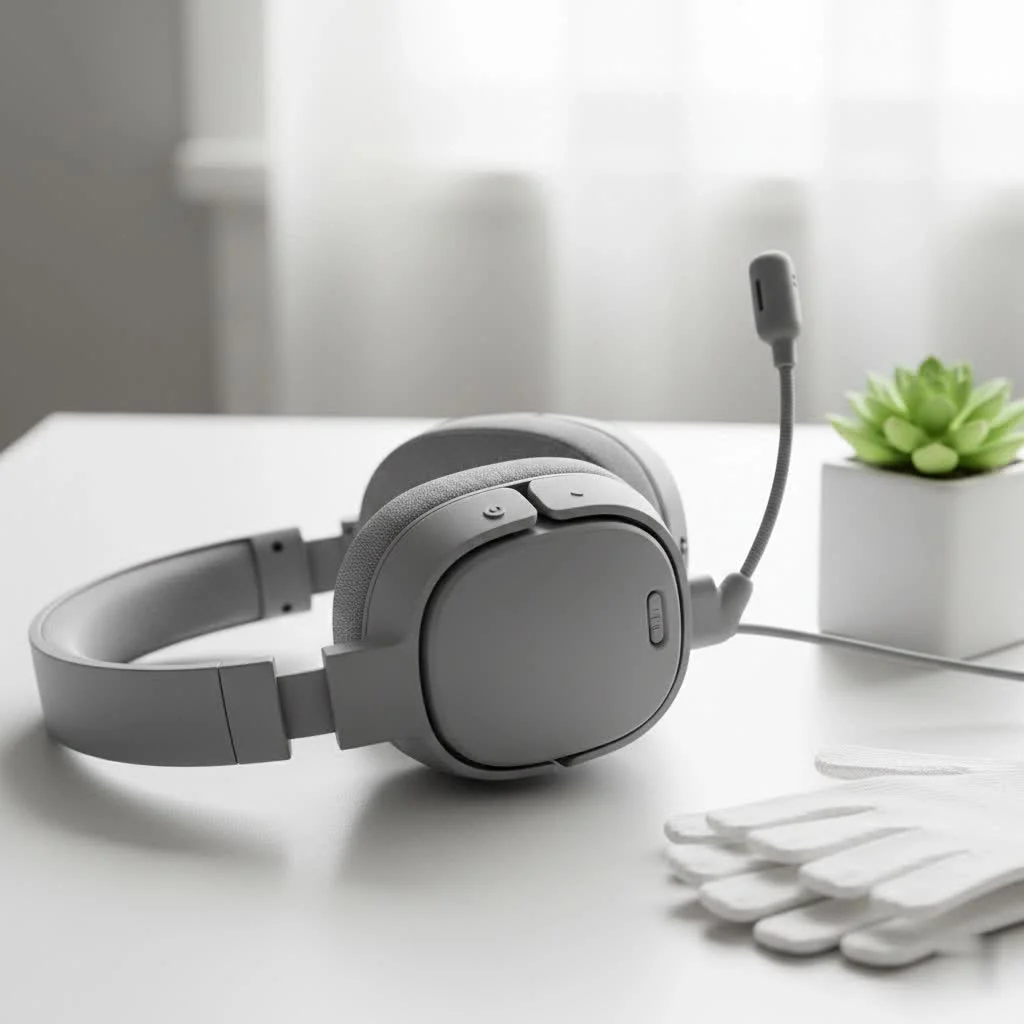
The Barracuda X prioritizes solid fundamentals over flashy gimmicks, engineered to be a reliable daily driver for both intense gaming and everyday commuting. Its subtle, minimalist design allows it to blend into any environment, moving away from a typical “gamer” aesthetic for a sleek, modern look. For reviews buying guides on this site.
Unpacking the Audio Experience: Sound Quality That Matters
What truly sets a gaming headset apart is its ability to immerse you in the game world, and the Barracuda X delivers. It features Razer’s custom-tuned TriForce 40mm drivers, designed to push out distinct highs, mids, and lows without muddying the soundscape. This patented 3-part driver design ensures that explosions rumble with satisfying depth while critical footsteps and environmental cues remain crisp and clear.
For PC gamers, the Barracuda X supports 7.1 virtual surround sound on Windows, providing a crucial positional audio advantage in competitive titles. While it might not surpass dedicated audiophile headphones for pure music listening, its balanced and impactful sound profile is perfectly tuned for gaming, offering a dynamic and engaging experience across genres. You’ll appreciate the nuanced sound design in atmospheric titles and the immediate feedback in fast-paced shooters.
Crystal Clear Comms: The Detachable HyperClear Mic
Effective communication is the backbone of any successful team. The Razer Barracuda X comes equipped with a detachable Razer HyperClear Cardioid Mic, which is a significant win for voice clarity. This unidirectional microphone is expertly tuned to focus on your voice, actively suppressing background noise so your teammates hear you, not your mechanical keyboard or ambient room sounds. It’s clear, natural, and performs remarkably well for a wireless gaming headset, ensuring your calls, commands, and banter come through without a hitch. And when you’re not gaming, simply detach the mic for a more streamlined, on-the-go headphone experience.
Designed for Comfort: Game for Hours
Comfort is paramount for marathon gaming sessions or extended commutes. The Barracuda X excels here, boasting an incredibly lightweight ergonomic design, weighing in at approximately 250-285 grams. This “pressure-free fit” is achieved through plush FlowKnit memory foam ear cushions that provide full-ear coverage and excellent sound isolation, combined with a thick, soft headband cushion that evenly distributes weight. The earcups also swivel flat, making it easy to rest around your neck or pack away for travel. Razer truly nailed the balance, offering a snug yet comfortable fit that won’t cause fatigue even after hours of continuous use.
Seamless Wireless Connectivity Across Platforms
|
Our Picks for the Best Gaming Headset in 2026
As an Amazon Associate I earn from qualifying purchases.
|
||
| Num | Product | Action |
|---|---|---|
| 1 | Gtheos 2.4GHz Wireless Gaming Headset for PS5, PS4 Fortnite & Call of Duty/FPS Gamers, PC, Nintendo Switch, Bluetooth 5.3 Gaming Headphones with Microphone for Mobile, Stereo Sound (Blush Pink) |

|
| 2 | Razer BlackShark V2 X Gaming Headset: 7.1 Surround Sound - 50mm Drivers - Memory Foam Cushion - for PC, PS4, PS5, Switch - 3.5mm Audio Jack - Green |
|
| 3 | Gtheos 2.4GHz Wireless Gaming Headset for PS5, PS4 Fortnite & Call of Duty/FPS Gamers, PC, Nintendo Switch, Bluetooth 5.3 Gaming Headphones with Mic, Stereo Sound, Red Light -BlackRed |
|
| 4 | Gtheos 2.4GHz Wireless Gaming Headset for PS5, PS4 Fortnite & FPS Gamers, PC, Nintendo Switch, Bluetooth 5.3 Gaming Headphones with Noise Canceling Mic, Stereo Sound, 40+Hr Battery (Pink) |
|
| 5 | Gtheos 2.4GHz Wireless Gaming Headset for PS5, PS4 Fortnite & Call of Duty/FPS Gamers, PC, Nintendo Switch, Bluetooth 5.3 Gaming Headphones with Microphone for Computer, Mobile, Stereo Sound (Camo) |
|
| 6 | Razer BlackShark V2 X PlayStation Gaming Headset: 50mm Drivers - Cardioid Mic - Lightweight - Comfortable Noise Isolating Earcups - for PS5, Xbox Series X, PC, Switch via 3.5 mm Jack - Quartz Pink |
|
| 7 | Gtheos 2.4GHz Wireless Gaming Headset for PS5, PS4 Fortnite & Call of Duty/FPS Gamers, PC, Nintendo Switch, Bluetooth 5.3 Gaming Headphones with Noise Canceling Mic, Stereo Sound, 40+Hr Battery -White |
|
| 8 | Gtheos 2.4GHz Wireless Gaming Headphones for PS5, PS4 Fortnite & Call of Duty/FPS Gamers, PC, Nintendo Switch, Bluetooth 5.3 Gaming Headset with Noise Canceling Mic, Stereo Sound, 40+Hr Battery -Black |
|
| 9 | Razer BlackShark V2 X Gaming Headset: 7.1 Surround Sound - 50mm Drivers - Memory Foam Cushion - For PC, PS4, PS5, Switch - 3.5mm Audio Jack - Black |
|
| 10 | Razer BlackShark V2 X PlayStation Gaming Headset: 50mm Drivers - Cardioid Mic - Lightweight - Comfortable, Noise Isolating Earcups - for PS5, Xbox Series X, PC, Switch via 3.5 mm Audio Jack - White |
|
This is where the Barracuda X truly shines as a “one headset to rule them all.” Razer has integrated a brilliant dual-wireless design, offering unparalleled flexibility:
- 2.4GHz HyperSpeed Wireless: The included USB-C dongle provides ultra-low latency, high-speed wireless connectivity, making it ideal for competitive gaming on PC, PlayStation (PS4 & PS5), Nintendo Switch, and compatible Android devices. For systems without a USB-C port, an included USB-A extender cable ensures broad compatibility.
- Bluetooth 5.2 (2022/Chroma models): Newer iterations of the Barracuda X (2022 and Chroma) have added Bluetooth connectivity, allowing you to pair seamlessly with your smartphone or other Bluetooth-enabled devices. This is a major upgrade for mobile gamers and commuters.
- Razer SmartSwitch Dual Wireless: This intelligent feature, present in the 2022 and Chroma models, allows the headset to connect to both a 2.4GHz device and a Bluetooth device simultaneously. What does this mean for you? You can be immersed in your game via HyperSpeed Wireless, and if a call comes in on your connected phone, the headset will automatically switch to Bluetooth for you to answer, then switch back to game audio once you hang up. This level of convenience is truly exceptional.
- 3.5mm Wired Connection: For ultimate versatility, or for devices like Xbox consoles that don’t support its wireless mode, a 3.5mm audio combo cable is included, ensuring you’re always connected.
Powering Your Playtime: Battery Life That Lasts
Nobody wants their audio to die mid-raid. The Barracuda X offers impressive battery life, especially with its newer iterations. The original 2021 model provided around 20-25 hours, which was decent. However, the 2022 model significantly boosts this to up to 50-59 hours of continuous use, and the Barracuda X Chroma pushes it even further to a massive 70 hours (with RGB lighting off). This endurance ensures you can power through multiple gaming sessions, long commutes, and even international flights without constantly worrying about charging. And when you do need a top-up, USB-C fast charging means a quick 15-minute charge can give you several hours of playtime.
Razer Barracuda X: Pros and Cons for the Modern Gamer
Every piece of gear has its strengths and weaknesses. Here’s an honest look at the Barracuda X from Efuks.com’s perspective.
The Good Stuff: Why Gamers Love It
- Unrivaled Multi-Platform Versatility: One headset for almost all your devices – PC, PlayStation, Switch, Android, and wired Xbox.
- Exceptional Comfort: Lightweight design, plush memory foam earcups, and balanced clamping force make it ideal for long sessions.
- Clear & Balanced Gaming Audio: Razer TriForce 40mm drivers deliver immersive sound with good positional clarity.
- Crystal-Clear Detachable Microphone: Your voice will be heard loud and clear, with effective background noise suppression.
- Impressive Battery Life (2022/Chroma models): Up to 50-70 hours means less charging and more gaming.
- Razer SmartSwitch (2022/Chroma models): Seamless audio switching between 2.4GHz and Bluetooth is incredibly convenient.
- Sleek, Discreet Design: Doesn’t scream “gamer,” making it suitable for everyday use.
- Plug-and-Play Simplicity: Easy setup with the USB-C dongle, especially on PC and consoles.
Where It Could Improve: Honest Feedback
- No Wireless Xbox Support: A significant limitation for Xbox-only players, requiring a wired connection.
- No Active Noise Cancellation (ANC): While passive isolation is good, dedicated ANC would be a welcome addition for travel.
- Build Materials: Primarily plastic, which while contributing to its light weight, can feel less premium than some higher-end headsets.
- Limited Software Customization on Consoles: Full EQ and other advanced settings are mostly via the Razer Audio app on mobile or Windows, not directly on consoles.
- Not Studio-Grade Mic: While very good for gaming, it won’t replace a dedicated streaming microphone.
Who is the Razer Barracuda X For?
The Razer Barracuda X is the ideal headset for the multi-platform gamer who needs a single, reliable audio solution that works across all their devices. If you switch between PC, PlayStation, Nintendo Switch, and your mobile phone regularly, its seamless connectivity and comfortable design will be a godsend. It’s also an excellent choice for casual to serious gamers who prioritize comfort, clear communication, and solid audio performance without breaking the bank. If you’re looking to upgrade from an entry-level wired headset or simply want more freedom, the Barracuda X offers fantastic value.
Setting Up Your Barracuda X: A Quick Guide
Getting started with the Barracuda X is wonderfully straightforward.
- For PC/PlayStation/Switch/Android (2.4GHz Wireless): Simply plug the USB-C wireless dongle into your device. The headset should connect automatically. For devices without a USB-C port, use the included USB-A adapter.
- For Mobile (Bluetooth – 2022/Chroma models): Hold down the Razer SmartSwitch button (often shared with the power button) to enter Bluetooth pairing mode. Pair with your device like any other Bluetooth headphone.
- For Xbox/Wired Use: Connect the included 3.5mm audio cable from the headset to your controller or audio jack.
- Charging: Use the USB-C charging cable to power up your headset.
Efuks.com’s Expert Verdict: Is the Barracuda X Worth It?
From my perspective as an expert reviewer at Efuks.com, the Razer Barracuda X Wireless Gaming Headset (especially the 2022 and Chroma editions) represents one of the best value propositions in the multi-platform gaming headset market today. Razer has truly delivered on its promise of versatility, comfort, and reliable performance.
While it’s true that some minor compromises exist, such as the lack of wireless Xbox support or the all-plastic build, these are far outweighed by its strengths. The exceptional comfort, clear microphone, impressive battery life, and the sheer convenience of its dual-wireless connectivity with SmartSwitch make it a standout choice. It punches well above its price point, offering a premium experience without the premium cost.
If you’re a gamer who plays across multiple systems and needs a single, dependable headset that can keep up with your diverse gaming lifestyle, the Razer Barracuda X is an easy recommendation. It’s a headset that truly understands the modern gamer’s need for flexibility and performance.
Frequently Asked Questions (FAQ)
Is the Razer Barracuda X good for competitive gaming?
Yes, the Razer Barracuda X is good for competitive gaming due to its low-latency 2.4GHz HyperSpeed wireless connection and clear TriForce 40mm drivers, which help with crucial positional audio cues. The excellent detachable HyperClear mic also ensures clear communication with your team.
Does the Barracuda X work with Xbox?
The Razer Barracuda X does not support wireless connectivity with Xbox consoles. However, you can use it with your Xbox via the included 3.5mm audio cable for both game audio and microphone functionality.
How long does the battery last on the Razer Barracuda X?
The battery life varies by model. The original 2021 Barracuda X offers around 20-25 hours. The updated 2022 model significantly extends this to 50-59 hours, and the Barracuda X Chroma can last up to 70 hours (with RGB lighting off).
Can I use the Razer Barracuda X with my phone?
Yes, the Razer Barracuda X can be used with your phone. The 2022 and Chroma models feature Bluetooth 5.2 connectivity for seamless pairing. All models can also connect to phones supporting USB-C audio via the 2.4GHz dongle, or through a wired 3.5mm connection.
What’s the difference between the 2021 and 2022 models of the Barracuda X?
The 2022 Razer Barracuda X introduced several key upgrades over the 2021 model, most notably the inclusion of Bluetooth connectivity, vastly improved battery life (from ~25 to ~50-59 hours), and the Razer SmartSwitch Dual Wireless feature. The microphone quality was also enhanced, and the USB-C dongle received a slight redesign.
Conclusion
The Razer Barracuda X Wireless Gaming Headset is a shows thoughtful design and practical functionality. It’s not just a gaming peripheral; it’s a versatile audio solution that understands the demands of today’s multi-faceted digital life. With its lightweight comfort, balanced audio, crystal-clear microphone, and phenomenal multi-platform wireless capabilities, it stands as a strong recommendation from Efuks.com for any gamer seeking a reliable and adaptable headset. Dive into your games, take your calls, and enjoy your music with the freedom and quality you deserve. Experience the Barracuda X and improve your audio game.
Frequently Asked Questions
Is the Razer Barracuda X suitable for competitive gaming?
Yes, the Razer Barracuda X is well-suited for competitive gaming. It features a low-latency 2.4GHz HyperSpeed wireless connection and precise TriForce 40mm drivers that enhance positional audio cues. The detachable HyperClear mic also ensures clear communication with teammates.
Can the Razer Barracuda X be used wirelessly with Xbox consoles?
No, the Razer Barracuda X does not support wireless connectivity with Xbox consoles. However, it can be used with your Xbox via the included 3.5mm audio cable, providing both game audio and microphone functionality.
What is the battery life of the Razer Barracuda X headset?
The battery life of the Razer Barracuda X varies by model. The original 2021 model offers approximately 20-25 hours, while the 2022 model extends this to 50-59 hours. The Barracuda X Chroma model provides up to 70 hours of continuous use with RGB lighting off.
How does the Razer Barracuda X connect to mobile phones?
The Razer Barracuda X connects to mobile phones in several ways. The 2022 and Chroma models feature Bluetooth 5.2 for seamless wireless pairing. All models can also connect to phones supporting USB-C audio via the 2.4GHz dongle, or through a wired 3.5mm connection for universal compatibility.
What are the main improvements in the 2022 Barracuda X model?
The 2022 Razer Barracuda X introduced significant upgrades over the 2021 model, including Bluetooth connectivity, a vastly improved battery life (from ~25 to ~50-59 hours), and the Razer SmartSwitch Dual Wireless feature. Additionally, the microphone quality was enhanced, and the USB-C dongle received a slight redesign for better performance.
Setting Up Your Razer Barracuda X Headset
This guide provides quick steps to get your Razer Barracuda X wireless gaming headset connected to various devices, including PC, PlayStation, Switch, Android, and Xbox.
For PC, PlayStation, Nintendo Switch, and compatible Android devices, simply plug the USB-C wireless dongle into your device. The headset should connect automatically. If your system lacks a USB-C port, use the included USB-A adapter for broad compatibility.
If you have a 2022 or Chroma model, hold down the Razer SmartSwitch button (often shared with the power button) to enter Bluetooth pairing mode. Then, pair the headset with your smartphone or other Bluetooth-enabled device just like any standard Bluetooth headphone.
For Xbox consoles or any device requiring a wired connection, connect the included 3.5mm audio cable from the headset directly to your controller or the device's audio jack. This ensures both game audio and microphone functionality.
To power up your Barracuda X, use the provided USB-C charging cable. Newer models offer fast charging, providing several hours of playtime from a quick 15-minute charge, ensuring you're ready for extended gaming sessions.
Get our weekly buyer guide
Practical specs, not advice. Unsubscribe anytime.

I picked up the Barracuda X because I needed something for both gaming and my daily commute. It’s comfortable, and the minimalist design is great for wearing outside. However, while the audio is clear, I found the bass to be a bit lacking compared to some other headsets I’ve tried in a similar price range. It’s not bad, just not as punchy as I’d hoped for certain game types.
I’ve been using the Barracuda X for a few weeks now, and it’s exactly what I needed. The multi-platform support is a game-changer; I can switch from my PS5 to my Switch without any hassle. The sound quality with the TriForce 40mm drivers is really impressive for the price point, making my games sound super immersive. Plus, it’s so light I barely notice it’s there during long gaming sessions.
This headset is a solid choice for anyone looking for versatility. The 2.4GHz HyperSpeed connection is flawless on my PC, and I appreciate the option for Bluetooth 5.2 when I’m out and about with my phone. The battery life is also insane; I’ve gone days without needing to charge it, which is a huge plus. My only minor gripe is that the detachable mic can sometimes be a little finicky to reattach perfectly.
Seriously impressed with the Razer Barracuda X. The comfort level is off the charts, even after hours of playing. I love that it’s not bulky or flashy, making it perfect for both my gaming setup and when I’m just listening to music on my Android phone. The HyperClear Cardioid Mic also delivers really clear comms, which my teammates definitely appreciate.