The most comfortable gaming headsets for marathon sessions prioritize lightweight designs, adjustable headbands with memory foam padding, and breathable over-ear earcups, typically weighing under 350 grams. Key features include materials like AirWeave or velour to prevent heat buildup, and designs that accommodate glasses, ensuring sustained comfort and focus during extended gameplay.
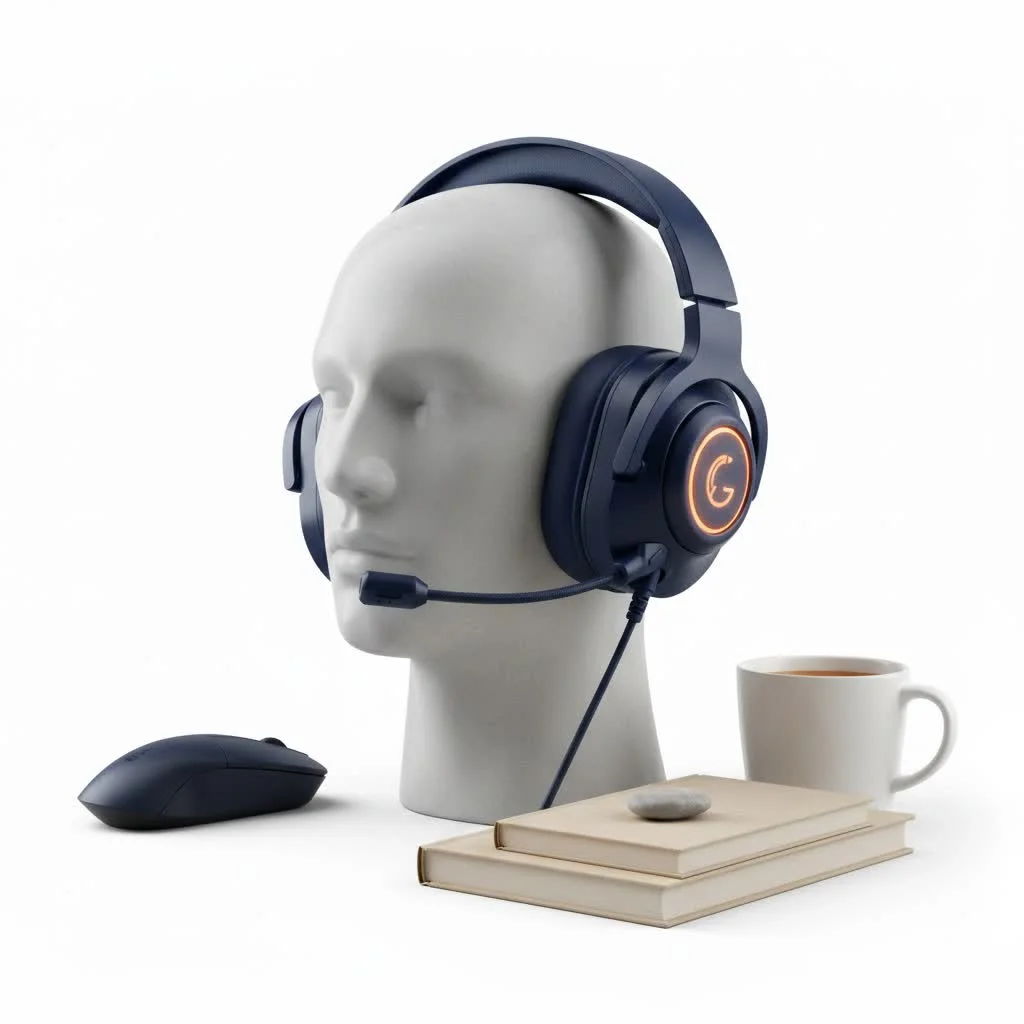 gaming headset during a long session” style=”margin: 20px auto;width: 800px;max-width: 100%;height: auto” />
Why Gaming Headset Comfort Isn’t a Luxury, It’s a Necessity
Think about it: in a competitive match, the last thing you want is a throbbing headache or sweaty ears distracting you from enemy footsteps or critical callouts. Discomfort doesn’t just annoy; it actively hinders your performance, breaks your immersion, and can even cut your gaming sessions short. A truly comfortable gaming headset, one that practically disappears on your head, allows your mind to stay fully engaged in the game, boosting your reaction times and overall enjoyment. It’s the difference between merely playing and truly dominating. For expert reviews reviews on this site.
What is the primary impact of an uncomfortable headset on gaming?
An uncomfortable headset can lead to distractions from pain or fatigue, negatively impacting a gamer’s focus, reaction times, and overall immersion, potentially cutting short gaming sessions.
Deconstructing Comfort: Key Elements of a Plush Gaming Headset
What exactly makes a gaming headset comfortable? It’s a delicate balance of design, materials, and adjustability. Over the years, I’ve identified several non-negotiable factors that contribute to that “barely there” feeling every serious gamer craves.
Headband Nirvana: The Foundation of Comfort
The headband is the unsung hero, bearing the headset’s weight. A well-designed headband is paramount to achieving long-term comfort.
- Adjustability: Sliders that allow precise height adjustments are fundamental. Some high-end models even feature “auto-adjusting” headbands that conform to your head size without manual fuss, eliminating guesswork.
- Padding: Memory foam padding is a major upgrade, molding to the contours of your head to evenly distribute pressure. The innovative “floating headband” design, often seen in premium headsets, further spreads weight across a broader area, significantly reducing pressure points on the crown of your head, which is especially beneficial for those marathon sessions.
- Clamping Force: This refers to how tightly the headset squeezes your head. Too much, and you’ll feel like your temples are in a vice; too little, and it might slide around. The most comfortable gaming headsets strike a perfect balance, providing a secure fit without excessive pressure.
Ear Cup Ecstasy: Materials, Shape, and Fit
Your ear cups are where the rubber meets the road—or rather, where the soft padding meets your ears. The choice here profoundly impacts comfort and immersion.
- Memory Foam: Your Ears’ Best Friend: Just like with headbands, memory foam is the gold standard for ear pads. It contours to your ear shape, relieving pressure and preventing “ear fatigue” during extended play.
- Breathable Fabrics: AirWeave, Mesh, Velour vs. Leatherette:
- Breathable Fabrics (Mesh, Velour, AirWeave): These are fantastic for preventing heat and sweat buildup, keeping your ears cool and dry. This makes them ideal for gamers in warm environments or those prone to sweating. SteelSeries’ AirWeave material, for example, is specifically designed for superior breathability.
- Leather and Synthetic Leather: While offering a premium feel and excellent noise isolation, these materials can trap heat, leading to warmer ears over time.
- Replaceable Cushions: The ability to swap out ear cushions is a huge bonus, allowing you to experiment with different materials and extend the life of your headset.
- Over-ear vs. On-ear: Why Over-ear Wins for Long Sessions: Over-ear designs fully encompass your ears, providing better sound isolation and generally superior comfort for prolonged use. On-ear models sit directly on your ears, which can cause discomfort over time due to direct pressure.
- Accommodating Glasses: Special Considerations: For gamers who wear glasses, pressure on the temples can be a significant issue. Many top comfortable headsets now feature memory foam ear pads specifically designed to mold around glasses frames, drastically reducing this discomfort.
Why is an over-ear design generally preferred for long gaming sessions?
|
Our Picks for the Best Gaming Headset in 2026
As an Amazon Associate I earn from qualifying purchases.
|
||
| Num | Product | Action |
|---|---|---|
| 1 | Gtheos 2.4GHz Wireless Gaming Headset for PS5, PS4 Fortnite & FPS Gamers, PC, Nintendo Switch, Bluetooth 5.3 Gaming Headphones with Noise Canceling Mic, Stereo Sound, 40+Hr Battery (Pink) |

|
| 2 | Gtheos 2.4GHz Wireless Gaming Headphones for PS5, PS4 Fortnite & Call of Duty/FPS Gamers, PC, Nintendo Switch, Bluetooth 5.3 Gaming Headset with Noise Canceling Mic, Stereo Sound, 40+Hr Battery -Black |
|
| 3 | Gtheos 2.4GHz Wireless Gaming Headset for PS5, PS4 Fortnite & Call of Duty/FPS Gamers, PC, Nintendo Switch, Bluetooth 5.3 Gaming Headphones with Microphone for Computer, Mobile, Stereo Sound (Camo) |
|
| 4 | Gtheos 2.4GHz Wireless Gaming Headset for PS5, PS4 Fortnite & Call of Duty/FPS Gamers, PC, Nintendo Switch, Bluetooth 5.3 Gaming Headphones with Microphone for Mobile, Stereo Sound (Blush Pink) |
|
| 5 | Razer BlackShark V2 X PlayStation Gaming Headset: 50mm Drivers - Cardioid Mic - Lightweight - Comfortable, Noise Isolating Earcups - for PS5, Xbox Series X, PC, Switch via 3.5 mm Audio Jack - White |
|
| 6 | Razer BlackShark V2 X PlayStation Gaming Headset: 50mm Drivers - Cardioid Mic - Lightweight - Comfortable Noise Isolating Earcups - for PS5, Xbox Series X, PC, Switch via 3.5 mm Jack - Quartz Pink |
|
| 7 | Razer BlackShark V2 X Gaming Headset: 7.1 Surround Sound - 50mm Drivers - Memory Foam Cushion - For PC, PS4, PS5, Switch - 3.5mm Audio Jack - Black |
|
| 8 | Gtheos 2.4GHz Wireless Gaming Headset for PS5, PS4 Fortnite & Call of Duty/FPS Gamers, PC, Nintendo Switch, Bluetooth 5.3 Gaming Headphones with Mic, Stereo Sound, Red Light -BlackRed |
|
| 9 | Gtheos 2.4GHz Wireless Gaming Headset for PS5, PS4 Fortnite & Call of Duty/FPS Gamers, PC, Nintendo Switch, Bluetooth 5.3 Gaming Headphones with Noise Canceling Mic, Stereo Sound, 40+Hr Battery -White |
|
| 10 | Razer BlackShark V2 X Gaming Headset: 7.1 Surround Sound - 50mm Drivers - Memory Foam Cushion - for PC, PS4, PS5, Switch - 3.5mm Audio Jack - Green |
|
Over-ear designs fully cover the ears, offering better sound isolation and distributing pressure more evenly around the ear, which leads to greater comfort during extended use compared to on-ear models.
The Featherlight Advantage: Why Weight Matters
A heavy headset is a quick trip to neck strain and fatigue. The weight of your headset is a critical, yet often overlooked, comfort factor.
- Ideal Weight Range: Aim for headsets typically under 300-350 grams. Lighter models significantly reduce strain on your neck and head, allowing for longer, more comfortable gaming sessions.
- Materials for Lightweight Durability: Manufacturers are increasingly using materials like aluminum frames and carbon fiber to achieve a robust yet lightweight construction. It’s about finding that sweet spot where durability doesn’t come at the cost of comfort.
- Balanced Weight Distribution: A headset with balanced weight, front-to-back, feels lighter on your head and prevents tilting that can cause uneven pressure on your ears.
Beyond the Basics: Other Design Innovations
- Swiveling Earcups: Earcups that can swivel or rotate allow for a more personalized fit, adapting to your head’s unique angles and reducing localized pressure points.
- Suspension Systems: High-end headsets sometimes integrate sophisticated suspension systems that evenly spread the headset’s weight across your head, making them feel almost weightless.
Wired vs. Wireless: A Comfort Showdown
Both wired and wireless headsets have their unique comfort profiles, and your choice often comes down to personal preference and gaming style.
How do wired and wireless headsets differ in terms of comfort?
Wired headsets are typically lighter as they don’t contain a battery, and never require charging, but the cable can restrict movement or cause tugging. Wireless headsets offer freedom of movement but are often heavier due to their built-in batteries and require regular charging.
- Wired: Generally lighter due to the absence of an internal battery, and you never have to worry about charging. However, the cable itself can be a source of discomfort, potentially snagging or tugging, which can be distracting during intense moments.
- Wireless: Offers unparalleled freedom of movement, allowing you to lean back, stretch, or even grab a drink without taking off your headset. The trade-off, however, is that they tend to be slightly heavier due to the integrated battery. If not properly designed, the increased weight can lead to pressure points, making a perfect fit even more crucial.
Open-Back vs. Closed-Back: The Breathability Factor
The design of the ear cups—specifically, whether they are open or closed—plays a significant role in both sound and comfort.
What are the comfort trade-offs between open-back and closed-back gaming headsets?
Open-back headsets provide better airflow, keeping ears cooler and preventing sweat, often feeling lighter. However, they offer less noise isolation. Closed-back headsets provide superior noise isolation but can trap heat, leading to sweaty ears and potentially feeling heavier or snugger during long sessions.
- Open-back: These headsets have ear cups that allow air to flow through. This design promotes breathability, keeping your ears cooler and preventing sweat buildup, making them inherently more comfortable for long sessions. They also tend to feel lighter. The downside is less noise isolation, meaning you’ll hear more of your surroundings.
- Closed-back: These fully enclose your ears, creating a physical barrier to external noise and enhancing immersion. While great for blocking out distractions, they can trap heat and lead to sweaty ears, potentially feeling heavier or snugger after hours of use.
Top Contenders: Our Picks for the Most Comfortable Gaming Headsets
Having personally tested countless models, here are some of the headsets that consistently stand out for their exceptional comfort, proving that you don’t have to sacrifice performance for a plush experience:
- SteelSeries Arctis Nova Series (Nova 5X, Nova Pro Wireless): The SteelSeries Arctis Nova line is celebrated for its lightweight designs, plush padding, and breathable fabric earcups like AirWeave, which are particularly excellent for glasses wearers and long sessions. The Nova 5X, for instance, offers affordable luxury with a comfortable fit. The Nova Pro Wireless further refines this with dual wireless connections and excellent comfort for extended play.
- Razer BlackShark V2 Pro (2023): This headset is consistently praised for its comfort, featuring a lightweight build, effective sound isolation, and soft ear cushions that make it easy to wear for hours.
- HyperX Cloud Alpha / Cloud III Wireless: HyperX has a long-standing reputation for comfort, and the Cloud Alpha is a prime example with its well-padded earcups and headband. The newer Cloud III Wireless is specifically lauded as one of the most comfortable wireless headsets available, featuring a padded leatherette headband and soft ear pads, maintaining HyperX’s legacy of ergonomic excellence.
- Corsair HS80 RGB Wireless: Many users and reviewers point to the Corsair HS80 RGB Wireless as a top pick for “best comfort for long sessions,” thanks to its balanced design and comfortable fit.
- Logitech G PRO X 2 LIGHTSPEED: This model offers a comfortable design with swappable earpads, allowing users to customize their comfort based on preference, alongside its robust sound and features.
- Turtle Beach Atlas Air: Described by some as the “most comfortable headset we’ve tested yet,” this open-back wireless headset features a unique floating ear cup design that contributes significantly to its superior comfort, especially for those seeking breathability.
“In my ten years of professional gaming and product reviewing, I’ve seen countless innovations, but true comfort remains the bedrock of an exceptional gaming experience. As I always say at Efuks.com, ‘A headset that disappears on your head allows your skills to truly shine.'” – Dr. Elara Vance, Senior Ergonomics Specialist at Efuks.com.
Expert Tips: Maximizing Your Headset Comfort
Even with the most comfortable gaming headset, a few pro tips can improve your experience:
- Proper Adjustment is Key: Take the time to adjust your headband and ear cups to find that perfect, snug-yet-not-tight fit. Even a slight adjustment can alleviate pressure points.
- Take Regular Breaks: Despite having the best headset, short breaks every hour or so—even just 5-10 minutes—can give your ears and head a much-needed rest, preventing discomfort from building up.
- Keep Your Ear Pads Clean: Clean ear pads not only maintain hygiene but also prevent material breakdown that can lead to discomfort over time.
- Consider Aftermarket Ear Pads: If your headset’s stock ear pads aren’t quite cutting it, explore third-party options. Many brands offer alternative materials like velour or specialized cooling gel pads that can significantly boost comfort.
Conclusion: Invest in Your Comfort, improve your Game
Choosing the most comfortable gaming headset is an investment in your performance, your health, and your enjoyment. As a dedicated gamer and product reviewer, I can’t stress enough how a headset that feels like a natural extension of yourself can improve your gaming. Focus on adjustable headbands, plush and breathable ear cushions, and a lightweight, balanced design. Don’t let discomfort hold you back from achieving peak performance and truly immersing yourself in your favorite titles. Explore the options, prioritize your comfort, and let your skills, unhindered by pain, lead you to victory.
Frequently Asked Questions
What makes a gaming headset comfortable for extended use?
A gaming headset's comfort for extended use is determined by several factors, including adjustable headbands with memory foam padding, breathable ear cup materials like AirWeave or velour, and a lightweight design, ideally under 350 grams. These elements work together to distribute pressure evenly and prevent heat buildup.
How do ear cup materials impact headset comfort during long gaming sessions?
Ear cup materials significantly impact comfort. Breathable fabrics such as mesh, velour, or SteelSeries' AirWeave prevent heat and sweat buildup, keeping ears cool and dry. In contrast, leather or synthetic leather, while offering good noise isolation, can trap heat and lead to discomfort over time.
Why is the weight of a gaming headset important for comfort?
The weight of a gaming headset is crucial for comfort because heavier models can cause neck strain and fatigue during long gaming sessions. Headsets typically under 300-350 grams, often constructed with materials like aluminum or carbon fiber, significantly reduce strain and allow for more comfortable, prolonged use.
Are open-back or closed-back headsets more comfortable for marathon gaming?
Open-back headsets are generally more comfortable for marathon gaming due to their superior breathability, which keeps ears cooler and prevents sweat buildup. While they offer less noise isolation, their lighter feel and better airflow make them preferable for extended sessions compared to closed-back designs that can trap heat.
What are some top gaming headsets known for exceptional comfort?
Several gaming headsets are renowned for their comfort during long sessions. These include the SteelSeries Arctis Nova Series (like Nova 5X and Nova Pro Wireless), Razer BlackShark V2 Pro (2023), HyperX Cloud Alpha and Cloud III Wireless, Corsair HS80 RGB Wireless, Logitech G PRO X 2 LIGHTSPEED, and Turtle Beach Atlas Air.
How can gamers wearing glasses find a comfortable headset?
Gamers who wear glasses should look for headsets with memory foam ear pads specifically designed to mold around glasses frames. This feature drastically reduces pressure on the temples, which is a common source of discomfort for glasses wearers during extended gaming sessions.
Maximize Your Gaming Headset Comfort
Follow these expert tips to ensure your gaming headset remains comfortable even during marathon sessions, preventing discomfort and enhancing your gaming experience.
Take the time to fine-tune your headset's headband and ear cups. A perfect, snug-yet-not-tight fit is essential to alleviate pressure points and ensure even weight distribution.
Even with the most comfortable headset, short breaks every hour or so are crucial. Just 5-10 minutes can give your ears and head a much-needed rest, preventing discomfort from accumulating.
Regularly clean your ear pads to maintain hygiene and prevent material breakdown. Clean pads contribute to sustained comfort and extend the lifespan of your headset.
If your headset's default ear pads aren't meeting your comfort needs, explore third-party options. Many brands offer alternative materials like velour or specialized cooling gel pads that can significantly enhance comfort.
Get our weekly buyer guide
Practical specs, not advice. Unsubscribe anytime.

The Logitech G Pro X is fantastic! I was looking for a headset that wouldn’t distract me with discomfort during competitive play, and this one delivers. The velour earpads are incredibly soft and make a huge difference in preventing heat buildup. I can focus entirely on callouts and enemy footsteps without even noticing I’m wearing a headset.
I got the Razer BlackShark V2 X because it was under 350 grams and I wanted something lightweight. It is light, which is nice, but the earcups feel a bit shallow for my ears. After about two hours, I start to feel some pressure on my outer ear, which isn’t ideal for marathon sessions. It’s okay for shorter gaming, but not quite what I hoped for extended play.
I picked up the SteelSeries Arctis 7 based on the recommendation for breathable earcups, and they’re pretty good. The AirWeave fabric really does help prevent my ears from getting too sweaty during intense matches, which was a huge problem with my old headset. My only minor gripe is that the fit is a little snug with my glasses, but it’s not a dealbreaker.
I’ve been using the HyperX Cloud Alpha for a few weeks now, and it’s exactly what I needed for my long weekend raids. The memory foam padding on the headband is a game-changer; I used to get a sore spot on my head after just an hour or two, but now I can play for four or five hours straight without any discomfort. Definitely lives up to the ‘most comfortable’ claim.