The HyperX Cloud gaming headset series is a top choice for gamers due to its consistent focus on essential performance, robust durability, and exceptional comfort, allowing for extended gaming sessions. As a product reviewer for Efuks.com with over a decade of experience, I’ve found HyperX Cloud headsets consistently deliver clear sound, crisp communication, and a build quality that withstands intense use, making them a reliable lifeline in any digital arena.
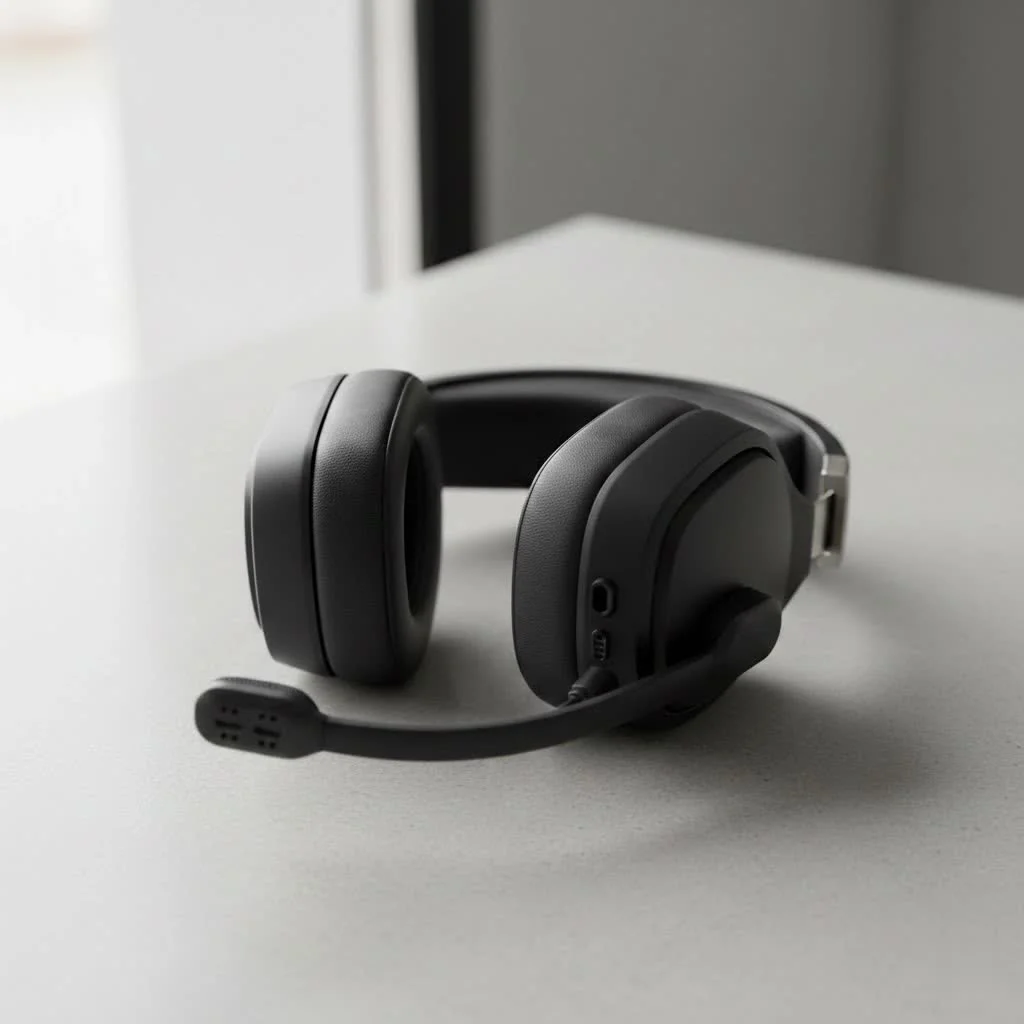
Why the hype? Because in the chaotic blend of battle royales, the intricate soundscapes of open-world epics, or the tense whispers of a tactical shooter, your headset isn’t just an accessory—it’s your lifeline. The right HyperX Cloud gaming headset can improve your immersion, sharpen your situational awareness, and give you that crucial competitive edge. But with so many fantastic options within the HyperX Cloud lineup, how do you pick the perfect one for your arsenalLet’s dive deep and unearth the secrets to finding your audio soulmate. For explore our reviews reviews on this site.
Why HyperX Cloud Headsets Are a Gamer’s Go-To
There’s a reason why you see HyperX Cloud headsets gracing the heads of pro streamers, esports champions, and casual weekend warriors alike. It boils down to a few core principles that HyperX has consistently delivered on: an unwavering focus on essential performance, rock-solid durability, and remarkable comfort that lets you game for hours without feeling like your head is in a vise. They often eschew flashy, often unnecessary gimmicks in favor of what truly matters: clear sound, crisp communication, and a build that can withstand the most intense gaming sessions.
Deciphering the Essentials: What Makes a Great Gaming Headset?
Before we zoom in on specific HyperX Cloud models, let’s break down the critical elements you should consider. Understanding these will empower you to make an informed decision, ensuring your chosen HyperX Cloud gaming headset perfectly matches your playstyle and preferences.
Sound Quality: Hearing Every Footstep and Explosion
When you’re knee-deep in a digital warzone, every audio cue matters. From the faint rustle of leaves indicating an approaching enemy to the thunderous roar of a dragon, superior sound quality isn’t a luxury; it’s a necessity.
- Drivers and Audio Profile: HyperX Cloud headsets often feature large, dynamic drivers, typically 50mm or 53mm, designed to deliver a rich, detailed sound. Some, like the Cloud Alpha series, boast innovative dual-chamber driver technology, which separates bass frequencies from mids and highs. This design helps prevent muddiness, ensuring clearer distinction between booming explosions and crucial mid-range details like dialogue or footsteps.
- Virtual Surround Sound vs. Stereo: Many HyperX Cloud models, particularly those designed for PC, offer virtual 7.1 surround sound. This technology uses software to create the illusion of sound coming from multiple directions, enhancing spatial awareness. While excellent for immersion and pinpointing enemy locations, some purists prefer the raw, unadulterated stereo soundstage for competitive precision. It often comes down to personal preference and the type of games you play.
Microphone Clarity: Your Voice, Loud and Clear
|
Our Picks for the Best Gaming Headset in 2026
As an Amazon Associate I earn from qualifying purchases.
|
||
| Num | Product | Action |
|---|---|---|
| 1 | Razer BlackShark V2 X PlayStation Gaming Headset: 50mm Drivers - Cardioid Mic - Lightweight - Comfortable, Noise Isolating Earcups - for PS5, Xbox Series X, PC, Switch via 3.5 mm Audio Jack - White |

|
| 2 | Razer BlackShark V2 X PlayStation Gaming Headset: 50mm Drivers - Cardioid Mic - Lightweight - Comfortable Noise Isolating Earcups - for PS5, Xbox Series X, PC, Switch via 3.5 mm Jack - Quartz Pink |
|
| 3 | Gtheos 2.4GHz Wireless Gaming Headset for PS5, PS4 Fortnite & Call of Duty/FPS Gamers, PC, Nintendo Switch, Bluetooth 5.3 Gaming Headphones with Microphone for Mobile, Stereo Sound (Blush Pink) |
|
| 4 | Gtheos 2.4GHz Wireless Gaming Headset for PS5, PS4 Fortnite & FPS Gamers, PC, Nintendo Switch, Bluetooth 5.3 Gaming Headphones with Noise Canceling Mic, Stereo Sound, 40+Hr Battery (Pink) |
|
| 5 | Gtheos 2.4GHz Wireless Gaming Headphones for PS5, PS4 Fortnite & Call of Duty/FPS Gamers, PC, Nintendo Switch, Bluetooth 5.3 Gaming Headset with Noise Canceling Mic, Stereo Sound, 40+Hr Battery -Black |
|
| 6 | Razer BlackShark V2 X Gaming Headset: 7.1 Surround Sound - 50mm Drivers - Memory Foam Cushion - For PC, PS4, PS5, Switch - 3.5mm Audio Jack - Black |
|
| 7 | Gtheos 2.4GHz Wireless Gaming Headset for PS5, PS4 Fortnite & Call of Duty/FPS Gamers, PC, Nintendo Switch, Bluetooth 5.3 Gaming Headphones with Microphone for Computer, Mobile, Stereo Sound (Camo) |
|
| 8 | Gtheos 2.4GHz Wireless Gaming Headset for PS5, PS4 Fortnite & Call of Duty/FPS Gamers, PC, Nintendo Switch, Bluetooth 5.3 Gaming Headphones with Noise Canceling Mic, Stereo Sound, 40+Hr Battery -White |
|
| 9 | Razer BlackShark V2 X Gaming Headset: 7.1 Surround Sound - 50mm Drivers - Memory Foam Cushion - for PC, PS4, PS5, Switch - 3.5mm Audio Jack - Green |
|
| 10 | Gtheos 2.4GHz Wireless Gaming Headset for PS5, PS4 Fortnite & Call of Duty/FPS Gamers, PC, Nintendo Switch, Bluetooth 5.3 Gaming Headphones with Mic, Stereo Sound, Red Light -BlackRed |
|
Communication is paramount in team-based games. A fuzzy, crackling microphone can be the difference between a clutch victory and a frustrating defeat.
- Detachable Boom Mics: Most HyperX Cloud gaming headset models feature flexible, detachable boom microphones. This design allows for precise positioning to capture your voice clearly and also means you can remove the mic entirely when using the headset for music or travel, making it less conspicuous.
- Noise Cancellation: HyperX microphones are generally well-regarded for their ability to filter out background noise, ensuring your teammates hear you, not your keyboard clatter or barking dog.
Comfort for Marathons: Game On, Pain Off
Who wants a headset that feels like a vice after an hour? Long gaming sessions demand exceptional comfort.
- Build Materials: HyperX excels here. Many of their headsets, like the Cloud Alpha and Cloud II, feature durable aluminum frames that are both lightweight and robust. This strong yet flexible construction ensures they can withstand the rigors of daily use.
- Padding and Earcup Design: Plush memory foam ear cushions, often wrapped in premium leatherette or breathable fabric, are a hallmark of the HyperX Cloud line. These materials, combined with an optimal clamping force and large earcups, provide excellent passive noise isolation and distribute weight evenly, making them incredibly comfortable for extended wear. As a reviewer, I can attest that the comfort of many HyperX Cloud headsets is truly top-tier.
Connectivity: Wired, Wireless, or Hybrid?
The way your headset connects to your system plays a huge role in convenience and performance.
- 3.5mm Jack (Wired): The classic, reliable choice. Wired HyperX Cloud headsets offer zero latency, universal compatibility with PCs, consoles, and mobile devices, and never run out of battery. They are often a fantastic budget-friendly option.
- 2.4GHz Wireless: For cable-free freedom, 2.4GHz wireless offers low-latency performance that’s virtually indistinguishable from wired, making it ideal for competitive play. Models like the Cloud Flight and Cloud III Wireless utilize this technology, providing impressive range and stable connections.
- Bluetooth: Some newer wireless HyperX Cloud headsets (e.g., Cloud III S Wireless, Cloud Alpha 2 Wireless) also incorporate Bluetooth connectivity, allowing you to pair them with mobile devices for music or calls when you’re on the go. Note that simultaneous Bluetooth and 2.4GHz can be a feature, but some models require switching between modes.
Durability: Built to Last Through Every Rage Quit
Let’s be honest, gaming can be intense. A durable headset is an investment that pays off. HyperX Cloud headsets are renowned for their robust construction, often featuring strong metal components where other brands might opt for plastic, making them truly “battle-hardened.”
Software & Features: NGENUITY and Beyond
While HyperX is known for its plug-and-play simplicity, some models leverage the HyperX NGENUITY software for customization.
- NGENUITY Software: This platform allows for adjustments like EQ settings, microphone volume, and virtual surround sound activation. While HyperX generally offers fewer deep customization options than some competitors, NGENUITY provides essential controls for fine-tuning your audio experience. For example, newer models like the Cloud III S Wireless now include built-in EQ, which is a significant improvement.
Spotlight on the Champions: Popular HyperX Cloud Gaming Headset Models
Now, let’s explore some of the standout stars in the HyperX Cloud lineup, helping you pinpoint the best fit for your gaming habits.
HyperX Cloud II: The Legendary Workhorse
The HyperX Cloud II is, without a doubt, a legend in the gaming headset space. It’s often the benchmark against which others are measured.
- Why it’s great: This wired headset features a comfortable design, excellent passive noise isolation, and a fantastic detachable microphone. It comes with a USB sound card that provides virtual 7.1 surround sound on PC. Its robust aluminum frame ensures longevity.
- Ideal for: PC and console gamers seeking a reliable, high-performance wired headset that delivers consistent audio and communication without breaking the bank. It’s a true “set it and forget it” option.
HyperX Cloud Alpha Series: The Dual-Chamber Advantage
The Cloud Alpha series took HyperX’s audio game to the next level with its innovative dual-chamber drivers.
- HyperX Cloud Alpha: This wired marvel boasts the aforementioned dual-chamber tech, offering incredibly clear and distinct audio with less distortion. It maintains the legendary comfort and sturdy build HyperX is known for.
- Ideal for: Gamers who prioritize pristine audio separation and clarity in their wired setup.
- HyperX Cloud Alpha Wireless: This model takes the beloved Alpha sound and cuts the cord. Its most astonishing feature is an industry-leading battery life, sometimes exceeding 300 hours on a single charge.
- Ideal for: Those who want the superior audio of the Alpha and wireless freedom, with unparalleled battery longevity.
- HyperX Cloud Alpha 2 Wireless: The latest iteration refines the Alpha Wireless experience, adding simultaneous Bluetooth and 2.4GHz connectivity alongside an impressive 250-hour battery. It also features a more premium design with gunsmoke-colored metal yokes.
- Ideal for: PC gamers who desire top-tier audio, extreme wireless battery life, and the flexibility of simultaneous dual-mode connectivity for gaming and mobile use. However, its accompanying RGB base station makes it primarily a PC-centric device.
HyperX Cloud Flight Series: Freedom to Roam
If wireless convenience is your top priority, the Cloud Flight series offers excellent performance.
- HyperX Cloud Flight / Flight S: These wireless headsets deliver solid audio and comfortable designs, perfect for gamers who want to move freely without being tethered. The Flight S adds Qi wireless charging.
- Ideal for: Gamers seeking a comfortable, reliable wireless experience for PC and PlayStation.
- HyperX Cloud Flight 2: This model typically offers a more “gamey” sound signature with enhanced bass and low-end rumble, making for a more immersive experience, especially in single-player story games.
- Ideal for: Players who enjoy a bass-heavy, immersive sound profile for their wireless gaming adventures.
HyperX Cloud III & Cloud III S Wireless: The Next Evolution
These are the direct successors to the iconic Cloud II, bringing modern refinements to a beloved classic.
- HyperX Cloud III Wireless: Building on the Cloud II’s legacy, the Cloud III Wireless offers improved audio, a low-latency 2.4GHz dongle for PC and PlayStation, and a warm, natural sound profile.
- Ideal for: Fans of the Cloud II looking for an updated wireless experience with better sound and comfort.
- HyperX Cloud III S Wireless: This is arguably one of the best stealth releases of 2025. It takes everything great about the Cloud III Wireless and adds Bluetooth, enhanced sound quality with more bass and treble, and crucially, built-in EQ. Its sound profile is often described as having an “audiophile type of tuning,” making everything sound clearer. The reduced clamping force also makes it incredibly comfortable for prolonged use.
- Ideal for: Competitive FPS players who appreciate clarity and precise sound, as well as those who want a versatile wireless headset with Bluetooth and on-board EQ for tailored audio.
HyperX Cloud Stinger: Budget-Friendly Performance
For gamers on a tighter budget, the Cloud Stinger series offers accessible quality.
- Why it’s great: While more affordable, the Cloud Stinger series still provides respectable audio, a comfortable lightweight design, and a convenient swivel-to-mute microphone. It maintains HyperX’s focus on essential gaming performance.
- Ideal for: Entry-level gamers, those needing a secondary headset, or anyone looking for solid performance without a premium price tag.
Optimizing Your Audio: Tips for Using and Maintaining Your HyperX Cloud Headset
Even the best HyperX Cloud gaming headset can perform better with a little care and attention.
- Proper Fit: Ensure the headset sits snugly but comfortably on your head, with earcups fully enclosing your ears. This maximizes comfort and passive noise isolation.
- Microphone Positioning: Experiment with your boom mic’s position. Generally, it should be about two finger-widths from the corner of your mouth, pointed away from your breath, to reduce plosives and optimize clarity.
- Software Settings: If your headset supports NGENUITY, download and explore the software. Tweak EQ settings to your preference (e.g., boost bass for immersive games, flatten for competitive shooters), adjust mic volume, and toggle virtual surround sound.
- Cleaning and Storage: Regularly wipe down earcups and headbands with a damp cloth to remove sweat and oils. Store your headset on a stand or in its case to prevent damage and keep cables tidy.
- Firmware Updates: Always keep your headset’s firmware up to date via NGENUITY to ensure optimal performance and access to the latest features.
HyperX Cloud vs. The Competition: A Quick Look
While we at Efuks.com review a vast array of headsets, and brands like Razer, SteelSeries, and Logitech offer fantastic alternatives, HyperX Cloud headsets carve out their niche by prioritizing robust construction, excellent microphone quality, and a focus on core audio performance at often very competitive price points. While some competitors might offer more extensive software customization or an abundance of extra features like integrated channel mixing or programmable commands, HyperX generally provides a simpler, more direct, and undeniably reliable gaming audio experience. Their durability, especially with those iconic aluminum frames, is often unmatched in their respective price brackets.
“In the complex blend of modern gaming, clarity and comfort are your greatest allies. HyperX Cloud headsets consistently deliver on these fronts, offering an experience that’s both immersive and enduring.” — Ethan ‘Echo’ Frost, Lead Audio Engineer at Efuks.com
Frequently Asked Questions About HyperX Cloud Gaming Headsets
Got more questions buzzing in your head? Here are some common queries we hear from the Efuks.com community:
Q: Are HyperX Cloud headsets good for competitive gaming?
A: Absolutely. Many HyperX Cloud gaming headset models, particularly the Cloud II, Cloud Alpha, and Cloud III S Wireless, are highly favored in competitive gaming circles due to their clear audio, precise sound imaging (especially with 7.1 virtual surround sound), and excellent microphone quality, which ensures clear team communication.
Q: What’s the difference between wired and wireless HyperX Cloud models?
A: Wired HyperX Cloud headsets offer zero latency and universal compatibility via a 3.5mm jack, making them plug-and-play. Wireless models, like the Cloud Flight or Cloud Alpha Wireless, provide freedom of movement using a 2.4GHz low-latency connection, but require charging and may introduce a negligible amount of latency compared to wired. Some newer wireless models also include Bluetooth.
Q: How do I improve the microphone quality on my HyperX Cloud headset?
A: Ensure the mic is positioned correctly (about two fingers from your mouth), check for firmware updates via NGENUITY software, and adjust mic volume and noise gate settings within NGENUITY or your system’s sound settings. Keeping the mic foam cover clean can also help.
Q: Are HyperX Cloud headsets comfortable for long gaming sessions?
A: Yes, HyperX Cloud headsets are renowned for their exceptional comfort. Features like plush memory foam earcups, adjustable headbands, and lightweight yet durable aluminum frames ensure they remain comfortable even during extended gaming marathons.
Q: Which HyperX Cloud headset is best for PS5/PC?
A: For PS5 and PC, the HyperX Cloud III Wireless or Cloud Alpha 2 Wireless are excellent choices due to their low-latency 2.4GHz dongles and great sound. Wired options like the Cloud II or Cloud Alpha are also fantastic, offering universal 3.5mm compatibility.
Q: Do HyperX Cloud headsets have surround sound?
A: Many HyperX Cloud models, especially those designed for PC gaming, feature virtual 7.1 surround sound capabilities, often enabled through a USB sound card or the NGENUITY software. This enhances spatial awareness and immersion in games.
Your Game, Your Cloud Headset
From the foundational excellence of the Cloud II to the wireless supremacy of the Cloud Alpha Wireless and the refined audio of the Cloud III S, the HyperX Cloud gaming headset series offers a formidable solution for every type of gamer. They represent a commitment to quality, comfort, and performance that few brands can match. Whether you’re chasing that elusive rank, immersing yourself in a rich single-player narrative, or simply enjoying some casual banter with friends, there’s a HyperX Cloud headset waiting to improve your audio experience.
So, take what you’ve learned, consider your specific needs, and choose the HyperX Cloud that will be your trusty companion in countless digital adventures. And hey, once you’ve made your choice and put it through its paces, come back to Efuks.com and share your war stories—we’re always eager to hear about your triumphs!
Frequently Asked Questions
Are HyperX Cloud headsets suitable for competitive gaming?
Yes, HyperX Cloud headsets are highly favored in competitive gaming. Models like the Cloud II, Cloud Alpha, and Cloud III S Wireless offer clear audio, precise sound imaging with 7.1 virtual surround sound, and excellent microphone quality for team communication.
What are the key differences between wired and wireless HyperX Cloud models?
Wired HyperX Cloud headsets provide zero latency and universal compatibility via a 3.5mm jack. Wireless models, such as the Cloud Flight or Cloud Alpha Wireless, offer freedom of movement using a 2.4GHz low-latency connection, require charging, and some newer models also include Bluetooth for mobile use.
How can I enhance the microphone quality of my HyperX Cloud headset?
To improve microphone quality, position the mic correctly (about two finger-widths from your mouth), check for firmware updates via NGENUITY software, and adjust mic volume and noise gate settings within NGENUITY or your system's sound settings. Keeping the mic foam cover clean also helps.
Are HyperX Cloud headsets comfortable for extended gaming sessions?
Yes, HyperX Cloud headsets are well-known for their exceptional comfort during long gaming sessions. They feature plush memory foam earcups, adjustable headbands, and lightweight yet durable aluminum frames that distribute weight evenly for prolonged wear.
Which HyperX Cloud headset is recommended for PS5 and PC gaming?
For PS5 and PC, the HyperX Cloud III Wireless or Cloud Alpha 2 Wireless are excellent choices due to their low-latency 2.4GHz dongles and superior sound. Wired options like the Cloud II or Cloud Alpha are also highly recommended for their universal 3.5mm compatibility.
Do HyperX Cloud headsets offer virtual surround sound capabilities?
Many HyperX Cloud models, particularly those designed for PC gaming, include virtual 7.1 surround sound. This feature is often enabled through a USB sound card or the HyperX NGENUITY software, significantly enhancing spatial awareness and immersion in games.
Optimize Your HyperX Cloud Headset Audio
Follow these steps to ensure your HyperX Cloud gaming headset performs at its best, maximizing comfort, clarity, and overall audio experience.
Adjust your headset so it sits snugly and comfortably on your head. The earcups should fully enclose your ears to maximize comfort and passive noise isolation, which is crucial for immersive gaming.
Experiment with your boom mic's position. For optimal clarity and to reduce plosives, it should generally be about two finger-widths from the corner of your mouth, pointed slightly away from your breath.
If your headset supports HyperX NGENUITY, download and explore the software. Tweak EQ settings to match your preference (e.g., boost bass for immersive games, flatten for competitive shooters), adjust mic volume, and toggle virtual surround sound for enhanced spatial awareness.
Regularly wipe down earcups and headbands with a damp cloth to remove sweat and oils, which helps maintain hygiene and material integrity. Store your headset on a stand or in its case to prevent damage and keep cables tidy, extending its lifespan.
Always ensure your headset's firmware is updated via the NGENUITY software. Firmware updates provide optimal performance, bug fixes, and access to the latest features, ensuring your headset remains current and efficient.
Get our weekly buyer guide
Practical specs, not advice. Unsubscribe anytime.
I picked up a HyperX Cloud Alpha based on a friend’s recommendation, and I’m really happy with the purchase. The build quality is definitely robust, it feels like it can take a beating. My only minor gripe is that the mic sometimes picks up a bit of background noise, but it’s not a dealbreaker for casual gaming with friends.
I got the HyperX Cloud Stinger Core, and while the comfort is great for extended use, I was a little underwhelmed by the bass response. It’s fine for general gaming, but for those open-world epics where I really want to feel the immersion, it just doesn’t quite hit the mark. Still a decent headset for the price, though.
I’ve been using a HyperX Cloud headset for about six months now, and it’s seriously a game-changer. The clear sound really does make a difference in battle royales, I can pinpoint enemy footsteps so much better. Plus, it’s super comfortable for those long weekend gaming sessions, no ear fatigue at all.
After trying a few different brands, I finally settled on a HyperX Cloud II, and I can confirm the crisp communication is top-notch. My teammates always say they can hear me perfectly, even when things get hectic in tactical shooters. It’s definitely a reliable lifeline, as mentioned, and has improved my team play.