The best gaming headsets with good microphones provide crystal-clear voice communication, essential for competitive play and streaming. Key features include superior voice clarity, effective noise cancellation to filter out background distractions, and comfortable designs for extended use. Top contenders like the Logitech G Pro X 2 Lightspeed and Razer BlackShark V2 Pro (2023) offer advanced mic technology, ensuring your commands are heard precisely and without interruption.
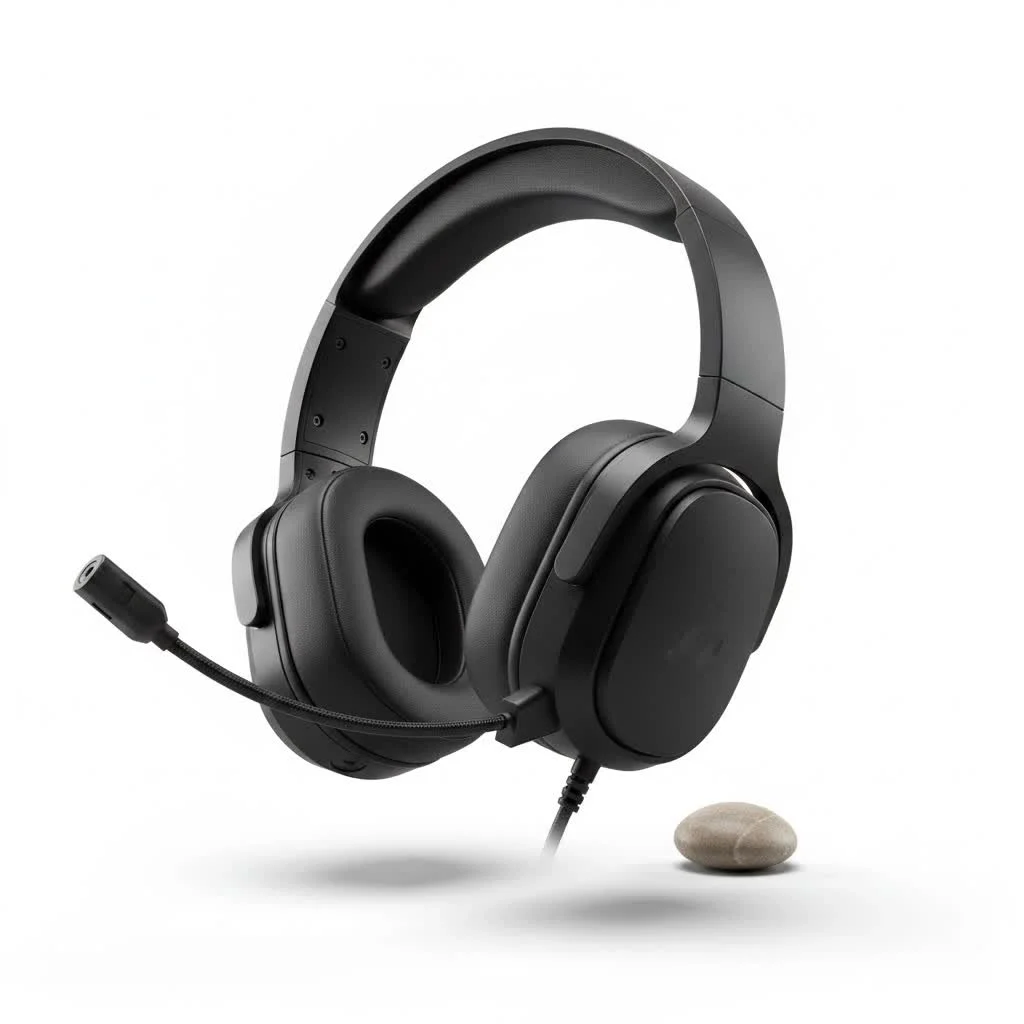
What Makes a Gaming Headset Mic “Good”?
When we talk about a “good mic” in a gaming headset, we’re not just looking for something that registers sound. We’re looking for an intelligent piece of engineering that elevates your communication. For expert reviews reviews on this site.
Clarity is King: Ensuring Your Voice Cuts Through
At its core, a good gaming headset mic needs to capture your voice with natural fidelity, making you sound like you, not a robot broadcasting from a tin can. This means accurate tonality and sufficient volume without sounding distorted or muffled. Your teammates shouldn’t have to strain to understand your crucial callouts.
Noise Cancellation: Muting the Real-World Distractions
Imagine the scene: intense firefight, keyboard clatter, a dog barking in the background, or even your roommate’s impromptu guitar solo. A truly excellent gaming headset mic employs effective noise cancellation to actively filter out these distractions, ensuring only your voice reaches your teammates. Most gaming headsets utilize cardioid or hyper-cardioid polar patterns, which are designed to pick up sound primarily from the front, minimizing ambient noise from the sides and rear.
Microphone Type & Design: Boom Mics, Retractable, Detachable
The physical design of the microphone plays a huge role.
- Boom Mics: These are the gold standard. A dedicated boom arm positions the microphone close to your mouth, which is ideal for voice pickup and noise rejection.
- Retractable Mics: Found on many SteelSeries Arctis models, these mics can be tucked away into the ear cup when not in use, offering a clean aesthetic and protection.
- Detachable Mics: Popularized by headsets like the Razer BlackShark V2 Pro, detachable mics offer immense versatility. You can remove them for solo gaming or turn your headset into a pair of regular headphones for on-the-go listening. This design also allows for easier replacement if the mic gets damaged.
Mic Monitoring (Sidetone): Hear Yourself, Hear Your Victory
Ever find yourself shouting because you can’t hear your own voice? Mic monitoring, or sidetone, feeds a small amount of your microphone’s input back into your headphones. This feature helps you modulate your voice naturally, preventing you from speaking too loudly or too softly, which is a major upgrade for long sessions.
Beyond the Mic: Key Factors for Your Perfect Gaming Headset
While the microphone is our focus, a gaming headset is a holistic experience. Neglecting other critical elements will diminish your overall satisfaction.
Immersive Audio Quality: Hearing Every Detail, From Footsteps to Explosions
|
Our Picks for the Best Gaming Headset in 2026
As an Amazon Associate I earn from qualifying purchases.
|
||
| Num | Product | Action |
|---|---|---|
| 1 | Razer BlackShark V2 X Gaming Headset: 7.1 Surround Sound - 50mm Drivers - Memory Foam Cushion - for PC, PS4, PS5, Switch - 3.5mm Audio Jack - Green |

|
| 2 | Gtheos 2.4GHz Wireless Gaming Headset for PS5, PS4 Fortnite & Call of Duty/FPS Gamers, PC, Nintendo Switch, Bluetooth 5.3 Gaming Headphones with Microphone for Mobile, Stereo Sound (Blush Pink) |
|
| 3 | Gtheos 2.4GHz Wireless Gaming Headset for PS5, PS4 Fortnite & Call of Duty/FPS Gamers, PC, Nintendo Switch, Bluetooth 5.3 Gaming Headphones with Microphone for Computer, Mobile, Stereo Sound (Camo) |
|
| 4 | Razer BlackShark V2 X PlayStation Gaming Headset: 50mm Drivers - Cardioid Mic - Lightweight - Comfortable, Noise Isolating Earcups - for PS5, Xbox Series X, PC, Switch via 3.5 mm Audio Jack - White |
|
| 5 | Gtheos 2.4GHz Wireless Gaming Headset for PS5, PS4 Fortnite & FPS Gamers, PC, Nintendo Switch, Bluetooth 5.3 Gaming Headphones with Noise Canceling Mic, Stereo Sound, 40+Hr Battery (Pink) |
|
| 6 | Razer BlackShark V2 X Gaming Headset: 7.1 Surround Sound - 50mm Drivers - Memory Foam Cushion - For PC, PS4, PS5, Switch - 3.5mm Audio Jack - Black |
|
| 7 | Gtheos 2.4GHz Wireless Gaming Headset for PS5, PS4 Fortnite & Call of Duty/FPS Gamers, PC, Nintendo Switch, Bluetooth 5.3 Gaming Headphones with Noise Canceling Mic, Stereo Sound, 40+Hr Battery -White |
|
| 8 | Razer BlackShark V2 X PlayStation Gaming Headset: 50mm Drivers - Cardioid Mic - Lightweight - Comfortable Noise Isolating Earcups - for PS5, Xbox Series X, PC, Switch via 3.5 mm Jack - Quartz Pink |
|
| 9 | Gtheos 2.4GHz Wireless Gaming Headset for PS5, PS4 Fortnite & Call of Duty/FPS Gamers, PC, Nintendo Switch, Bluetooth 5.3 Gaming Headphones with Mic, Stereo Sound, Red Light -BlackRed |
|
| 10 | Gtheos 2.4GHz Wireless Gaming Headphones for PS5, PS4 Fortnite & Call of Duty/FPS Gamers, PC, Nintendo Switch, Bluetooth 5.3 Gaming Headset with Noise Canceling Mic, Stereo Sound, 40+Hr Battery -Black |
|
Superior audio quality means precise directional sound cues, allowing you to pinpoint enemy footsteps or the exact location of gunfire. We’re talking about rich bass that brings explosions to life without overwhelming the crucial mid and high frequencies that deliver clarity in dialogue and subtle environmental sounds. Whether it’s virtual surround sound or expertly tuned stereo, the goal is an audio landscape that gives you a competitive edge and deepens immersion.
Unrivaled Comfort: Game for Hours Without Fatigue
What good is a fantastic mic if your head feels like it’s in a vise after an hour? Comfort is paramount. Look for headsets with adjustable headbands, ample padding (memory foam is a personal favorite), and breathable ear cushions (velour or mesh often beat leatherette for long sessions). The headset’s weight also matters; lighter headsets reduce strain during those marathon gaming sessions. Brands like HyperX and SteelSeries have built reputations on prioritizing ergonomics, and for good reason.
Connectivity Choices: Wired, Wireless, and Bluetooth
Your preferred platform and playstyle will dictate your connectivity needs.
- Wired (3.5mm, USB): Offers zero latency, which is critical for competitive players where every millisecond counts. They are generally more affordable and never run out of battery. USB connections can often unlock better audio processing.
- Wireless (2.4GHz): Modern wireless gaming headsets, often utilizing a dedicated 2.4GHz USB dongle, provide near-zero latency, rivaling wired connections while offering the freedom of movement. Many boast excellent battery life, some extending up to 60 hours or more on a single charge.
- Bluetooth: While convenient for mobile gaming or general use, standard Bluetooth can introduce noticeable latency, making it less ideal for competitive gaming. However, some newer headsets integrate Bluetooth for mixing audio from a phone while gaming on another device, which is a fantastic feature for multitasking.
Durability & Build Quality: Built to Last Through Countless Battles
Gaming gear takes a beating. From accidental drops to intense rage moments, your headset needs to withstand it all. Look for robust construction, reinforced headbands (often metal or high-quality plastic), and sturdy cables (if wired). Investing in a well-built headset means it will accompany you through many gaming adventures on Efuks.com.
Wired vs. Wireless: The Great Debate
This is a classic dilemma for gamers, and when it comes to microphone performance, both have their merits.
Wired: The Latency-Free Champion
For the purest, most reliable audio signal and minimal microphone latency, wired headsets are often the go-to. They bypass potential wireless interference and never require charging, ensuring your voice is consistently delivered without interruption. Many pro players still opt for wired setups for this very reason.
Wireless: Freedom Without Compromise (Mostly)
The convenience of wireless freedom is undeniable. Modern 2.4GHz wireless headsets have closed the gap significantly in terms of latency and microphone quality. Products like the Razer BlackShark V2 Pro (2023) or Logitech G Pro X 2 Lightspeed showcase how wireless technology can deliver broadcast-grade mic clarity without the tether. Just keep an eye on battery life and ensure you charge them regularly!
Top Contenders: Gaming Headsets Praised for Their Mics
Over my years reviewing products for Efuks.com, certain headsets consistently rise to the top for their microphone prowess.
Premium Picks for Pro-Level Comms
For those who demand the absolute best in voice clarity, headsets equipped with advanced mic technology stand out. The Logitech G Pro X 2 Lightspeed, for instance, is renowned for its Blue VO!CE software, offering a suite of real-time vocal effects and noise reduction that makes your voice sound incredibly professional, akin to a dedicated streaming microphone. Similarly, the Razer BlackShark V2 Pro (2023) is frequently lauded for its detachable HyperClear Super Wideband Mic, which delivers exceptional clarity and effective background noise suppression, making it a favorite for competitive players and streamers alike.
Value Champions: Great Mics on a Budget
You don’t always need to break the bank for a solid microphone. The Razer Barracuda X (2022) proves that budget-friendly options can still deliver clear, reliable voice communication with its capable detachable boom mic, often outperforming its price point. Similarly, the HyperX Cloud III offers a well-balanced audio experience and a decent microphone that’s more than sufficient for general gaming and team chat, all while maintaining HyperX’s legendary comfort.
Versatile All-Rounders
For gamers seeking a balance of excellent mic quality, robust audio, and multi-platform compatibility, the SteelSeries Arctis Nova 5X and Arctis Nova 7 Wireless series are often highlighted. Their retractable ClearCast microphones consistently provide clear, distortion-free communication, even in noisy environments, making them a solid choice for almost any gaming scenario, from PC to console.
Optimizing Your Gaming Headset Mic: Tips from an Efuks Expert
Even the best mic benefits from a little TLC and proper setup.
Proper Positioning
This is fundamental. Your boom mic should be positioned about two fingers’ width from the corner of your mouth, slightly to the side to avoid plosives (those harsh ‘p’ and ‘b’ sounds). This sweet spot maximizes voice pickup while minimizing breath noise.
Software Settings & EQ
Most premium gaming headsets come with companion software (like Razer Synapse, SteelSeries GG, or Logitech G Hub). Dive into these settings! You can often fine-tune mic gain, enable advanced noise reduction algorithms, and even apply EQ presets that optimize your voice for different uses (gaming, streaming, chat). Experiment to find what sounds best for you.
Keeping it Clean
A dusty mic grille can negatively impact sound quality. A quick, gentle wipe with a soft cloth can keep your mic performing at its peak. For detachable mics, ensure the connection port is clean.
Gaming Headset Mic vs. Standalone USB Mic: Do You Need Both?
This is a common question, especially for those venturing into content creation.
When a Headset Mic Suffices
For most gamers, a high-quality headset microphone is perfectly adequate. For competitive play, casual chats with friends, and even light streaming, the convenience and performance of a well-engineered headset mic are hard to beat. You get excellent audio input and output from a single, integrated device.
When to Upgrade to a Standalone Mic (for Streamers/Content Creators)
If you’re serious about professional streaming, podcasting, or producing high-quality video content, a standalone USB or XLR microphone will almost always offer superior audio fidelity. These mics typically feature larger capsules, more advanced digital signal processing, and a wider frequency response, producing that “broadcast quality” sound. While a good headset mic is great, a dedicated microphone like a Rode NT-USB+ or HyperX QuadCast S can take your vocal presence to the next level.
Expert Insight: A Word from Dr. Alistair Finch
“In the evolving landscape of gaming, the clarity of your voice is your most potent weapon,” states Dr. Alistair Finch, a renowned audio engineer specializing in esports sound design. “A mic that effectively isolates your commands from background noise doesn’t just improve team synergy; it fosters a stronger sense of presence and immersion for every player.”
Conclusion
Choosing the right gaming headset with a good mic is more than just buying a piece of tech; it’s an investment in your gaming experience, your team’s success, and your streaming presence. From the crucial clarity of your commands to the immersive soundscapes that pull you into the game, every element matters. By focusing on superior microphone performance, comfort, audio quality, and connectivity, you can confidently select a headset that will serve you faithfully through countless battles. So, gear up, speak clearly, and dominate the digital arena. For more in-depth reviews and expert recommendations, always check Efuks.com – your trusted source for gaming gear reviews! We encourage you to share your own experiences and favorite headsets with clear mics in the comments below!
Frequently Asked Questions
What features define a good gaming headset microphone?
A good gaming headset microphone is defined by its ability to capture your voice with natural fidelity, ensuring accurate tonality and sufficient volume. It must also feature effective noise cancellation to filter out background distractions, making your voice clear to teammates. Many top mics use cardioid or hyper-cardioid polar patterns for focused sound pickup.
Are wireless gaming headsets suitable for competitive play?
Yes, modern wireless gaming headsets, particularly those utilizing 2.4GHz low-latency connections, are highly suitable for competitive play. They offer near-zero latency, rivaling wired connections, and provide excellent microphone quality without the restriction of cables. Products like the Razer BlackShark V2 Pro (2023) demonstrate broadcast-grade mic clarity wirelessly.
How can I prevent my gaming headset mic from picking up keyboard noise?
To prevent your gaming headset mic from picking up keyboard noise, ensure your headset has robust noise cancellation features. Proper mic positioning, about two fingers' width from the corner of your mouth, and utilizing software-based noise gates or suppression settings in your headset's companion software (e.g., Logitech G Hub) can significantly reduce unwanted sounds.
What is mic monitoring and why is it important for gamers?
Mic monitoring, also known as sidetone, is a feature that feeds a small amount of your microphone's input back into your headphones. This is important because it allows you to hear your own voice, helping you modulate your speaking volume naturally and preventing you from shouting during intense gaming sessions, improving overall communication comfort.
When should a gamer consider upgrading to a standalone microphone?
A gamer should consider upgrading to a standalone microphone if they are serious about professional streaming, podcasting, or producing high-quality video content. While a good headset mic suffices for most gaming, dedicated USB or XLR microphones like the Rode NT-USB+ offer superior audio fidelity with larger capsules and advanced digital signal processing for broadcast-quality sound.
Which gaming headsets are recommended for their microphone quality?
Several gaming headsets are highly recommended for their microphone quality. Premium options include the Logitech G Pro X 2 Lightspeed with Blue VO!CE software and the Razer BlackShark V2 Pro (2023) with its HyperClear Super Wideband Mic. For budget-friendly choices, the Razer Barracuda X (2022) and HyperX Cloud III offer reliable voice communication.
Optimize Your Gaming Headset Microphone
Improve your gaming headset's microphone performance for clearer communication with these expert tips.
Place your boom mic approximately two fingers' width from the corner of your mouth. Position it slightly to the side to minimize plosive sounds (harsh 'p' and 'b' sounds). This optimal placement maximizes voice pickup while reducing breath noise.
Utilize your headset's companion software (e.g., Razer Synapse, SteelSeries GG, Logitech G Hub) to fine-tune mic gain. Experiment with advanced noise reduction algorithms and EQ presets to optimize your voice for gaming, streaming, or general chat. These settings can significantly enhance clarity.
Regularly clean your microphone grille with a soft, dry cloth. Dust and debris can accumulate and negatively impact sound quality over time. For detachable microphones, ensure the connection port remains clean to maintain optimal performance.
Get our weekly buyer guide
Practical specs, not advice. Unsubscribe anytime.

I finally upgraded to the Logitech G Pro X 2 Lightspeed after reading about its mic quality, and wow, what a difference! My teammates immediately noticed how much clearer I sound. The noise cancellation is also fantastic; I can game without my family’s background noise bothering anyone. Definitely worth the investment for serious gamers.
I picked up the Razer BlackShark V2 Pro (2023) and it’s been solid. The mic is definitely a step up from my old headset, and my friends say they can hear me perfectly even when things get hectic in-game. My only minor complaint is that the earcups can get a little warm during really long sessions, but it’s not a dealbreaker.
I was hoping for a bit more from the mic clarity on the headset I bought. While it’s decent for casual chats, I still get comments about sounding a bit muffled sometimes, especially when I’m trying to give quick commands in competitive matches. The comfort is good for long wear, but the mic didn’t quite live up to the ‘crystal-clear’ standard I was expecting.
As a streamer, a good mic is non-negotiable, and the headset I got delivers. My viewers have commented on the improved audio quality, and I love that I don’t have to worry about my mechanical keyboard clicks being picked up. It’s super comfortable too, which is essential for those marathon streaming sessions.