Astro Gaming headsets offer a significant competitive edge for gamers, providing professional-grade audio, immersive sound quality with Dolby Audio, superior comfort for long sessions, and robust durability. These headsets are a top choice for both casual players and esports professionals due to their advanced technology and ergonomic design. Efuks.com has extensively tested the Astro lineup to help you select the ideal headset for your gaming setup.
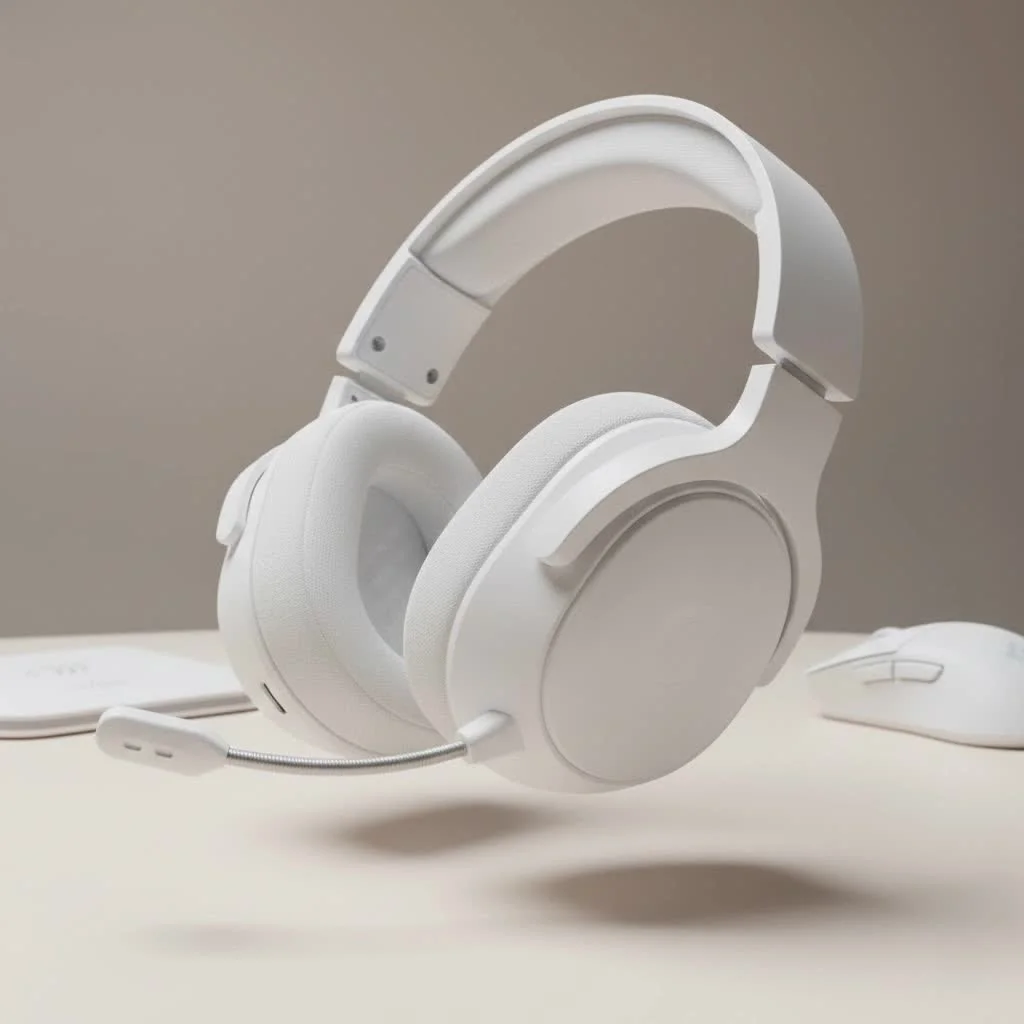
The Astro Edge: Why Gamers Choose Astro Gaming Headsets
Astro Gaming carved its niche by focusing on the unique demands of competitive play and immersive experiences. An Astro Gaming headset stands out due to its blend of modern technology, ergonomic design, and a deep understanding of gamer needs.
First off, Astro brings a level of expertise and experience that’s hard to match. Their reputation is built on delivering professional-grade audio, which is why their headsets are often seen with top esports athletes. This pedigree translates directly into products engineered for peak performance.
Then there’s the immersive sound quality. Astro headsets are meticulously tuned for gaming, rendering every explosion, dialogue, and crucial environmental cue with startling clarity. Many models feature Dolby Audio, providing virtual surround sound that helps pinpoint sound origins, offering a tangible advantage in competitive titles.
Let’s not forget unrivaled comfort. For gamers who spend hours in front of the screen, a comfortable headset is essential. Astro headsets are renowned for their comfortable fit, often utilizing breathable fabric-like suede earcups and well-distributed weight to ensure focus on the game, not discomfort.
Finally, the build quality and durability of Astro Gaming headsets are consistently impressive. Crafted from robust materials, these are not flimsy accessories. They’re built to withstand the rigors of intense gaming sessions and travel, making them a solid investment for years to come.
Decoding the Astro Lineup: Popular Models Compared
Astro offers a range of headsets, each designed to cater to different needs and budgets. Let’s break down some of their most popular models, giving you the lowdown on what makes them tick.
Astro A50 X: The Multi-Platform Master
What is the Astro A50 X?The Astro A50 X is Astro’s flagship wireless gaming headset, designed for gamers who play across multiple high-end platforms like Xbox Series X|S, PlayStation 5, and PC, offering seamless switching with its innovative HDMI pass-through technology.
The A50 X represents the pinnacle of Astro’s wireless technology. It’s the go-to for gamers who juggle multiple consoles and a PC, offering an almost magical ability to switch between platforms at the touch of a button thanks to its HDMI 2.1 pass-through and PLAYSYNC technology. It boasts PRO-G GRAPHENE audio drivers for exceptional sound clarity and uses LIGHTSPEED wireless technology for a super low-latency connection. The microphone on this model is excellent, ensuring clear communication with your squad.
However, this modern tech comes at a premium price, and its unique multi-platform switching design works best if all your gaming systems are connected to the same display. While it supports Bluetooth, some users have reported minor connection quirks.
Best For: Hardcore multi-platform gamers, content creators, and streamers who demand ultimate convenience and top-tier wireless audio performance across all their systems.
Astro A50 (Gen 4): The Wireless Warrior
|
Our Picks for the Best Gaming Headset in 2026
As an Amazon Associate I earn from qualifying purchases.
|
||
| Num | Product | Action |
|---|---|---|
| 1 | Razer BlackShark V2 X PlayStation Gaming Headset: 50mm Drivers - Cardioid Mic - Lightweight - Comfortable, Noise Isolating Earcups - for PS5, Xbox Series X, PC, Switch via 3.5 mm Audio Jack - White |

|
| 2 | Gtheos 2.4GHz Wireless Gaming Headset for PS5, PS4 Fortnite & Call of Duty/FPS Gamers, PC, Nintendo Switch, Bluetooth 5.3 Gaming Headphones with Microphone for Mobile, Stereo Sound (Blush Pink) |
|
| 3 | Razer BlackShark V2 X PlayStation Gaming Headset: 50mm Drivers - Cardioid Mic - Lightweight - Comfortable Noise Isolating Earcups - for PS5, Xbox Series X, PC, Switch via 3.5 mm Jack - Quartz Pink |
|
| 4 | Razer BlackShark V2 X Gaming Headset: 7.1 Surround Sound - 50mm Drivers - Memory Foam Cushion - for PC, PS4, PS5, Switch - 3.5mm Audio Jack - Green |
|
| 5 | Gtheos 2.4GHz Wireless Gaming Headset for PS5, PS4 Fortnite & FPS Gamers, PC, Nintendo Switch, Bluetooth 5.3 Gaming Headphones with Noise Canceling Mic, Stereo Sound, 40+Hr Battery (Pink) |
|
| 6 | Gtheos 2.4GHz Wireless Gaming Headphones for PS5, PS4 Fortnite & Call of Duty/FPS Gamers, PC, Nintendo Switch, Bluetooth 5.3 Gaming Headset with Noise Canceling Mic, Stereo Sound, 40+Hr Battery -Black |
|
| 7 | Gtheos 2.4GHz Wireless Gaming Headset for PS5, PS4 Fortnite & Call of Duty/FPS Gamers, PC, Nintendo Switch, Bluetooth 5.3 Gaming Headphones with Microphone for Computer, Mobile, Stereo Sound (Camo) |
|
| 8 | Gtheos 2.4GHz Wireless Gaming Headset for PS5, PS4 Fortnite & Call of Duty/FPS Gamers, PC, Nintendo Switch, Bluetooth 5.3 Gaming Headphones with Noise Canceling Mic, Stereo Sound, 40+Hr Battery -White |
|
| 9 | Razer BlackShark V2 X Gaming Headset: 7.1 Surround Sound - 50mm Drivers - Memory Foam Cushion - For PC, PS4, PS5, Switch - 3.5mm Audio Jack - Black |
|
| 10 | Gtheos 2.4GHz Wireless Gaming Headset for PS5, PS4 Fortnite & Call of Duty/FPS Gamers, PC, Nintendo Switch, Bluetooth 5.3 Gaming Headphones with Mic, Stereo Sound, Red Light -BlackRed |
|
What makes the Astro A50 Gen 4 a good choice?The Astro A50 Gen 4 is a highly regarded wireless gaming headset known for its superior comfort, well-balanced sound profile, and convenient charging base, making it a favorite for dedicated console and PC gamers.
This classic wireless gaming headset has been a fan favorite for years. It offers exceptional comfort with its spacious earcups and balanced weight distribution, perfect for marathon gaming sessions. The well-balanced sound profile is highly customizable through the Astro Command Center software, letting you tweak the EQ to your liking. With over 17 hours of battery life and a convenient charging base, power concerns are minimal.
The main downsides are its somewhat bulky design and the fact that it’s wireless-only, meaning no casual Bluetooth connectivity. Some older models have also had reported issues with the charging dock and connectivity, although these are often resolved with firmware updates.
Best For: Dedicated console or PC gamers who prioritize wireless freedom, comfort, and customizable, high-fidelity gaming audio.
Astro A40 TR + MixAmp Pro: The Wired Pro’s Choice
Why do competitive gamers often choose the Astro A40 TR?The Astro A40 TR, especially when paired with the MixAmp Pro, is a wired headset favored by competitive and esports players due to its exceptional audio control, customizable sound, and reliable wired connection that ensures zero latency.
If you’re a competitive player or streamer who values absolute control and reliability above all else, the A40 TR with its MixAmp Pro TR is likely your champion. This wired setup delivers outstanding audio control, allowing you to balance game audio and voice chat on the fly, switch EQ presets, and even enable Dolby 7.1 surround sound. The A40 TR is also highly customizable, with swappable earcups, headbands, and a detachable microphone that can be upgraded with mod kits. Its wired connection guarantees zero latency, which is critical in competitive play.
The main drawback is the wired connection, which limits freedom of movement. The MixAmp Pro also takes up a bit of desk space. However, for many pros, these are minor trade-offs for unparalleled performance.
Best For: Esports professionals, competitive gamers, and streamers who require precise audio adjustments, rock-solid reliability, and the flexibility to customize their headset.
Astro A30 Wireless: The Versatile All-Rounder
What makes the Astro A30 Wireless a versatile option?The Astro A30 Wireless is a versatile gaming headset offering both wireless and wired connectivity, including Bluetooth, making it a great choice for gamers who need flexibility to switch between gaming setups and mobile devices.
The A30 Wireless strikes a fantastic balance between performance and versatility. It offers both LIGHTSPEED wireless and wired connectivity, plus Bluetooth, allowing you to connect to a vast array of devices from consoles and PCs to your smartphone. It shares a similar sleek aesthetic with the A50 X and provides a decent sound experience for gaming.
While it’s a solid performer, the A30 might not feel quite as refined in terms of comfort or build quality as the premium A50 X. The microphone quality is generally considered “okay,” perfectly sufficient for in-game chat but not studio-grade. It also uses the Logitech G App for customization rather than the Astro Command Center.
Best For: Gamers looking for a versatile wireless headset that can seamlessly transition between console, PC, and mobile gaming without breaking the bank of a flagship model.
Astro A10 (Gen 2): The Reliable Entry Point
Is the Astro A10 Gen 2 a good budget gaming headset?Yes, the Astro A10 Gen 2 is an excellent budget-friendly gaming headset, offering solid build quality, good comfort, and sound specially tuned for gaming, making it a reliable entry point into the Astro ecosystem for new or cost-conscious gamers.
If you’re new to the world of gaming headsets or on a tighter budget, the Astro A10 Gen 2 is a fantastic starting point. This wired headset is incredibly durable with a flexible headband and a sturdy build, designed to withstand accidental drops and bumps. It delivers good gaming sound quality for its price, focusing on crucial in-game audio cues. The flip-to-mute microphone is clear and convenient.
Being an entry-level model, it’s more basic in terms of features and offers less advanced audio customization. While comfortable, its earcups might be a bit smaller than its higher-end siblings, and some users might find they warm up during extended sessions.
Best For: Budget-conscious gamers, those new to Astro, or anyone needing a dependable, no-frills wired gaming headset for consistent performance across platforms.
Key Factors When Choosing Your Astro Gaming Headset
Navigating the world of gaming headsets can feel complex, but focusing on these key factors will help you make an informed decision:
- Sound Quality: Consider if you prioritize positional audio for competitive FPS games (where every footstep counts) or a rich, immersive soundstage for story-driven adventures. Astro headsets are generally tuned for gaming, offering clear highs, mids, and impactful bass without muddiness. Dolby Audio features enhance immersion.
- Microphone Performance: For team-based games, clear communication is non-negotiable. Look for microphones with good clarity and noise cancellation. Features like flip-to-mute or detachable mics add convenience, especially if you have a dedicated external mic.
- Comfort & Fit: Long gaming sessions demand a comfortable headset. Pay attention to the earcup material (Astro often uses breathable fabric), clamping force (not too tight, not too loose), and overall weight. A headset that feels light and balanced will prevent fatigue.
- Connectivity: Do you prefer the reliability and zero-latency of a wired headset (like the A40 TR) or the freedom of wireless (A50, A30)? Consider Bluetooth for mobile gaming or general media consumption. For multi-platform gamers, the A50 X’s PLAYSYNC technology is a major upgrade.
- Durability & Build: A robust headset is a lasting headset. Astro typically uses high-quality plastics and metals, with flexible headbands built to endure. Check if mod kits are available for further customization and potential longevity.
- Software & Customization: Astro Command Center (for older models) or the Logitech G Hub/App (for newer models like the A50 X and A30) allows you to tweak EQ settings, adjust microphone levels, and create custom presets, tailoring your audio experience to specific games or preferences.
- Battery Life (for Wireless Models): If you opt for wireless, how long can you game before needing a recharge? Astro’s wireless offerings typically provide ample battery life, often 15+ hours, ensuring your headset won’t die mid-match.
Pro Tips for Your Astro Gaming Headset
Getting the most out of your Astro Gaming headset goes beyond just plugging it in. Here are a few pro tips from the Efuks.com team:
- Firmware Updates Are Your Friend: Always ensure your headset and base station (if applicable) have the latest firmware. This often resolves connectivity issues, improves performance, and adds new features. Use the Astro Command Center or Logitech G Hub/App for this.
- Master the EQ: Don’t just stick with default settings! Dive into the companion software and experiment with the equalizer. A slightly different EQ can significantly enhance footsteps in FPS games or bring out the cinematic richness in RPGs.
- Proper Charging Habits: For wireless models, docking your headset properly after each session (or charging via USB when not in use) will maintain optimal battery health and ensure it’s always ready for action. Be aware of specific docking requirements for models like the A50.
- Consider Mod Kits: If you have an A40 TR or an older A50, explore the official mod kits. These can swap out earcups for noise-isolating leatherette or change the headband, allowing you to tailor your headset for different environments or comfort preferences.
- Cleanliness is Key: Regularly clean your earcups and headband, especially if they’re fabric. This not only keeps them hygienic but also prevents material degradation over time, preserving comfort and appearance.
Expert Insight: The Efuks.com Perspective
“Astro Gaming headsets have consistently impressed us with their dedication to the serious gamer,” says Alex “Soundwave” Chen, Lead Audio Reviewer at Efuks.com. “They understand that a gaming headset isn’t just about sound; it’s about comfort, communication, and a seamless experience that allows you to fully lose yourself in the game or gain that critical competitive edge. The A50 X, in particular, showcases their innovation in tackling the multi-platform challenge, proving Astro isn’t afraid to push boundaries for their audience.”
Frequently Asked Questions (FAQ)
Are Astro headsets compatible with all gaming consoles and PC?Most Astro headsets offer broad compatibility, but it varies by model. The Astro A50 X is specifically designed for seamless switching between Xbox, PlayStation, and PC. Other models like the A50 Gen 4 and A40 TR often come in console-specific variants (Xbox/PC or PlayStation/PC). The A10 and A30 also support multiple platforms.
What is the main difference between the Astro A50 and A50 X?The Astro A50 X is the latest flagship model, featuring HDMI 2.1 pass-through with PLAYSYNC technology for instant switching between Xbox, PS5, and PC on a single display. It also boasts new PRO-G GRAPHENE drivers and an improved microphone. The A50 Gen 4, while still excellent, is an older wireless model designed primarily for one console ecosystem and PC, without the HDMI switching capabilities.
Do Astro Gaming Headsets have good microphones?Generally, Astro headsets are known for their clear and reliable microphones, especially for in-game communication. The Astro A50 X features a particularly impressive microphone. While most are excellent for gaming chat, if you’re looking for broadcast-quality audio for streaming or content creation, a dedicated XLR microphone might still be a better option.
Is the MixAmp Pro necessary for the Astro A40 TR?While the Astro A40 TR headset can function without the MixAmp Pro, pairing it with the MixAmp is highly recommended. The MixAmp Pro unlocks the headset’s full potential, providing crucial features like game/voice balance, on-the-fly EQ adjustments, and Dolby 7.1 surround sound, which are essential for competitive and professional gaming.
How long does the battery last on Astro wireless headsets?Astro wireless headsets typically offer robust battery life. For example, the Astro A50 Gen 4 provides over 17 hours of continuous use, and the A30 Wireless also delivers long gaming sessions before needing a recharge. Actual battery life can vary slightly based on volume levels and feature usage.
Conclusion
Choosing the right Astro Gaming headset is about understanding your unique gaming habits and priorities. Whether you’re a multi-platform maestro eyeing the A50 X, a competitive pro who demands the precise control of the A40 TR, a wireless enthusiast loyal to the A50, a versatile player considering the A30, or a newcomer seeking reliable value with the A10, Astro has a solution engineered for excellence.
At Efuks.com, our mission is to empower you with the knowledge to make confident choices. Invest in an Astro Gaming headset, fine-tune it to your preference, and prepare to immerse yourself fully in your favorite virtual worlds, with every sound bringing you closer to victory. Step up your game, one soundwave at a time.
Frequently Asked Questions
Are Astro headsets compatible with all gaming consoles and PC?
Most Astro headsets offer broad compatibility, but specific features vary by model. The Astro A50 X is designed for seamless switching between Xbox, PlayStation, and PC using HDMI 2.1 pass-through. Other models like the A50 Gen 4 and A40 TR often come in console-specific variants, while the A10 and A30 also support multiple platforms.
What is the main difference between the Astro A50 and A50 X?
The Astro A50 X is the latest flagship model, featuring HDMI 2.1 pass-through with PLAYSYNC technology for instant switching between Xbox, PS5, and PC on a single display. It also boasts new PRO-G GRAPHENE drivers and an improved microphone. The A50 Gen 4 is an older wireless model designed primarily for one console ecosystem and PC, lacking the HDMI switching capabilities.
Do Astro Gaming Headsets have good microphones?
Generally, Astro headsets are known for their clear and reliable microphones, especially for in-game communication. The Astro A50 X features a particularly impressive microphone for clear squad communication. While excellent for gaming chat, a dedicated XLR microphone might be a better option for broadcast-quality streaming or content creation.
Is the MixAmp Pro necessary for the Astro A40 TR?
While the Astro A40 TR headset can function without the MixAmp Pro, pairing it is highly recommended. The MixAmp Pro unlocks the headset's full potential, providing crucial features like game/voice balance, on-the-fly EQ adjustments, and Dolby 7.1 surround sound, which are essential for competitive and professional gaming.
How long does the battery last on Astro wireless headsets?
Astro wireless headsets typically offer robust battery life for extended gaming sessions. For example, the Astro A50 Gen 4 provides over 17 hours of continuous use. The A30 Wireless also delivers long gaming sessions before needing a recharge, though actual battery life can vary slightly based on volume levels and feature usage.
Choose Your Astro Gaming Headset
Selecting the right Astro Gaming headset involves evaluating several key factors to match your gaming habits and preferences.
Determine if you prioritize precise positional audio for competitive FPS games or a rich, immersive soundstage for story-driven adventures. Astro headsets are generally tuned for gaming, offering clear highs, mids, and impactful bass, often with Dolby Audio for enhanced immersion.
For team-based games, clear communication is crucial. Look for microphones with good clarity and noise cancellation. Features like flip-to-mute or detachable mics add convenience, especially if you use a dedicated external microphone.
Long gaming sessions demand a comfortable headset. Pay attention to earcup material (Astro often uses breathable fabric), clamping force, and overall weight. A light and balanced headset will prevent fatigue during extended play.
Decide between the reliability and zero-latency of a wired headset (like the A40 TR) or the freedom of wireless (A50, A30). Consider Bluetooth for mobile gaming or general media consumption. For multi-platform gamers, the A50 Xu2019s PLAYSYNC technology is a significant advantage.
A robust headset is a lasting investment. Astro typically uses high-quality materials. Check if mod kits are available for models like the A40 TR or older A50, allowing for further customization of earcups and headbands to suit different environments or comfort preferences.
Get our weekly buyer guide
Practical specs, not advice. Unsubscribe anytime.
I finally upgraded to an Astro A50 and it’s been a game-changer for my Warzone sessions. The immersive sound quality with Dolby Audio really does make a difference in pinpointing enemy footsteps. I can wear these for hours without any discomfort, which is huge for my longer gaming nights. Definitely worth the investment if you’re serious about your audio.
I picked up an Astro A20 after hearing good things about their durability. While it feels well-built and the sound is decent for the price, I found the comfort for long sessions wasn’t quite what I expected. After about two hours, I start to feel some pressure on my ears. It’s okay for shorter bursts, but not ideal for all-day gaming.
My old headset was constantly cutting out, but my new Astro A50 has been rock solid. The advanced technology really shines through, especially with the wireless range. I can grab a drink from the kitchen without missing a beat of the game. It’s made my gaming experience so much smoother and more enjoyable.
I’ve been using an Astro A40 for about six months now, and the professional-grade audio is fantastic. My teammates always comment on how clear my mic is. My only minor gripe is that the earcups can get a little warm after really extended use, but it’s not a dealbreaker. Still, a solid choice for competitive play.