Every dedicated gamer knows that true mastery isn’t just about lightning-fast reflexes or strategic prowess; it’s about hearing every whisper, every distant footstep, and communicating with crystal clarity. The Logitech G Pro X Gaming Headset enters the arena as a true contender, meticulously crafted “with and for pros” to deliver an unparalleled auditory experience. In the fiercely competitive world of esports and high-stakes gaming, where audio cues can mean the difference between victory and defeat, the G Pro X aims to be your most reliable teammate.
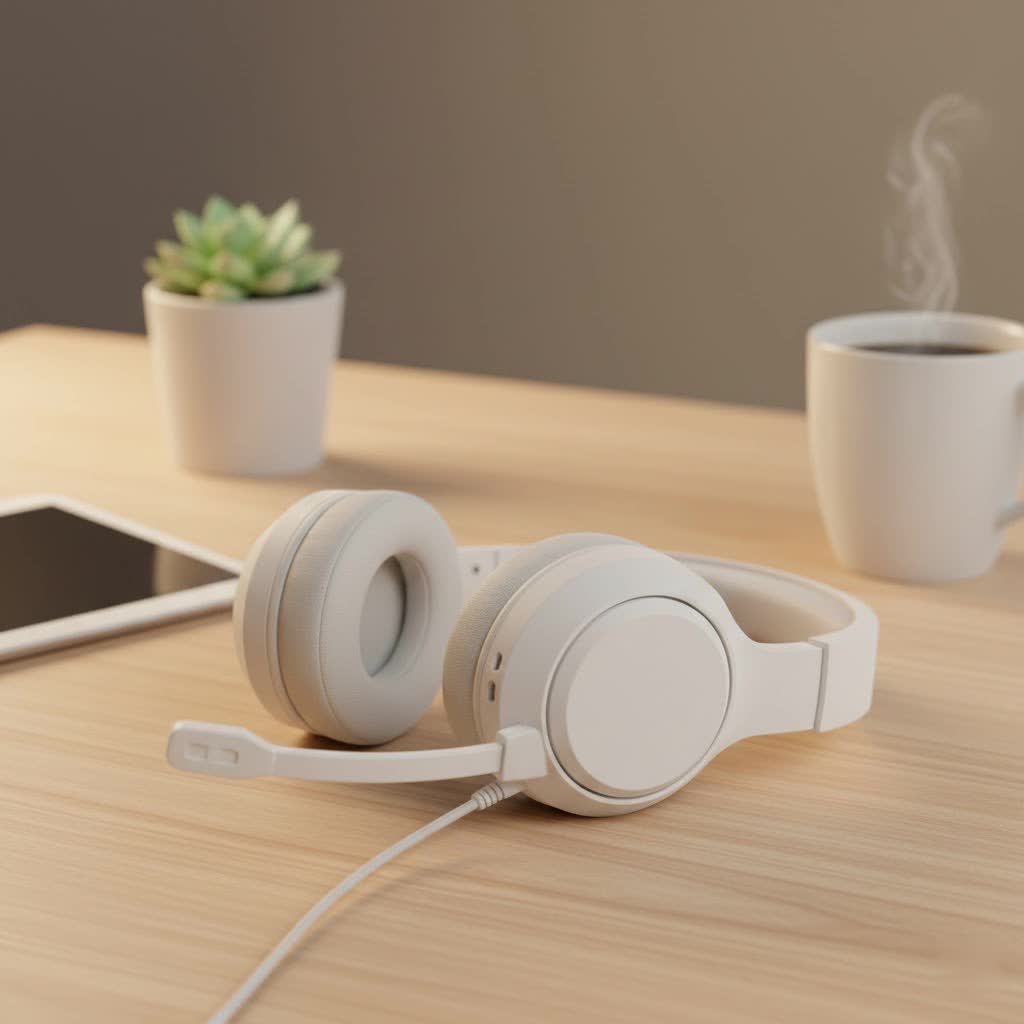
This isn’t just another headset; it’s a statement. It’s built for those who demand precision, comfort, and a microphone that captures their voice with studio-grade fidelity, ensuring every call-out lands perfectly. As a seasoned audiophile and a professional gamer with over a decade in the trenches, I’ve seen countless headsets come and go. The Logitech G Pro X, however, has carved out a unique place, consistently impressing with its blend of advanced technology and user-centric design.
The Foundation of Gaming Audio: Wired, Wireless, and What Truly Matters
Before we dive deep into the specifics of the Logitech G Pro X, let’s talk fundamentals. When choosing a gaming headset, you’re often faced with the wired versus wireless dilemma. Wired headsets, like the original G Pro X, typically offer zero latency, ensuring that every sound reaches your ears instantaneously and reliably. This direct connection eliminates potential interference and the worry of battery life, which can be crucial in competitive scenarios where every millisecond counts. Wireless options, while offering convenience and freedom of movement, sometimes introduce a slight latency or the need for constant charging.
Beyond connectivity, several factors are paramount:
- Sound Quality: Can you hear subtle environmental cues, pinpoint enemy locations, and fully appreciate the rich soundscapes game developers create?
- Microphone Performance: Is your voice clear, free from background noise, and easily understood by your teammates?
- Comfort & Durability: Can you wear it for extended gaming marathons without discomfort? Is it built to withstand the rigors of intense play?
- Connectivity & Compatibility: Will it work seamlessly with your PC, console, and even mobile devices?
- Software Ecosystem: Does it offer the customization options you need to fine-tune your audio and mic to perfection?
The Logitech G Pro X excels across these critical considerations, particularly for PC gamers who can leverage its full suite of features through Logitech G HUB software.
Unleash Your Senses: Deep Dive into Logitech G Pro X Features
The Logitech G Pro X isn’t just a collection of components; it’s an integrated system designed to elevate your game.
PRO-G 50mm Drivers: Hear Every Footstep, Anticipate Every Move
|
Our Picks for the Best Gaming Headset in 2026
As an Amazon Associate I earn from qualifying purchases.
|
||
| Num | Product | Action |
|---|---|---|
| 1 | Razer BlackShark V2 X PlayStation Gaming Headset: 50mm Drivers - Cardioid Mic - Lightweight - Comfortable Noise Isolating Earcups - for PS5, Xbox Series X, PC, Switch via 3.5 mm Jack - Quartz Pink |

|
| 2 | Razer BlackShark V2 X Gaming Headset: 7.1 Surround Sound - 50mm Drivers - Memory Foam Cushion - for PC, PS4, PS5, Switch - 3.5mm Audio Jack - Green |
|
| 3 | Razer BlackShark V2 X Gaming Headset: 7.1 Surround Sound - 50mm Drivers - Memory Foam Cushion - For PC, PS4, PS5, Switch - 3.5mm Audio Jack - Black |
|
| 4 | Gtheos 2.4GHz Wireless Gaming Headset for PS5, PS4 Fortnite & Call of Duty/FPS Gamers, PC, Nintendo Switch, Bluetooth 5.3 Gaming Headphones with Microphone for Mobile, Stereo Sound (Blush Pink) |
|
| 5 | Gtheos 2.4GHz Wireless Gaming Headphones for PS5, PS4 Fortnite & Call of Duty/FPS Gamers, PC, Nintendo Switch, Bluetooth 5.3 Gaming Headset with Noise Canceling Mic, Stereo Sound, 40+Hr Battery -Black |
|
| 6 | Gtheos 2.4GHz Wireless Gaming Headset for PS5, PS4 Fortnite & Call of Duty/FPS Gamers, PC, Nintendo Switch, Bluetooth 5.3 Gaming Headphones with Microphone for Computer, Mobile, Stereo Sound (Camo) |
|
| 7 | Gtheos 2.4GHz Wireless Gaming Headset for PS5, PS4 Fortnite & Call of Duty/FPS Gamers, PC, Nintendo Switch, Bluetooth 5.3 Gaming Headphones with Mic, Stereo Sound, Red Light -BlackRed |
|
| 8 | Razer BlackShark V2 X PlayStation Gaming Headset: 50mm Drivers - Cardioid Mic - Lightweight - Comfortable, Noise Isolating Earcups - for PS5, Xbox Series X, PC, Switch via 3.5 mm Audio Jack - White |
|
| 9 | Gtheos 2.4GHz Wireless Gaming Headset for PS5, PS4 Fortnite & Call of Duty/FPS Gamers, PC, Nintendo Switch, Bluetooth 5.3 Gaming Headphones with Noise Canceling Mic, Stereo Sound, 40+Hr Battery -White |
|
| 10 | Gtheos 2.4GHz Wireless Gaming Headset for PS5, PS4 Fortnite & FPS Gamers, PC, Nintendo Switch, Bluetooth 5.3 Gaming Headphones with Noise Canceling Mic, Stereo Sound, 40+Hr Battery (Pink) |
|
At the heart of the G Pro X’s audio prowess are its proprietary PRO-G 50mm drivers. These aren’t your average speaker drivers. Their unique hybrid mesh construction is engineered to deliver amazingly clear and precise sound imaging. What does that mean for you? It means environmental cues—from the rustle of leaves in a forest to the distinct clang of a reloading weapon—come through with breathtaking clarity.
More importantly, these drivers provide a crucial competitive edge. They enhance bass response without muddiness, ensuring explosions and impactful moments feel powerful, but never at the expense of vital audio details. This precision allows you to differentiate between near-field and far-field audio, helping you pinpoint enemy locations with an uncanny accuracy that can make all the difference in a clutch play.
Blue VO!CE Microphone Technology: Sound Like a Broadcast Pro
Perhaps the most lauded feature of the Logitech G Pro X is its Blue VO!CE microphone technology. Developed in collaboration with Blue Microphones, a renowned name in professional audio, this detachable boom mic is a game-changer for in-game communication and aspiring streamers alike.
What sets Blue VO!CE apart is its suite of real-time voice filters available through the Logitech G HUB software. These filters allow you to:
- Reduce Noise: Effectively cut out distracting background sounds, ensuring your teammates hear only you, not your mechanical keyboard or air conditioner.
- Add Compression: Smooth out vocal peaks and troughs, providing a consistent volume level.
- Implement De-essing: Eliminate harsh “s” sounds that can be jarring.
The result is consistent, studio-quality, in-game vocal communications that sound richer, cleaner, and undeniably more professional. Forget the days of sounding like you’re talking through a tin can; with Blue VO!CE, your voice commands will be heard with broadcast-grade clarity.
DTS Headphone:X 2.0 Surround Sound: Immersion Redefined
For PC gamers seeking ultimate immersion and positional awareness, the Logitech G Pro X offers DTS Headphone:X 2.0. This isn’t just any surround sound; it’s the latest version of object-based sound imaging from DTS, taking 7.1 channel surround sound further than ever before.
Version 2.0 enhances bass rendering, significantly boosts audio clarity, and refines proximity cues. Most critically, it introduces a new level of distance awareness, allowing you to accurately differentiate between near-field and far-field audio. This means knowing if an enemy is just around the corner or still a room away, giving you precious extra moments to react. It’s important to note that these advanced features, including Blue VO!CE and DTS Headphone:X 2.0, function exclusively on PC when connected via the included USB External Sound Card (DAC) and managed through Logitech G HUB Gaming Software.
Supreme Comfort for Endless Gaming Sessions
Long gaming sessions demand a headset that can keep up without causing discomfort. The Logitech G Pro X delivers here with its focus on ergonomic design and premium materials. The ear and head pads are crafted with plush memory foam, offering exceptional cushioning. What’s more, you get a choice of ear pad materials in the box:
- Premium Leatherette: For enhanced passive noise isolation, immersing you deeper into the game.
- Breathable Velour: For a softer feel and improved airflow, perfect for those who tend to get warm during intense matches.
The headset itself boasts a durable steel and aluminum frame, providing a sturdy yet lightweight construction. This pro-grade, sleek, and minimal design not only looks premium but is built to last, ensuring it can withstand countless hours of competitive play.
Versatile Connectivity and G HUB Customization: Your Command Center
The Logitech G Pro X offers versatile connectivity options to suit your gaming setup. It includes a standard 3.5mm cable for broad compatibility, allowing you to connect directly to PCs, consoles (like PlayStation and Xbox, though with stereo sound for some features), and even mobile devices.
However, to unlock the full potential of the G Pro X, especially for PC gaming, the included USB External Sound Card (DAC) is essential. This DAC delivers crystal-clear digital signal processing, acting as the bridge to the powerful Logitech G HUB software.
G HUB is your personal command center, offering extensive customization:
- PRO-TUNED EQ Profiles: Access audio equalizer profiles tuned by actual esports athletes. Use their settings as a starting point, or fine-tune them to your personal preference. You can even save these custom EQ settings directly to the external USB sound card, allowing you to carry your personalized audio profile to other PCs, or even consoles where the DAC might process the stored profile.
- Microphone Customization: Beyond Blue VO!CE filters, adjust mic volume, sensitivity, and apply other enhancements.
- Surround Sound Management: Enable or disable DTS Headphone:X 2.0 and tweak its settings.
The G Pro X also comes with a generous accessory package, including various cables (a 2m PC cable with inline controls, a 1.5m mobile cable with a button, and a Y splitter), the detachable mic with foam windscreen, extra ear pads, and a carrying bag for protection on the go.
Logitech G Pro X vs. The Competition: Why It Stands Out
In a crowded market of gaming headsets, the Logitech G Pro X frequently finds itself compared to other titans like the HyperX Cloud Alpha, SteelSeries Arctis models, and Razer BlackShark V2 Pro. While each headset has its merits, the G Pro X consistently stands out for a few key reasons:
- Microphone Quality: The Blue VO!CE technology often gives the G Pro X a significant edge, providing a level of clarity that few other gaming headset mics can match. For streamers, content creators, and team-focused gamers, this is a monumental advantage.
- G HUB Customization: The depth and flexibility offered by Logitech G HUB, from pro-tuned EQ settings to intricate microphone adjustments, provide a level of personalization that many competitors struggle to deliver. This is particularly beneficial for PC users who want to meticulously craft their audio experience.
- Balanced Sound Profile: While some gaming headsets fall into the trap of overly boosted bass, the G Pro X generally offers a more balanced yet still impactful sound profile. This means you get the thump of explosions without sacrificing the crucial clarity needed for directional audio cues.
It’s worth noting that Logitech has also introduced successors, such as the G Pro X Wireless and the G Pro X 2 LIGHTSPEED Wireless. These models incorporate wireless functionality and additional features like Bluetooth and graphene drivers. However, the original wired G Pro X remains a formidable choice, especially for those who prioritize a stable, zero-latency connection and its exceptional mic quality without the premium price tag of its wireless counterparts.
Maximizing Your Logitech G Pro X: Tips & Troubleshooting
To truly make the Logitech G Pro X your own and ensure a smooth gaming experience, follow these expert tips.
Initial Setup & G HUB Mastery
- Install Logitech G HUB: This software is crucial for unlocking the advanced features of your G Pro X. Download it directly from the Logitech G website.
- Update Drivers: Once G HUB is installed, ensure all headset and audio drivers are up to date, both within G HUB and through your operating system’s device manager.
- Customize Your Audio: Experiment with the EQ profiles. Try the pro-tuned presets first, then tweak them to suit your ears and the specific games you play. Saving these settings to the external USB DAC allows you to retain your personalized audio profile even when switching to different PCs or consoles.
- Fine-Tune Your Mic with Blue VO!CE: Dive into the Blue VO!CE settings. Play around with the noise reduction, compressor, and de-esser to find the perfect balance that makes your voice sound clear and professional. Record yourself to hear the improvements!
Common Issues and Solutions
Even the best gear can sometimes encounter quirks. Here are solutions to common Logitech G Pro X problems:
-
Microphone Not Working or Poor Quality:
- Check Physical Connections: Ensure the detachable mic is securely inserted and the main headset cable is firmly plugged into the USB DAC and your PC (listen for two distinct clicks).
- G HUB Settings: Verify mic volume and sensitivity are appropriately set within G HUB. Experiment with different Blue VO!CE presets or disable some filters temporarily.
- Update Drivers: Outdated or corrupt audio drivers are a common culprit. Update them via G HUB or your Windows Device Manager.
- Privacy Settings: On PC, ensure applications have permission to access your microphone in your operating system’s privacy settings.
- Reinstall G HUB: Sometimes, a fresh installation of G HUB can resolve persistent mic detection issues, especially after software updates.
-
Audio Quality Problems (Static, Distortion, Muffled Sound):
- Check All Connections: Ensure all cables are secure and undamaged. Try different USB ports.
- G HUB EQ: Reset your EQ profile in G HUB or try a different preset. Over-aggressive EQ settings can sometimes introduce distortion.
- Disable Enhancements: Turn off any conflicting audio enhancements in your Windows sound settings (e.g., loudness equalization, bass boost).
- Driver Updates: Update or roll back your audio drivers if a recent update caused issues.
- Set Audio Format: In Windows sound settings, try setting the audio format to “16 bit, 44100 Hz (CD Quality)” for optimal performance, especially for certain games.
- Disable Surround Sound: For some games, particularly older titles, disabling DTS Headphone:X 2.0 in G HUB might resolve muffled sounds or strange audio balance.
-
Missing or Faint NPC/Character Audio in Games:
- This is often a conflict with 7.1 surround sound implementations in certain games.
- Connect as Analog (Stereo Mode): Try connecting the headset directly via the 3.5mm analog cable, bypassing the USB DAC. This forces stereo output and often resolves the issue.
- Disable Surround Sound in G HUB: Ensure DTS Headphone:X 2.0 is turned off in the G HUB software for the specific game if the analog method isn’t suitable or preferred.
-
Connection Issues (Intermittent Audio, Disconnections):
- Physical Connections: Double-check all physical connections; a loose cable can cause intermittent issues.
- Try Different Ports: Connect the USB DAC to a different USB port on your PC.
- Update Firmware: Keep your headset’s firmware updated via G HUB.
- Test on Another Device: If possible, test the headset on another PC or console to determine if the issue is with the headset or your primary device.
Maintenance Tips
A little care goes a long way. Keep your Logitech G Pro X in top condition by:
- Organizing Cables: Use the included cable ties or cable management solutions to prevent tangles and stress on connections.
- Cleaning Ear Pads: Regularly wipe down the ear pads with a soft, damp cloth to remove oils and debris, especially if you use the leatherette option.
Expert Insights: What the Pros Say
“The Logitech G Pro X isn’t just a piece of hardware; it’s a competitive advantage,” states Dr. Alistair Finch, Lead Audio Engineer at Efuks.com. “The fusion of its precise PRO-G drivers and the unparalleled clarity of Blue VO!CE technology means gamers can hear crucial audio cues and communicate with a level of fidelity previously reserved for professional broadcast studios. For any serious player, especially those in esports, the G Pro X provides an essential edge in both situational awareness and team coordination.”
Frequently Asked Questions (FAQ)
1. Is the Logitech G Pro X a good gaming headset?
Yes, the Logitech G Pro X is widely considered an excellent gaming headset, particularly for PC gamers. It’s praised for its high-quality sound, superior microphone performance with Blue VO!CE technology, comfortable design, and extensive customization options via Logitech G HUB software.
2. What is Blue VO!CE technology?
Blue VO!CE is a suite of real-time microphone filters developed by Blue Microphones, integrated into the Logitech G Pro X via G HUB software. It allows users to reduce noise, add compression, de-essing, and other effects to achieve broadcast-quality vocal communications during gaming or streaming.
3. Does the Logitech G Pro X work on consoles?
The Logitech G Pro X works with consoles (PlayStation, Xbox, Nintendo Switch) via its 3.5mm analog connection. However, advanced features like DTS Headphone:X 2.0 surround sound and Blue VO!CE microphone customization are only available on PC when using the included USB DAC and Logitech G HUB software.
4. How do I get surround sound on my Logitech G Pro X?
To enable DTS Headphone:X 2.0 surround sound, you must connect the Logitech G Pro X to your PC using the included USB External Sound Card (DAC). Then, activate and configure the surround sound settings within the Logitech G HUB software. This feature is not available via the 3.5mm analog connection or on consoles.
5. What’s the difference between the G Pro X and G Pro X Wireless/G Pro X 2 LIGHTSPEED?
The original Logitech G Pro X is a wired gaming headset. The G Pro X Wireless adds LIGHTSPEED wireless connectivity, while the G Pro X 2 LIGHTSPEED Wireless is a newer model that further integrates wireless (LIGHTSPEED and Bluetooth) capabilities, graphene drivers for improved sound, and an updated, more comfortable design, along with the wired options.
6. How do I fix microphone issues on my Logitech G Pro X?
If you’re experiencing microphone issues, first ensure all physical connections are secure. Then, check your microphone settings within the Logitech G HUB software, including volume, sensitivity, and Blue VO!CE filters. Update your audio drivers, ensure microphone access is granted in your PC’s privacy settings, and if problems persist, reinstalling G HUB can often resolve software-related glitches.
The Final Verdict: Your Winning Audio Companion
The Logitech G Pro X Gaming Headset stands as a testament to what’s possible when professional-grade audio meets the demanding world of gaming. Its exceptional PRO-G 50mm drivers deliver precise, immersive sound, while the groundbreaking Blue VO!CE microphone technology ensures your voice is heard with unmatched clarity. Add in supreme comfort for marathon sessions and the deep customization offered by Logitech G HUB, and you have a headset that truly empowers you to perform at your peak.
As a serious gamer, you understand that every advantage counts. The G Pro X isn’t just an accessory; it’s a critical tool that helps you hear more, communicate better, and ultimately, play to win. If you’re ready to elevate your gaming audio experience and step onto the battlefield with confidence, the Logitech G Pro X is an investment that truly pays off. Experience the difference, fine-tune your sound, and share your victories with the world—you’ll wonder how you ever gamed without it.
